EasyManua.ls Logo

Philips MX5000D - Page 34

Philips MX5000D
40 pages
Print Icon
To Next Page IconTo Next Page
To Previous Page IconTo Previous Page
Loading...
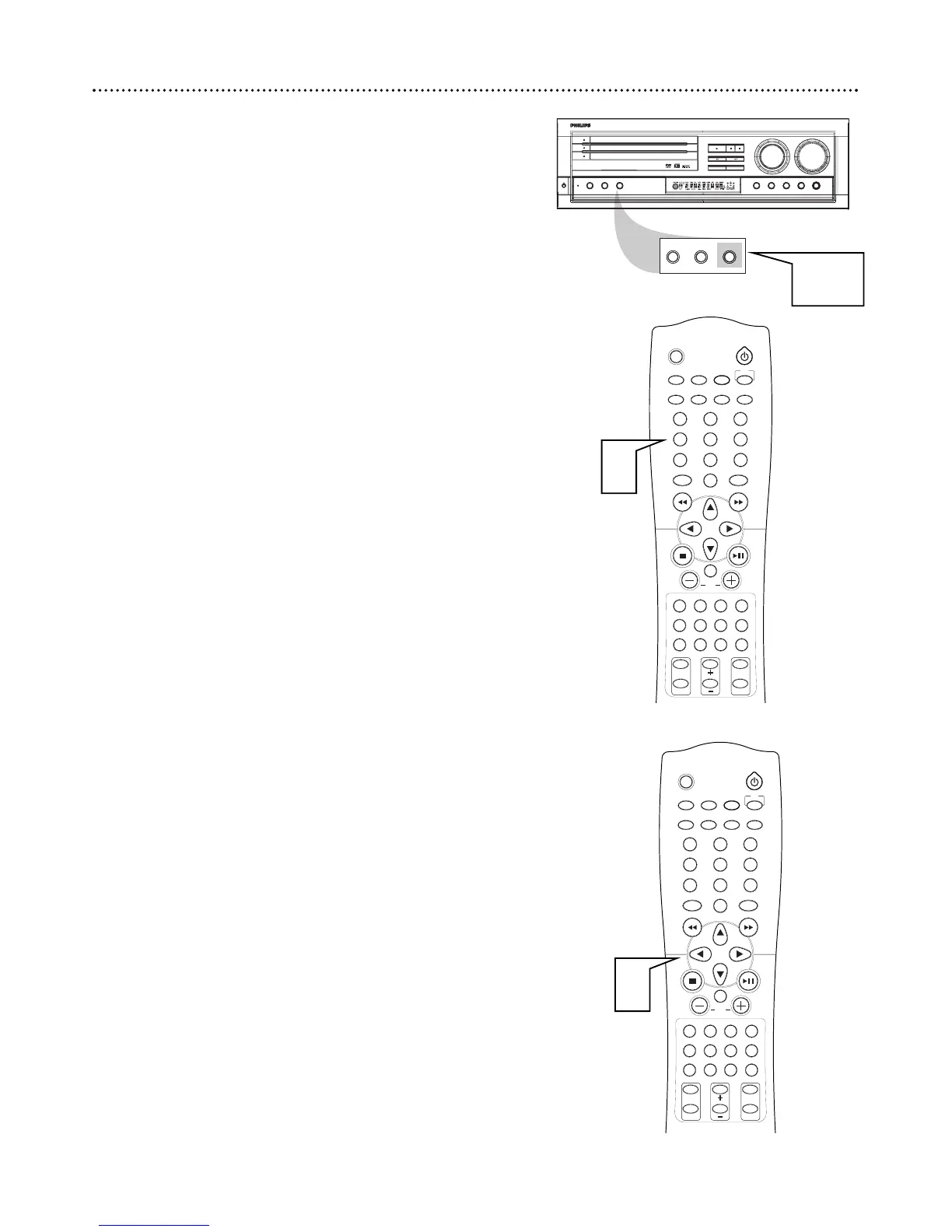
Programming Radio Stations
You can preset up to 30 stations in memory.
1
Tune to the desired radio station as detailed above.
2
Press PROGRAM on the front of the DVD Receiver. PROG
will appear on the display panel.
3
Within five seconds, press the Number buttons (0-9) to
select a preset number.
If Program disappears from the display panel before you select
a preset number, repeat steps 2-3.
4
Within five seconds, press PROGRAM to store the radio sta-
tion. Repeat steps 14 to store other radio stations.
If you try to program more than 30 preset radio stations, "FULL"
will appear on the display panel.
Selecting Preset Radio Stations
1
In Tuner mode, press ; or : or use the Number buttons to
select a preset station number. The preset station number, radio
frequency, and FM or AM will appear on the display panel.

SLEEP
MUTE
DVD/CD TV/AV TUNER
TV
CDRAUXSATVCR
MENUMENU
DISC
SYSTEM
OK
VOL
TITLE
ANGLE
ZOOM
LANGUAGE
NIGHT
PICTURE
RETURN
SPEAKER
SURROUND VIRTUAL TONE TEST TONE
G U I
REPEAT
SUBTITLE
PROGRAM
SLOW MOTION
AUDIO
123
456
78
0
9
II
OPEN
DISC 1
DISC 2
DISC 3
PLAY
DISC SKIP
STOP-CLEAR
SEARCH PREV
SEARCH NEXT
TUNING PRESET
PAUSE
SOURCE
SURROUND
ON/
OFF
VIRTUAL TONE NIGHT
PHONES
VOLUME
OPEN
OPEN
MX 5000D 3DVD VIDEO DIGITAL SURROUND SYSTEM
DIM
POWER
STANDBY
ON
REPEAT PROGRAM
DIM REPEAT PROGRAM
2-4
SLEEP
MUTE
DVD/CD TV/AV TUNER
TV
CDRAUXSATVCR
MENUMENU
DISC
SYSTEM
OK
VOL
TITLE
ANGLE
ZOOM
LANGUAGE
NIGHT
PICTURE
RETURN
SPEAKER
SURROUND VIRTUAL TONE TEST TONE
G U I
REPEAT
SUBTITLE
PROGRAM
SLOW MOTION
AUDIO
123
456
78
0
9
II
3
1
34 Radio Tuner

Related product manuals