Initial operation 11
3Initial operation
Setting up the device
Before installing your device, make sure that
the projector is turned off and the power cable
is unplugged from the power outlet.
Remove protection foil before operation!
Do not place any objects in front of the
lens!
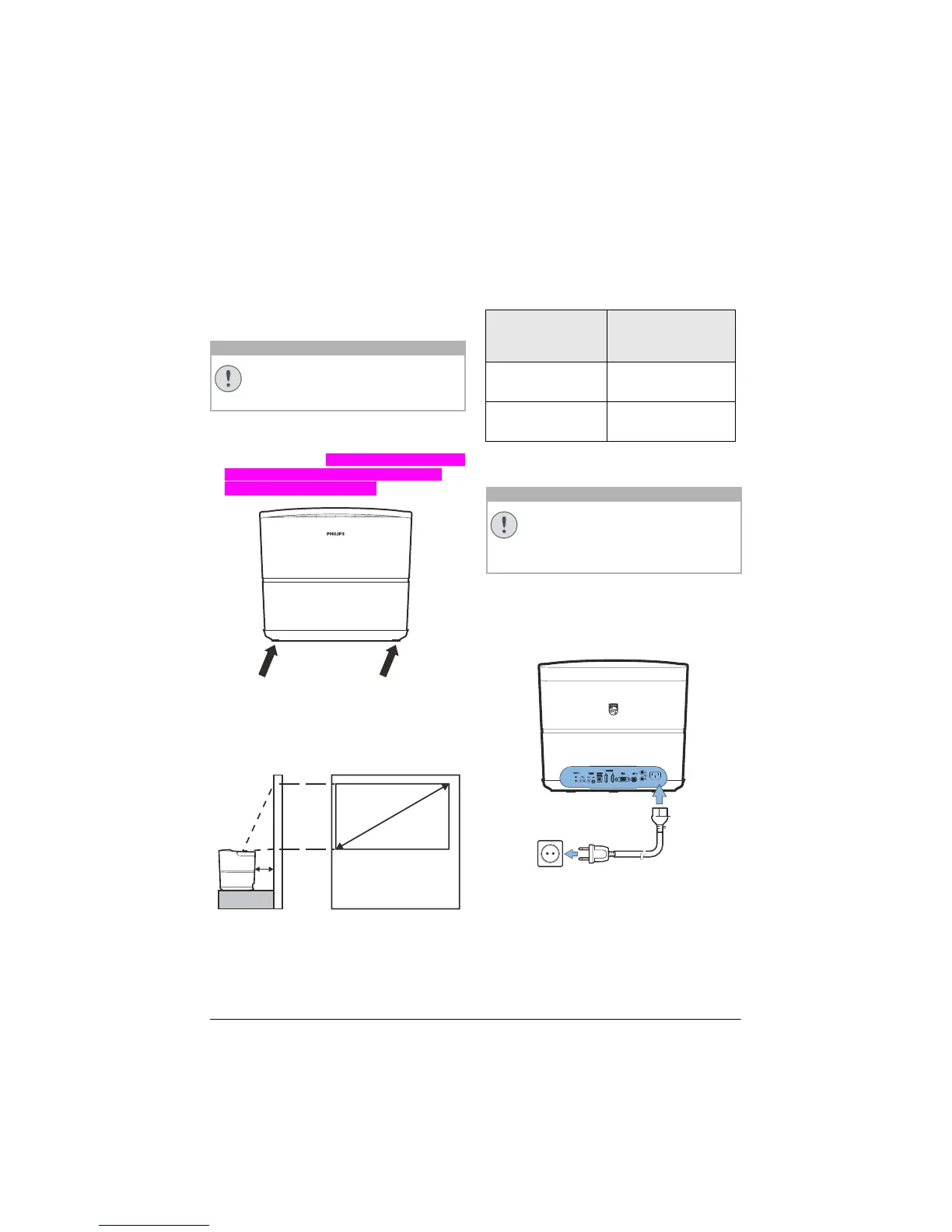
1 You can position the device so that it stands
flat on a table with the rear side in front of the
projection surface. Zusätzlich können Sie das
Bild mit den Standfüßen optimal auf die
Projektionsfläche ausrichten
.
The device compensates for the distortion from
the slanted projection (pincushion distortion).
Check that the projection surface is appropri-
ated to the projector. The distance between the
p
rojector and the screen determines the actual
size of the image.
a
b
To change the size of the screen, just move the
projector towards or away from the wall.
The size of the screen (b) is comprised between
0.1 and 0.42 meter depending on the projection
distance (a), as described in the following table.
Diagonal size (b)
(mm
)
[inch]
Projection distance
(a)
(mm)
1270
[50]
108
3048
[120]
420
Connecting power supply
Always use the POWER button to
power off the projector. This is manda
-
tory for the UHP lamp to respect the
n
ecessary cooling time!
1 C
onnect the power cable into the socket on
the rear side of your device (1).
2 Pl
ug the power cable to outlet on the wall
(2).
b
a
CAUTION!
CAUTION!















 To Next Page