22 Philips · HDP2510
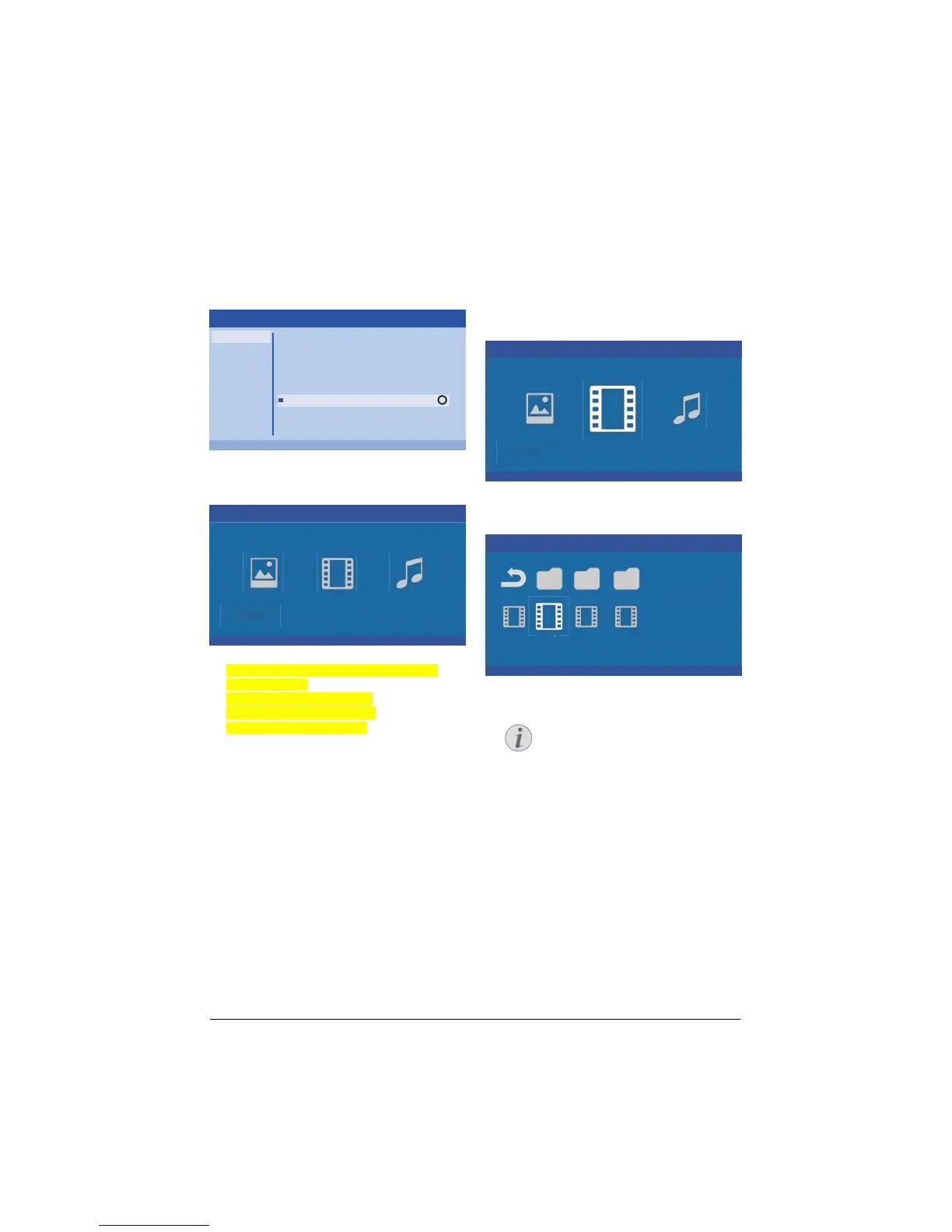
Activating media player
1 Press the OPTION button and use / to
select Source.
2 Confirm with .
3 Use
/ to select Media player.
OK
Source
Image
3D
Sound
System
Information
HDMI1
HDMI2
HDMI3
VGA
AV-In
Bluetooth speaker
Media Player
OK
Source settings
4 Confirm with .
5 The media pla
yer main screen appears.
Media Player
Photo Movie Music
You can choose between the following
media players:
Photo: For showing photos
Movie: For watching movies
Music: For listening music.
6 Use
À/Á to select the desired media player.
7 Confirm with .
The chosen icon is highlighted in white and it
is bigger than the unselected icon.
Movie playback
Supported file formats
Supported file formats are *.avi, *.mov, *.mp4,
*.mkv, *.flv, *.ts, *.m2ts, *.3gp.
1 To display the movies content, select Movie
using the keys À/Á.
Media Player
Photo Movie Music
1 Use À/Á or / to select the movie file
that you wish to play.
Movie
USB/Movie1 1/1
Movie MovieMovie
Only those movies that are compati-
ble with the projector will be dis-
played.
2 Pr
ess or Á to start playback. The status
bar is shown. If no key is pressed it disap-
pears after three seconds.
3 Pr
ess ¿ to end the playback and return to
the overview.
4 Wh
en you press ¿ again or u, you will
return to the media player main screen.
Notice















 To Next Page