6 Philips · HDP2510
2Overview
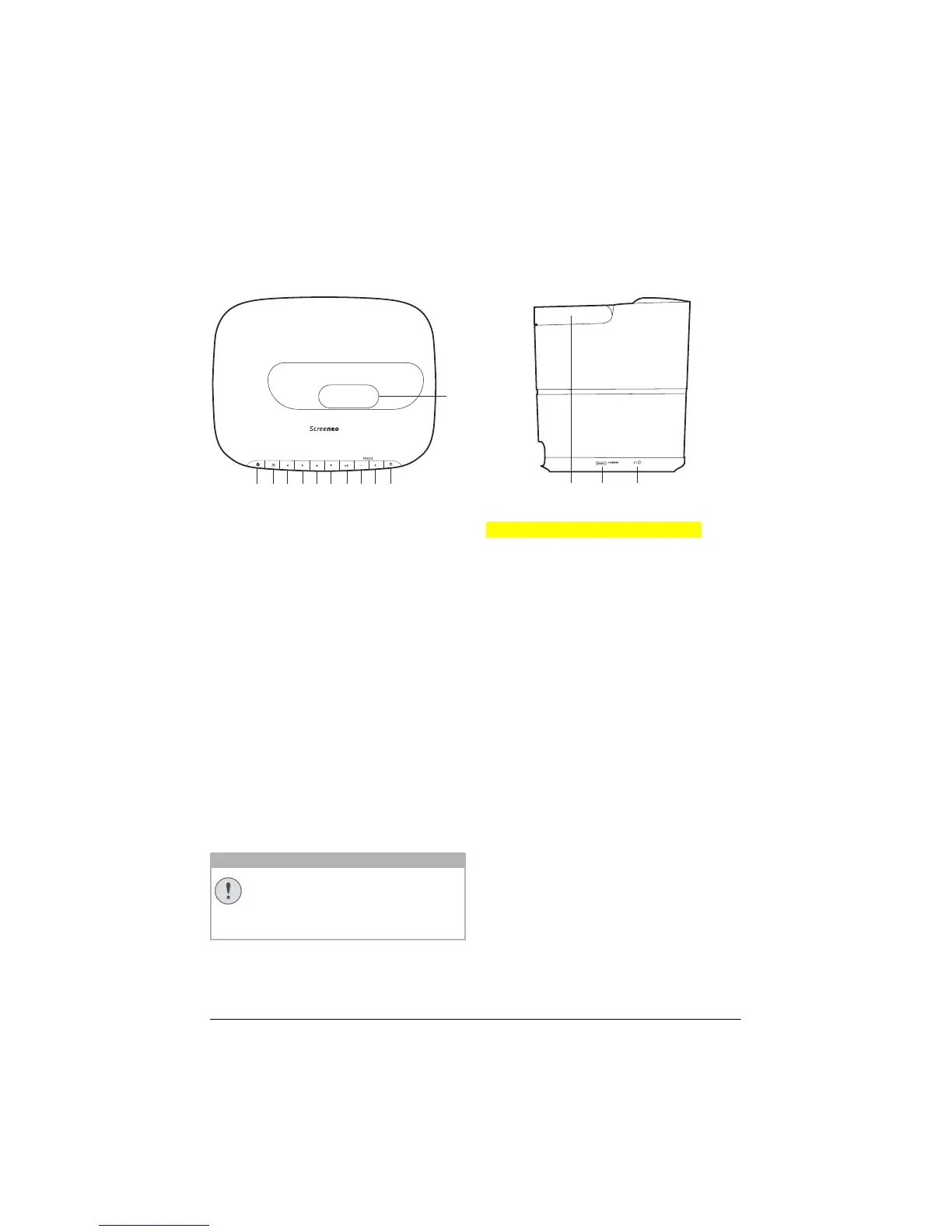
Top view
a
d
cghijf
e
b
k
Always use the POWER button to
power off the projector. This is manda
-
tory for the UHP lamp to respect the
n
ecessary cooling time!
1 e / OPTI
ON
Opens the Option menu.
2 BACK / ¿
Goes one level back in menu / cancels a
function.
3–6 Navigation keys – //À/Á
Navigate in menu / modify settings, confirms
selection.
7 OK
Goes one level down in menu / confirms se-
lection.
8–9 FOCUS -/+
Adjusts the focus for image sharpness
.
B / POWER
Short press: Powers on the projector.
Double press: Powers off the projector.
Long press (three seconds): Starts Pairing
mode.
Long press (ten seconds): Resets the pro-
jector.
Lens
Side view
ab 3
1 Tragegriff (ausklappbar) Carry handle
2
HDMI port for a playback device.
3
Ï
– Audio output
Headphone connection or connection for
external speakers.
CAUTION!















 To Next Page