12 Philips · HDP2510
Installing or changing the
batteries of the IR remote
control
Risk of explosion with incorrect type of
batteries!
Only use the AAA type battery.
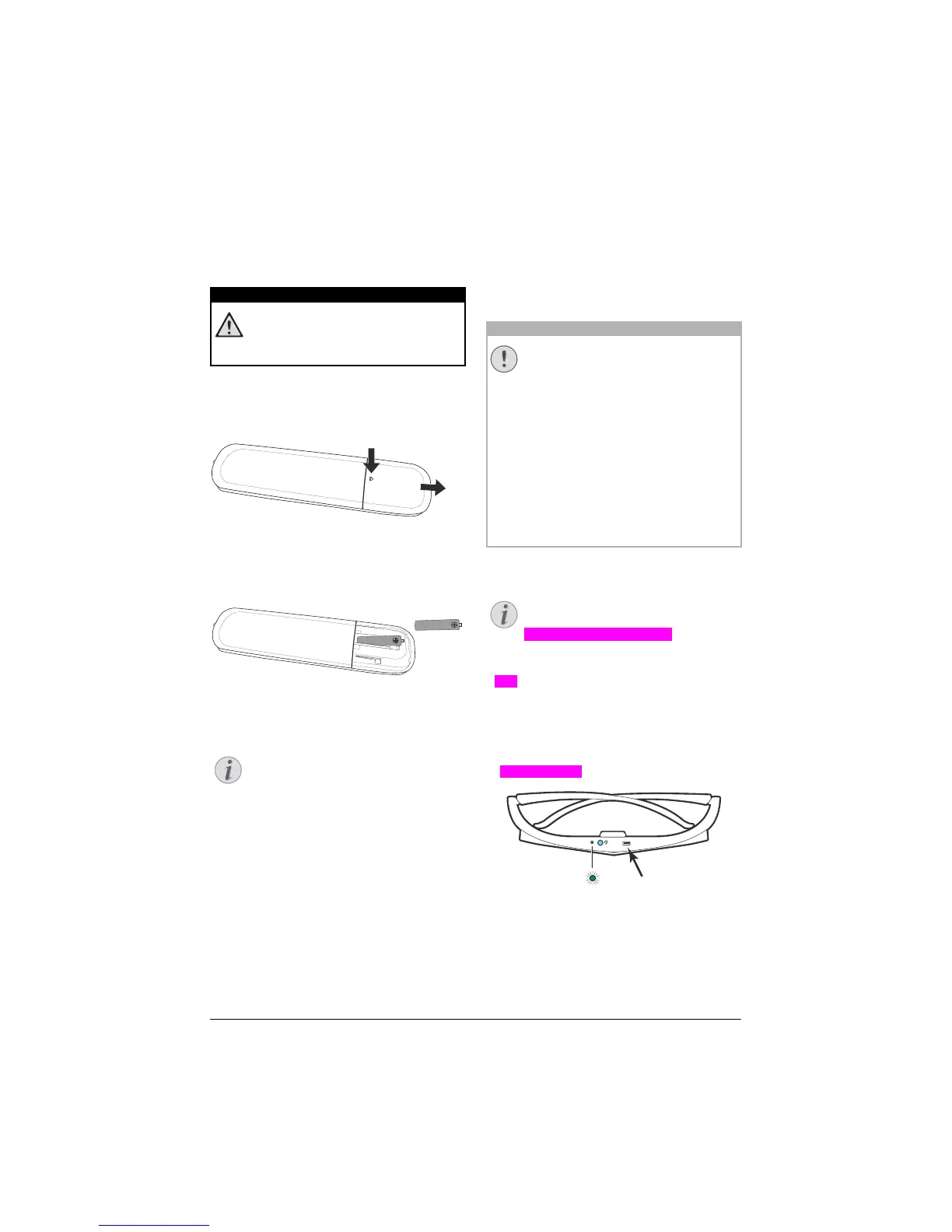
1 To acces
s the battery, press to unlock the
locking mechanism (1) and slide out the
battery compartment (2).
b
a
2 Insert the new batteries into the battery com-
partment with the positive and negative
pole
s as shown. Make sure the polarities
(+ and -) are aligned correctly.
3 Push the battery compartment back into the
remote control until the locking mechanism
engages.
Normally the batteries will last for
around one year. If the remote control
stops working, replace the batteries. If
the device is not used for a long time,
take out the batteries. This will prevent
leakage and possible damage to the
remote control.
The used batteries should be disposed
of according to the recycling regula-
tions of your country.
Using the remote control
The remote control can be used within an angle
of 22.5 degrees and up to 10 meters from the
device. When using the remote control, no
obstacle should be placed between the remote
control and remote sensor.
3D glasses (optional)
You can purchase Screeneo 3D glasses
on the website Philips:
www.philips.com/screeneo
The 3D glasses are equipped with a battery,
whi
ch has to be charged before first use. Charg-
ing takes several hours and is compl
ete when
the LED on the glasses is on green.
When the LED turns red, do a new charge.
1 Take
an USB mini cable, connect the USB
mini on the 3D glasses and the another plug
on an USB port of the device.
DANGER!
Notice
CAUTION!
• The improper use of batteries can
lead to overheating, explosion, risk
of fire and injury. Leaking batteries
can possibly damage the remote
control.
• Never expose the remote control
to direct sunlight.
• Avoid deforming, dismantling or
charging the batteries.
• Avoid exposure to open fire and
water.
• Replace empty batteries immedi-
ately.
• Remove the battery from the
remote control if not in use for long
periods of time.
Notice















 To Next Page