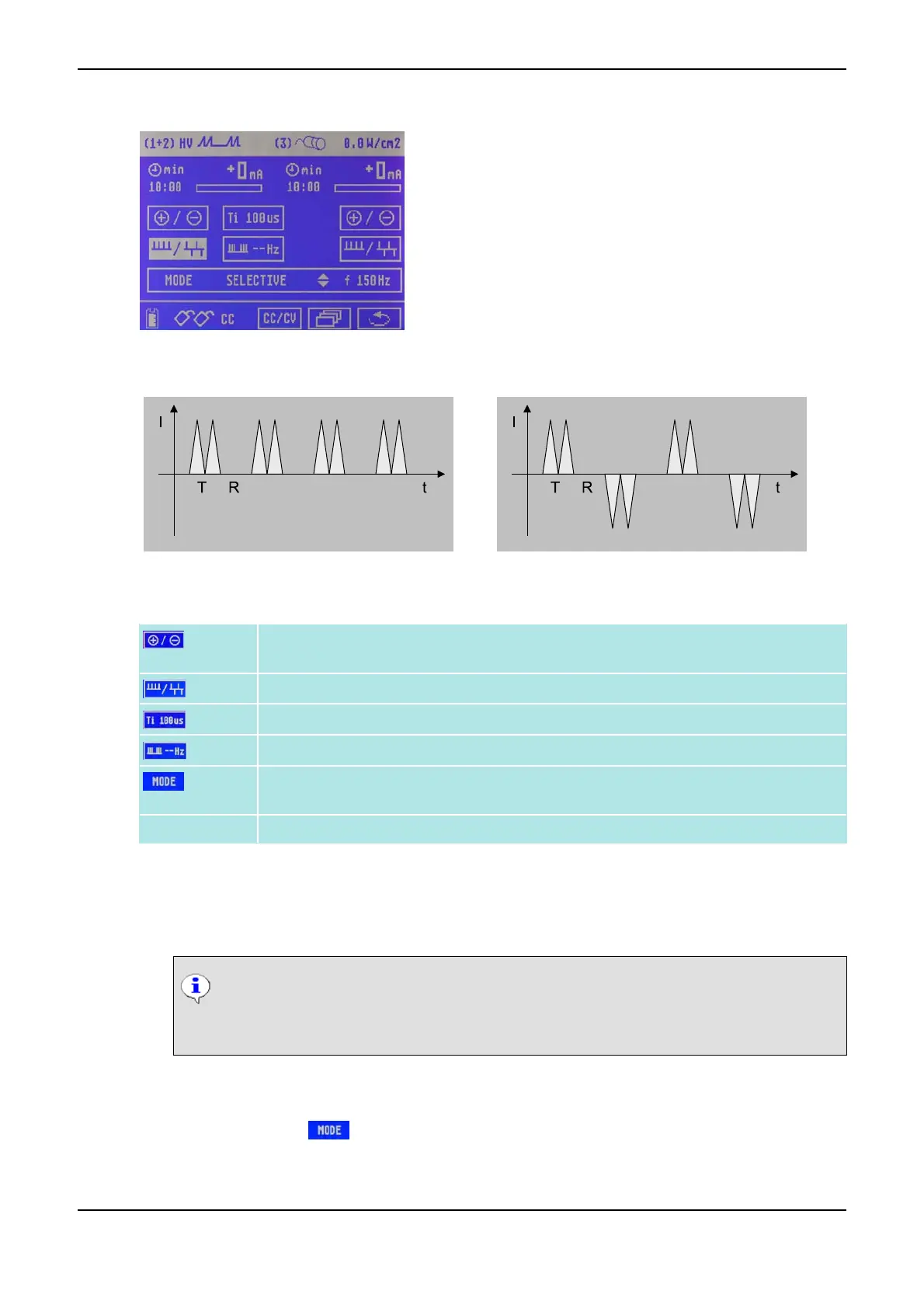
Menu for Current Mode HV
Current Mode HV: monophase Current Mode HV: biphase
Parameters for Current Mode HV
Polarity switch to switch the polarity of the two electrodes (the sign in the intensity dis-
play changes accordingly); can be adjusted separately for both channels.
Switching from monophase to biphase pulse emission.
Pulse time Ti (80 - 500 µs)
Burst frequency (1 - 10 Hz)
Frequency bands 1 - 150 Hz, 70 - 150 Hz or Selective frequency 1- 200 Hz (classical:
197 Hz)
Pulse shape Twin Pulses
How to Set the Pulse Time
(1) Click on the Ti symbol using the Data Selector <2>. The symbol starts flashing.
(2) Turn the Data Selector <2>, to adjust the desired pulse time and confirm by pressing it.
NOTICE
You can only extend the pulse time Ti if the intensity in both channels is zero. If you ex-
tend the pulse time, the current is experienced by the patient as more intense.
How to Adjust the Selective Frequency
(1) Click on the symbol by means of the Data Selector <2>. The symbol starts flashing.
(2) Turn the Data Selector <2> to the right until the SELECTIVE symbol is displayed.
(3) Turn the Data Selector <2> and turn it to the right by one position.
3 Overview of Current Modes PHYSIOMED ELEKTROMEDIZIN AG
22 IONOSON-Basic



 To Next Page