NOTICE
You can only shorten the release time if the intensity in both channels is zero.
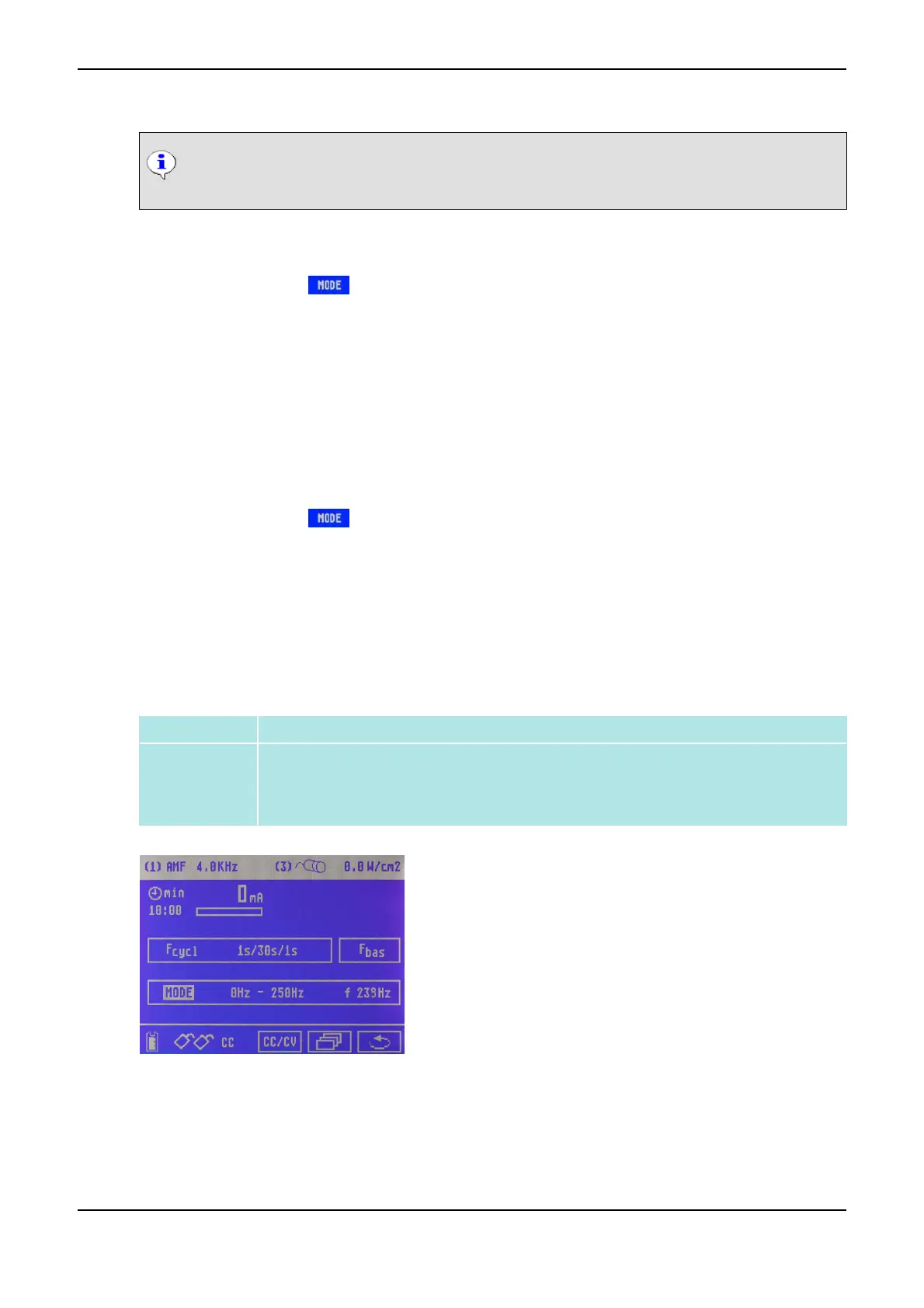
How to Program a Frequency Band
(1) Click on the symbol by means of the Data Selector <2>. The symbol starts flashing.
(2) Turn the Data Selector <2> to the right until the symbol <<F>> is displayed and press to confirm.
(3) Turn the Data Selector <2> to the right by one position until it reaches the lower barrier frequency
and press it.
(4) Turn the Data Selector <2> to set the desired frequency and press it to confirm.
(5) Turn the Data Selector <2> one position to the right to set the upper limit frequency and press to
confirm.
(6) Turn the Data Selector <2> to set the desired frequency and press it to confirm.
How to Adjust the Selective Frequency
(1) Click on the symbol by means of the Data Selector <2>. The symbol starts flashing.
(2) Turn the Data Selector <2> to the right until the SELECTIVE symbol is displayed.
(3) Turn the Data Selector <2> and turn it to the right by one position.
(4) Press the Data Selector <2>. The arrow symbol starts flashing.
(5) Press the Data Selector <2> and adjust the desired frequency (the desired frequency is displayed
next to the f symbol) and press it for confirmation.
3.4.2 (AMF) Amplitude-Modulated Medium-Frequency Current
Definition Amplitude-modulated medium-frequency current
Application
• Pain therapy
• Circulatory stimulation
• Detonisation
Menu for Current Mode AMF
3 Overview of Current Modes PHYSIOMED ELEKTROMEDIZIN AG
34 IONOSON-Basic



 To Next Page