Chapter 6 Ultrasound Therapy
IONOSON-Basic offers you three possibilities to start ultrasound therapy:
• directly via the ultrasound menu
• via the indications menu (refer to Indications Menu on page 59)
• via an individual program (refer to Individual Programs on page 61)
Refer to the supplied therapy booklet Introduction to Ultrasound Therapy (ref. no. 00626) for more in-
formation on ultrasound therapy.
Ultrasound Menu
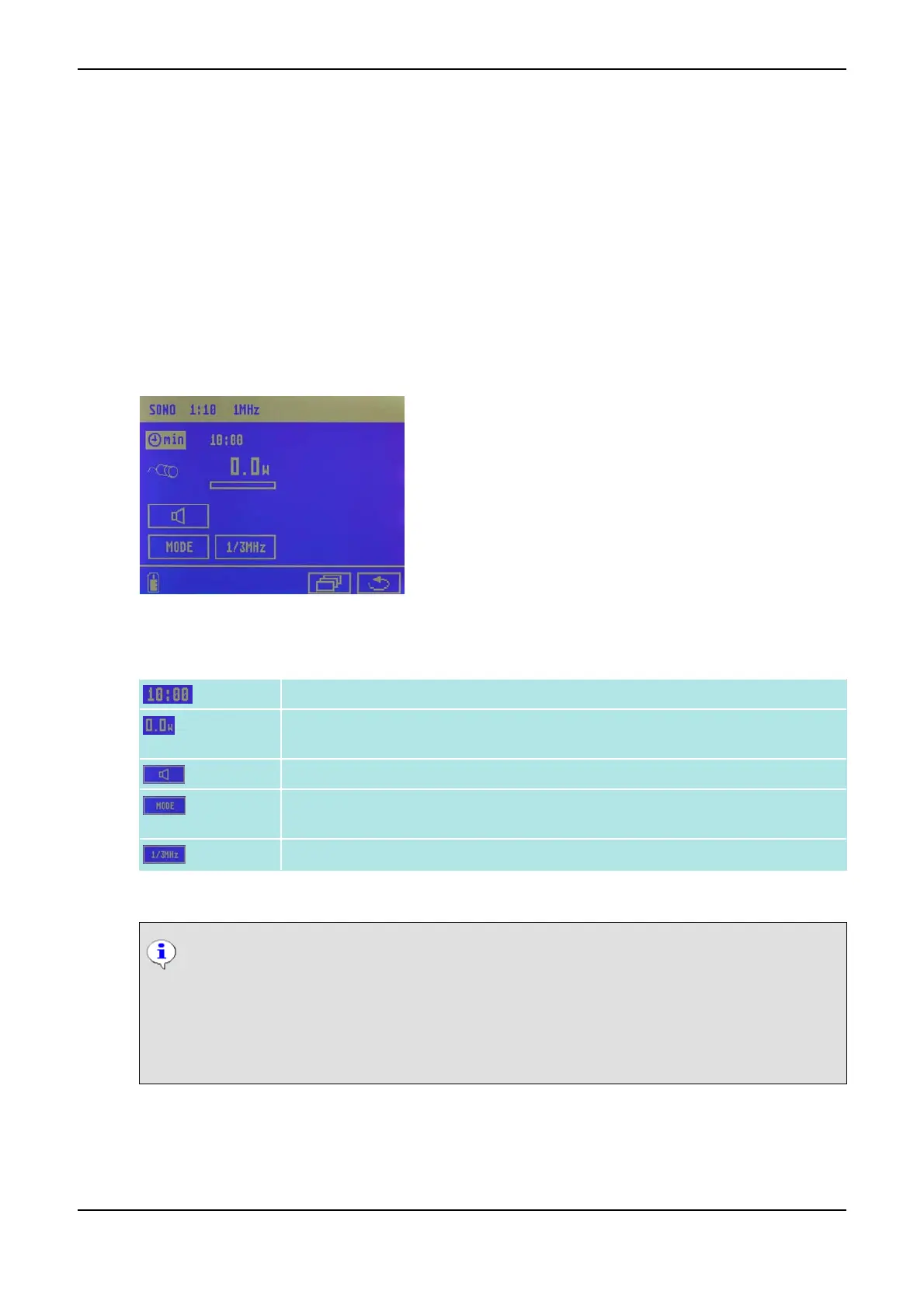
The symbols in the ultrasound menu have the following meaning:
Duration of treatment
Ultrasound dose in the selected unit W or W/cm
2
, also refer to Basic Settings on
page 66
Acoustic coupling control on/off
Ultrasound mode (pulsed ultrasound emission with duty cycles 1:10, 1:5, 1:3, 2:5 or
continuous ultrasound emission)
Ultrasound frequency (1 MHz or 3 MHz)
The selected parameters are displayed in the upper status bar.
Automatic Coupling Control
Both transducer and instrument have an optical coupling confirmation, which guarantees
constant and efficient treatment. If the coupling to the tissue of the patient is not efficient
enough, the light at the transducer will start flashing. You can choose between counting only
the effective treatment time or running the timer independently of the coupling (refer to Ba-
sic Settings on page 66).
How to Perform an Ultrasound Treatment
(1) Select the desired transducer and plug it into the Ultrasound Lead Connector <10>.
PHYSIOMED ELEKTROMEDIZIN AG
6 Ultrasound Therapy
IONOSON-Basic 55



 To Next Page