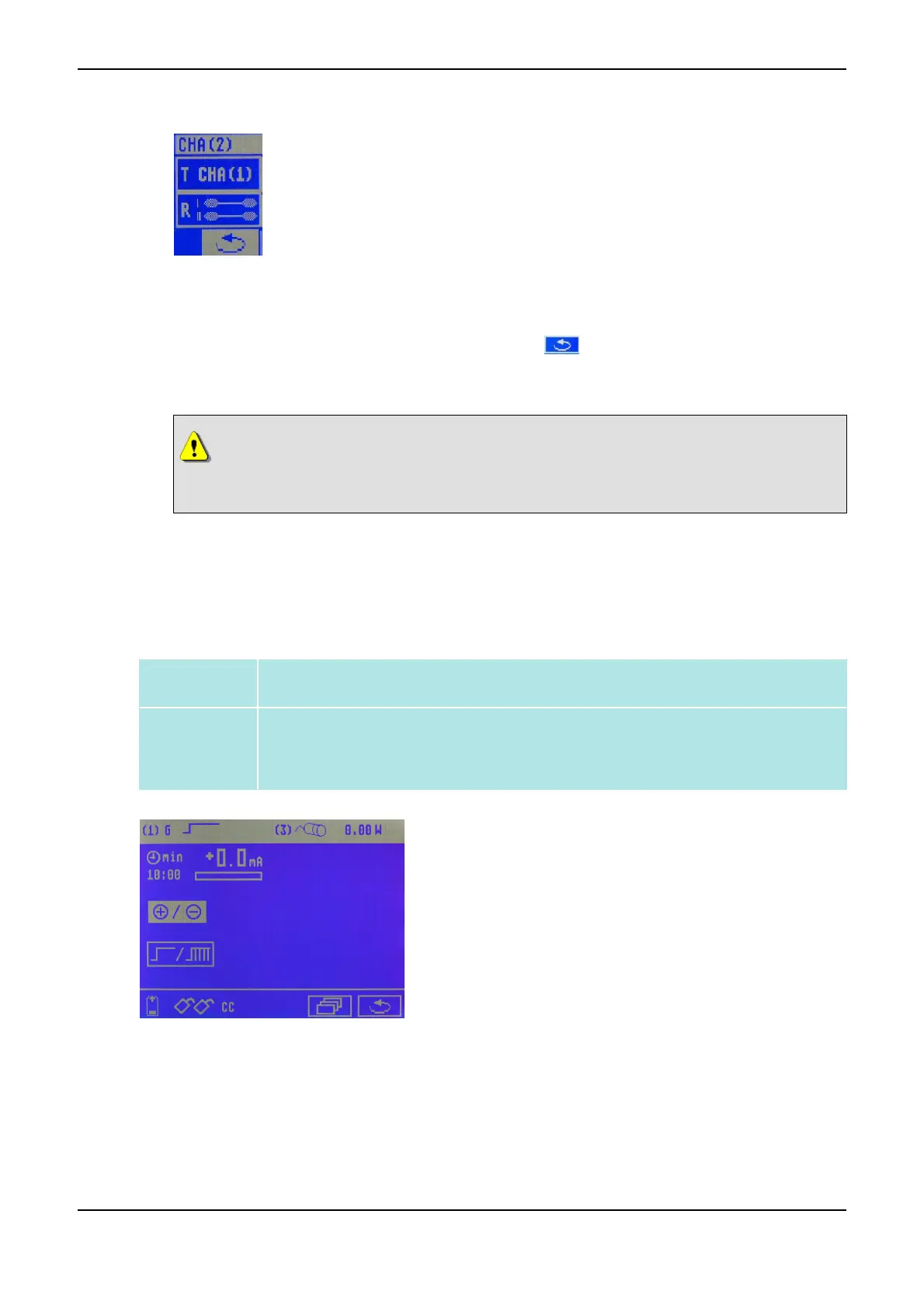
Selection window for channel II
(7) First use the Data Selector <2> to click on the R symbol, turn to the left until the desired symbol
(simultaneous or alternating stimulation) appears and press to confirm.
(8) Now use the Data Selector <2> to click on the symbol to return to the start menu.
The respective symbol for simultaneous or alternating simulation now appears next to the pulse sym-
bol of channel II.
CAUTION
During a pulse pause only turn the intensity slightly to avoid unpleasant muscle reac-
tions.
3.3 Low-Frequency Current Modes
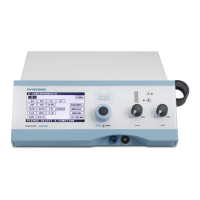
3.3.1 (G) Galvanization
Definition Direct current without any interruption or break, or as a variation medium-frequency in-
terrupted direct current (8 kHz; duty cycle 95%).
Applications
• Iontophoresis (refer to Iontophoresis on page 44)
• Basic therapy for paralysis and atrophy treatment
• Evoking hyperaemia
Current Mode G Menu
PHYSIOMED ELEKTROMEDIZIN AG
3 Overview of Current Modes
IONOSON-Basic 15



 To Next Page