Chapter 9 Individual Programs
You do not have to set frequently applied forms of therapy every time you want to use them – you can
simply save them as individual programs. Such a program is e.g. a certain current mode or an ultrasound
therapy with all parameters including treatment time. You may save individual programs and call them as
well as delete them. All in all, 25 different programs are available with every program disposing of three
subordinated treatments. In consequence, you may save a complete current sequence.
NOTICE
Apart from stimulation current you can also save parameters for ultrasound- or simultaneous
therapy with the help of individual programs.
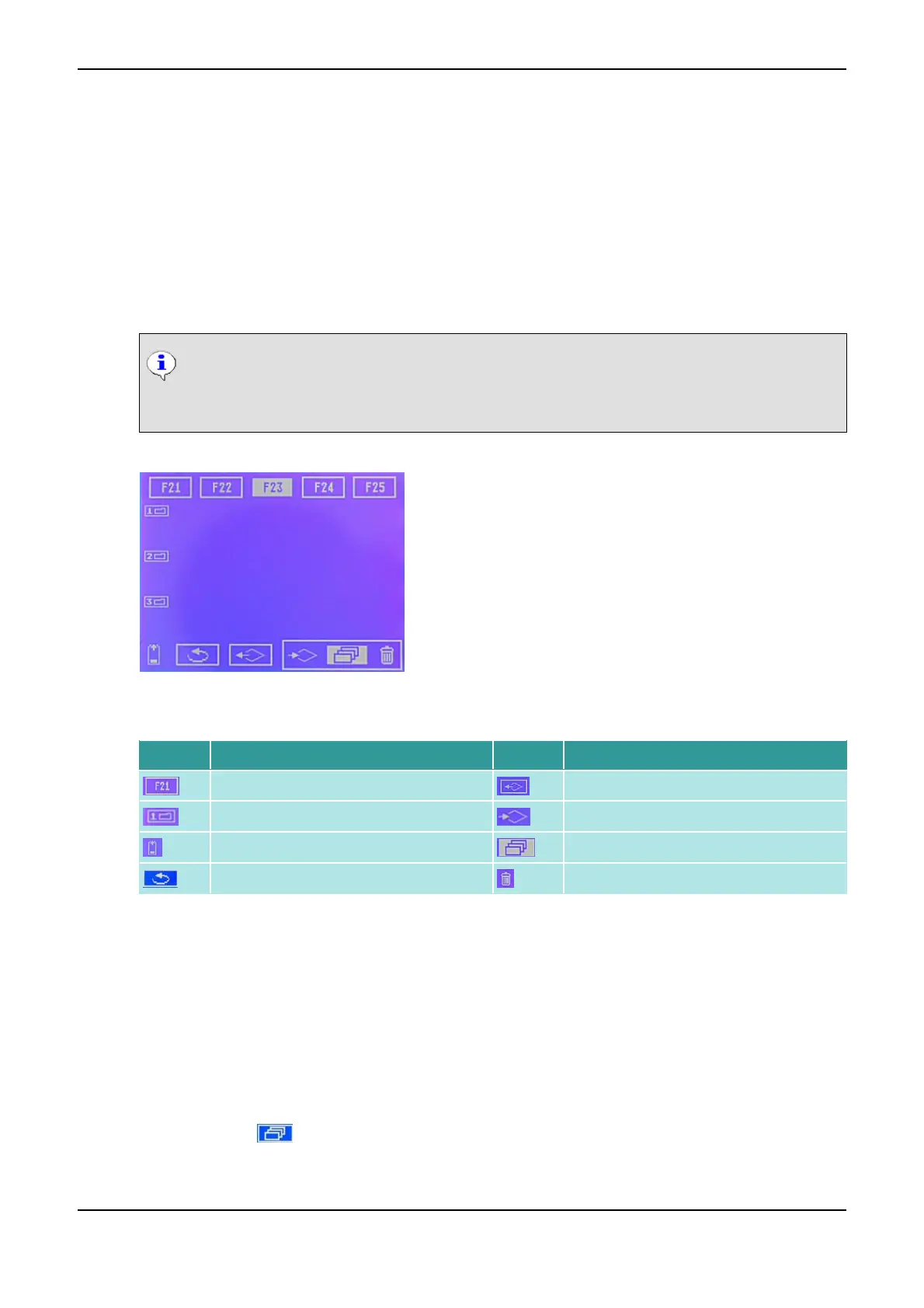
Individual Programs
The individual symbols have the following meaning:
Symbol Meaning Symbol Meaning
Programs F1 - F25 Load program
Position 1 - 3 in the program selected Saving symbol (inactive!)
Charge state of battery Save program
Back to start menu Delete program
9.1 Save Program
You can save each current mode either as an individual program only for channel I, or for both channel I
and II.
How to Save a Program
(1) Select the desired current mode in one of the two channels.
(2) Set the desired therapy parameters.
(3) Click on the symbol (individual programs).
(4) Click on the program (F1 up to F25), where you want to save your settings.
The cursor jumps to the lower status bar.
PHYSIOMED ELEKTROMEDIZIN AG
9 Individual Programs
IONOSON-Basic 61



 To Next Page