• (FM) Frequency-Modulated Current on page 27
• (STOCH) Stochastic Current on page 29
• (T/R) Pulses with Adjustable Parameters on page 32
• (IFM) Modulated Interference Current on page 33
• (KOTS) Medium-Frequency Muscle Training on page 36
3.2.1 Simultaneous and Alternating Stimulation
In current mode FaS and KOTS you can increase and fade the currents in channel 1 and 2 either simultan-
eously or alternating. Three different modes of coordination are possible (simultaneous, directly altern-
ating and alternating with pauses):
Automatic triggering: Channels 1 und 2 stimulate simultaneously with identical para-
meters.
Manual control ( ): Pressing the manual release key causes simultaneous stimula-
tion in both channels until release.
Manual triggering ( ): Pressing the manual release key causes simultaneous
stimulation in both channels with the length set in T.
Automatic triggering: Channels 1 and 2 provide alternating stimulation in immediate
succession. This is followed by a surge cycle consisting of:
• Increase in channel 1 with the length selected for T
• No pause
• Increase in channel 2 with the length selected for T
• Pause with the length set for R
Manual control ( ): First pressing of manual push button causes stimulation in
channel 1 until release, second pressing causes stimulation in channel 2 until release.
Manual triggering ( ): First pressing of manual push button causes stimulation
in channel 1 with the length set in T. The corresponding pulse in channel 2 follows
automatically without a pause.
Automatic triggering: Channels 1 and 2 provide alternating stimulation, with pauses
defined between increases in channel 1 and 2.
Manual control ( ): First pressing of manual push button causes stimulation in
channel 1 until release, second pressing causes stimulation in channel 2 until release.
Manual triggering ( ): First pressing of manual push button causes stimulation
in channel 1 with the length set in T, second pressing causes stimulation in channel 2
with the length set in T.
How to Make a Treatment with a Preselected Pulse Duration and Pause
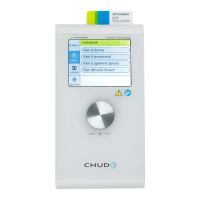
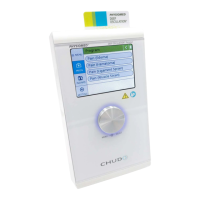
(1) In the Display <1>, select a suitable current mode e.g. KOTS.
(2) With the Data Selector <2>, click on the symbol in channel I. The following window opens:
3 Overview of Current Modes PHYSIOMED ELEKTROMEDIZIN AG
12 IONOSON-Basic



 To Next Page