How to Adjust the Pulse Time
(1) Click on the Ti symbol using the Data Selector <2>. The symbol starts flashing.
(2) Turn the Data Selector <2>, to adjust the desired pulse time and confirm by pressing it.
NOTICE
You can only extend the pulse time Ti if the intensity in both channels is zero. If you ex-
tend the pulse time, the current is experienced by the patient as more intense.
How to Adjust the Selective Frequency
(1) Click on the symbol by means of the Data Selector <2>. The symbol starts flashing.
(2) Turn the Data Selector <2> to the right until the SELECTIVE symbol is displayed.
(3) Turn the Data Selector <2> and turn it to the right by one position.
(4) Press the Data Selector <2>. The arrow symbol starts flashing.
(5) Press the Data Selector <2> and adjust the desired frequency (the desired frequency is displayed
next to the f symbol) and press it for confirmation.
NOTICE
With the burst function (burst frequency between 1 and 10 Hz) activated simultan-
eously, you can only choose a selective frequency between 70 and 200 Hz or the fre-
quency band 70 - 150 Hz. The frequency band 1 - 150 Hz is not available.
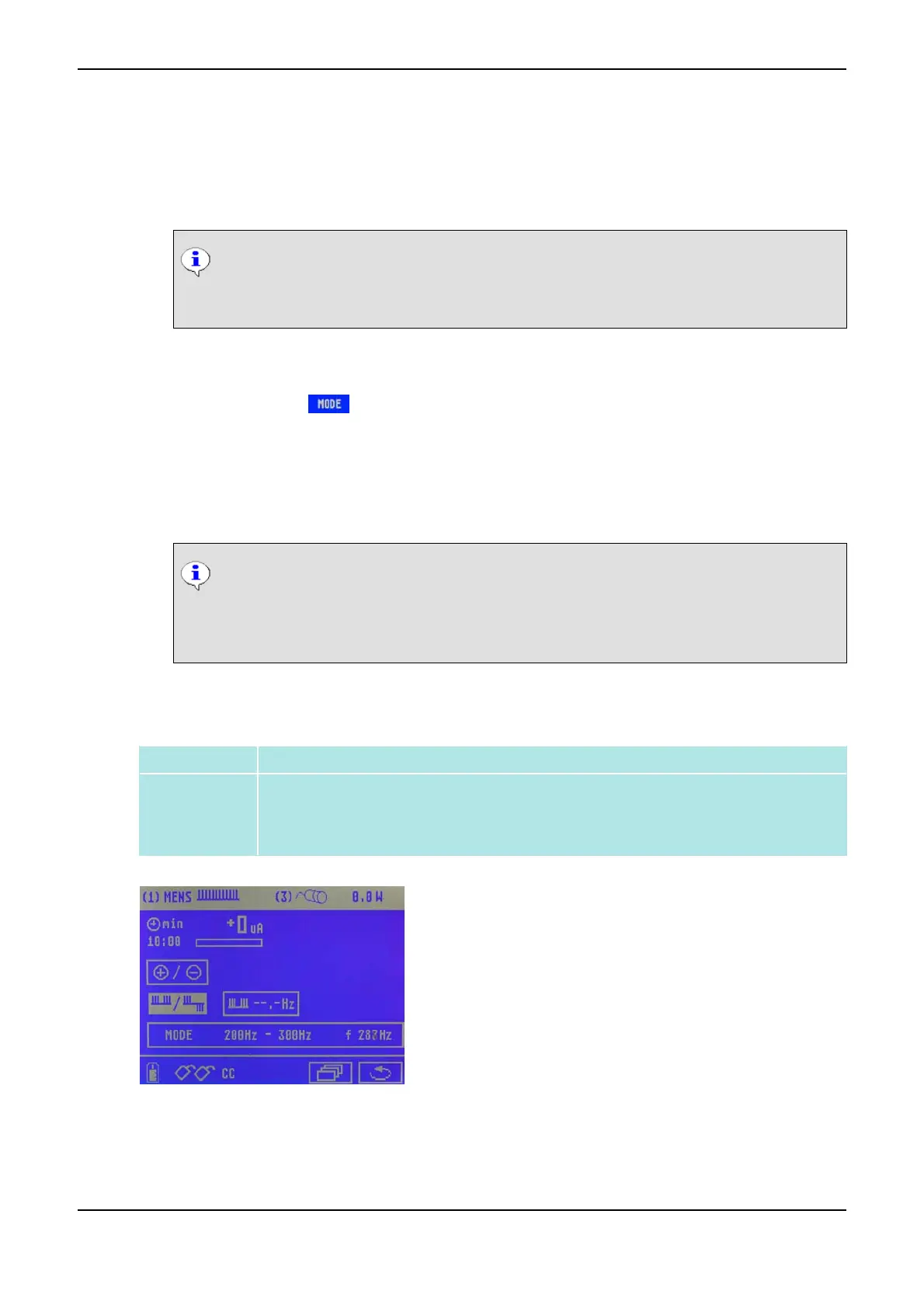
3.3.10 (MENS) Electric Nerve Stimulation with Microcurrent
Definition Electric nerve stimulation with microcurrent
Application
• Pain treatment (especially for chronic neuralgia and myalgia)
• Trophic enhancement
• Improvement of healing and regeneration
Menu for Current Mode MENS
3 Overview of Current Modes PHYSIOMED ELEKTROMEDIZIN AG
24 IONOSON-Basic



 To Next Page