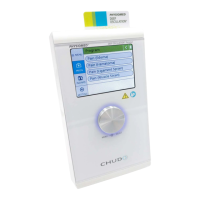
Chapter 8 Indications Menu
Apart from direct access to the individual current modes, the indications menu offers you another possibil-
ity to start the individual methods of treatment. With the indications menu, you may use proven stimula-
tion current or ultrasound treatments.
NOTICE
Indications that involve ultrasound treatment are marked with an additional (US).
How to Perform a Treatment via the Indications Menu
(1) Switch on the instrument.
(2) On the start screen, click on IND..
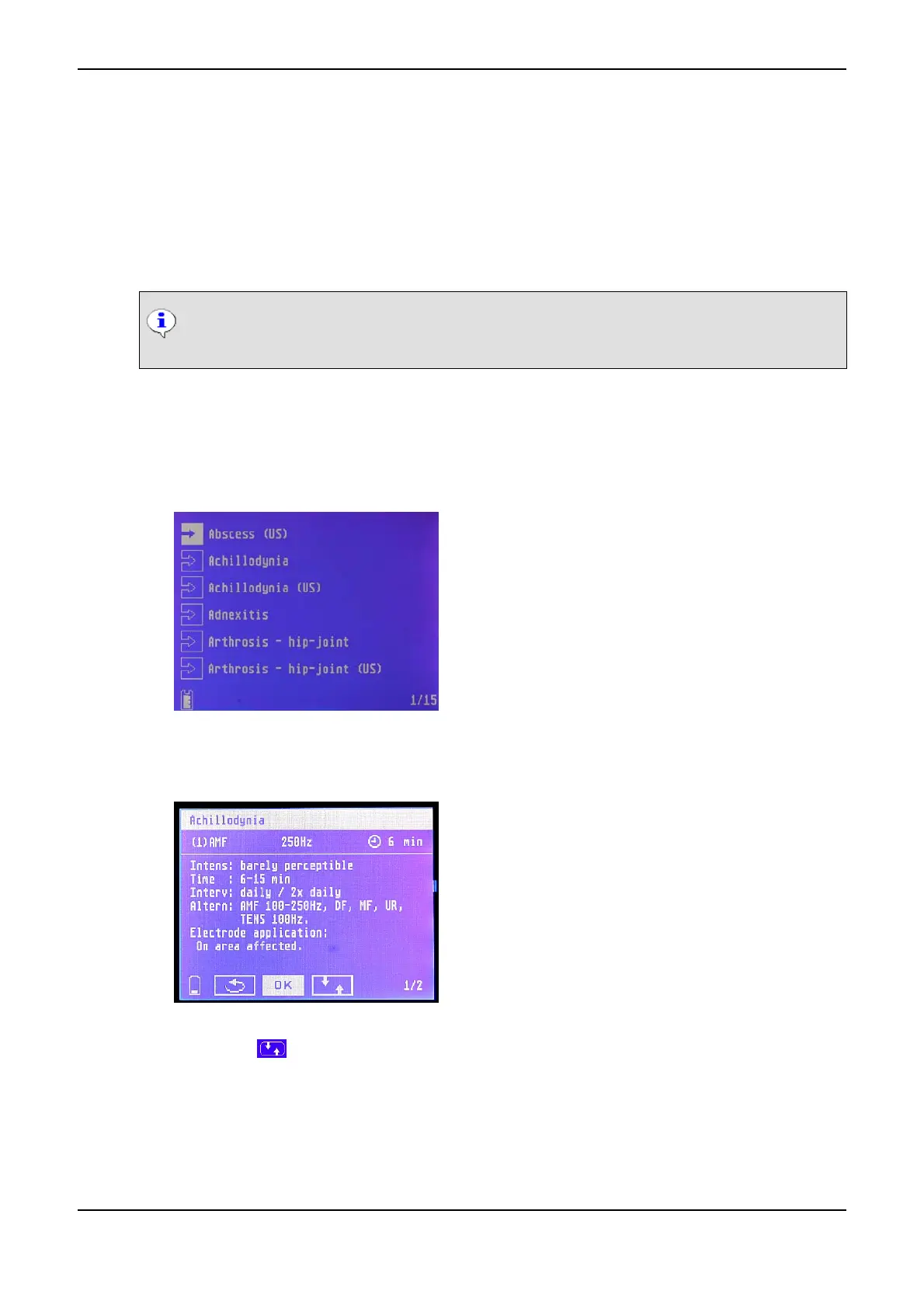
The indications menu is displayed:
Indications Menu
(3) Select the desired indication, e.g. Achillodynia.
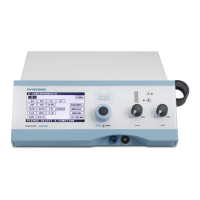
You are shown the therapy proposals for the selected indication:
Indications Menu: Therapy Proposals
(4) Click on the symbol. The symbol starts flashing.
(5) turn the Data Selector <2> to the right and thus leaf through the information pages, e.g. with im-
ages how to place the electrodes.
PHYSIOMED ELEKTROMEDIZIN AG
8 Indications Menu
IONOSON-Basic 59



 To Next Page