wlan
27
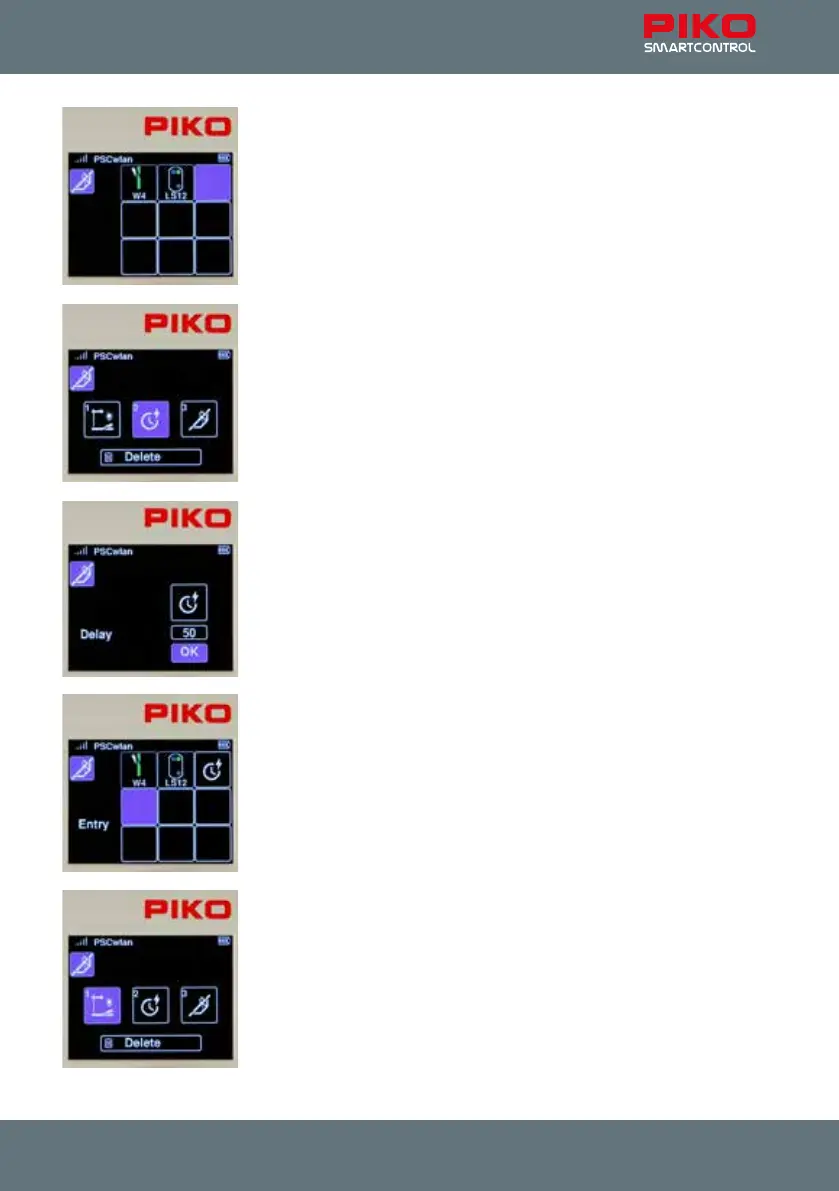
The second step in our sequence requires a ve second pause to be
inserted. To do this, we select the third eld with key 3 ...
... and in the next window we activate symbol 2 for the pause.
In the subsequent window, you can jump to the delay eld and select it with
the OK button.
Now we insert a pause time of 50 seconds in 1s increments and conrm it
with the OK button.
Then we highlight the "OK" eld and complete the entry by pressing the OK
button.
The third step of our sequence will now appear where at the end of the
route, entry signal LS12 is set to red (Hp0) again.
To do this, we rst select the fourth, still empty eld with key 4 or with the
navigation keys followed by conrmation with the OK button ...
... and in the next window we activate symbol 1 again, for an accessory.



 To Next Page