HybridDigitalVideoRecorder
HDVRseries
43
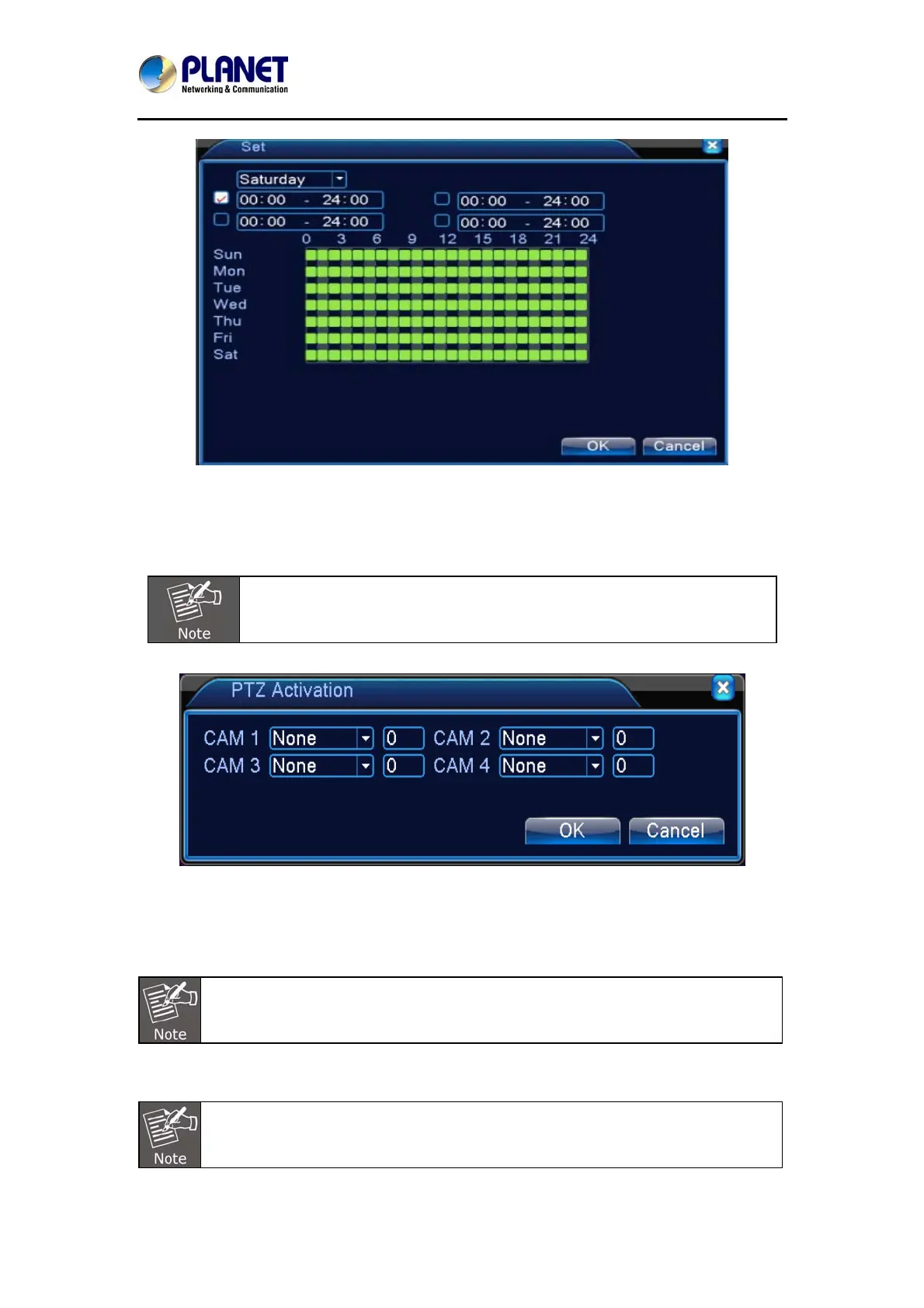
Picture 5.6 Set the Time Section
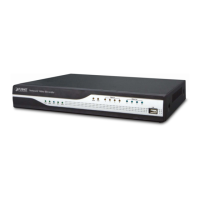
PTZ Activation: Set the PTZ activation when the alarm is turned on.
In hybrid mode, PTZ links to the related PTZ information of analog channel. While in digital
channel model, PTZ links to the related PTZ information on the remote device which is
connected.
To link PTZ, you can leave for [Shortcut menu]->[PTZ control] to set preset
point, cruise between points and interval time, etc.
Picture 5.7 PTZ Activation in Hybrid Mode
Delay: When alarm is over, the recording will last some seconds (10~300sec), and then stop.
Show message: Pop-up the dialog box of alarm information on the screen of the local host
computer.
Send email: It means sending an email to user when the alarm is turned on.
Set in the NetService interface and send email.
FTP upload: When it is enabled, the video and picture of the related record channel and
snapshot channel will be uploaded to an assigned position.
FTP upload needs to be set at Netservice interface.



 To Next Page