HybridDigitalVideoRecorder
HDVRseries
65
TCP Port
Router will automatically distribute TCP port for the device.
The port is needed when live view is made via CMS.
Mobile Port
Router will automatically distribute Mobile port for the device.
The port is needed when live view is made via mobile.
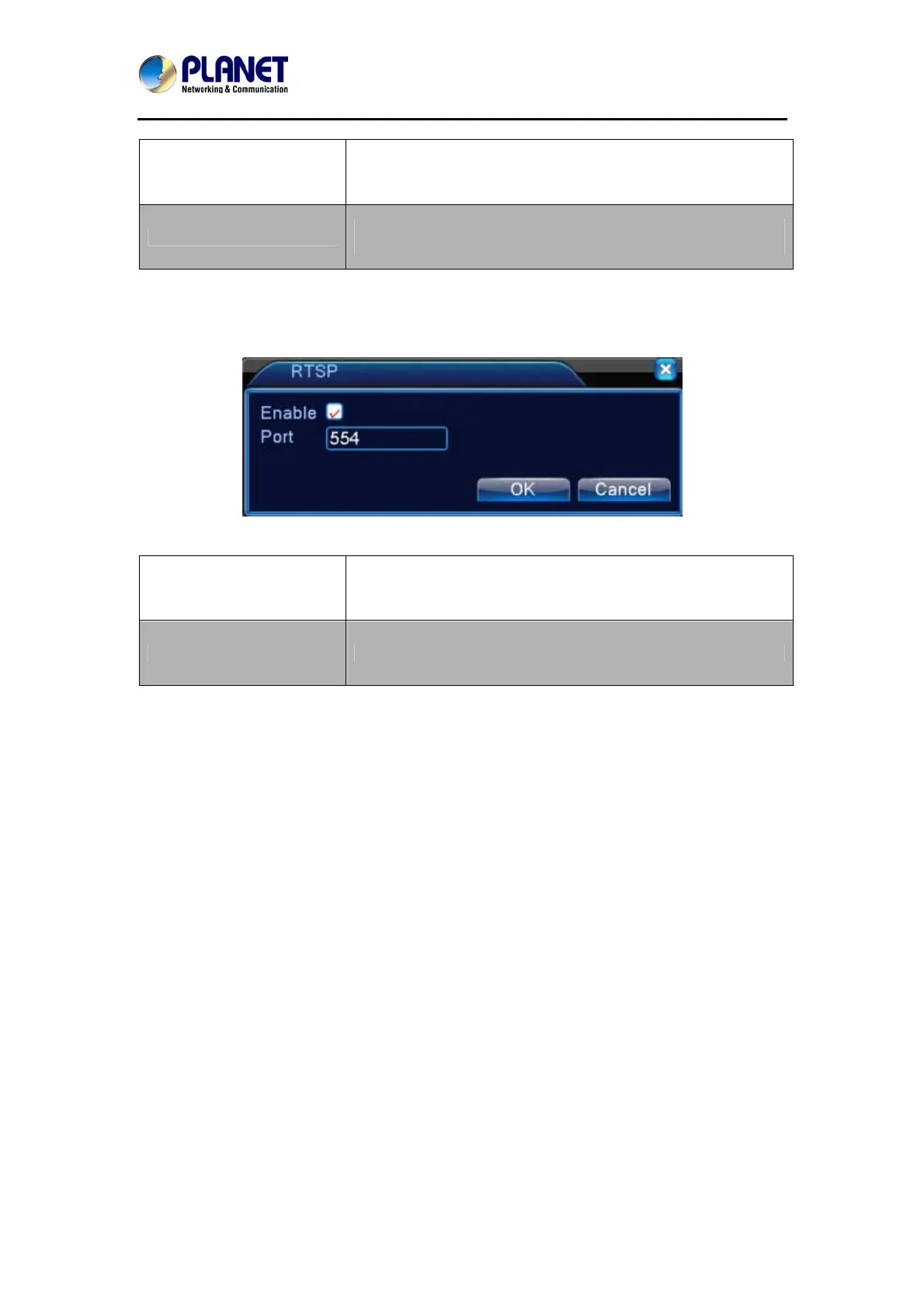
RTSP
The setting is for live view via browsers (Safari, Firefox, and Chrome) and VLC software. This
function is only for live view and it cannot control the device.
Picture 5.33 RTSP Setup
Enable
It means the function is activated when the box is checked.
Port
The default port number is 554.
5.4.5 GUI Display
Configure the video output parameters including the front output mode and encode output
mode.
Front output: In the local preview mode, it includes channel title, time display, channel display,
record status, alarm status, transparency and region cover information.


 To Next Page