User Manual of VDR-300NU
Appendix A: Planet DDNS
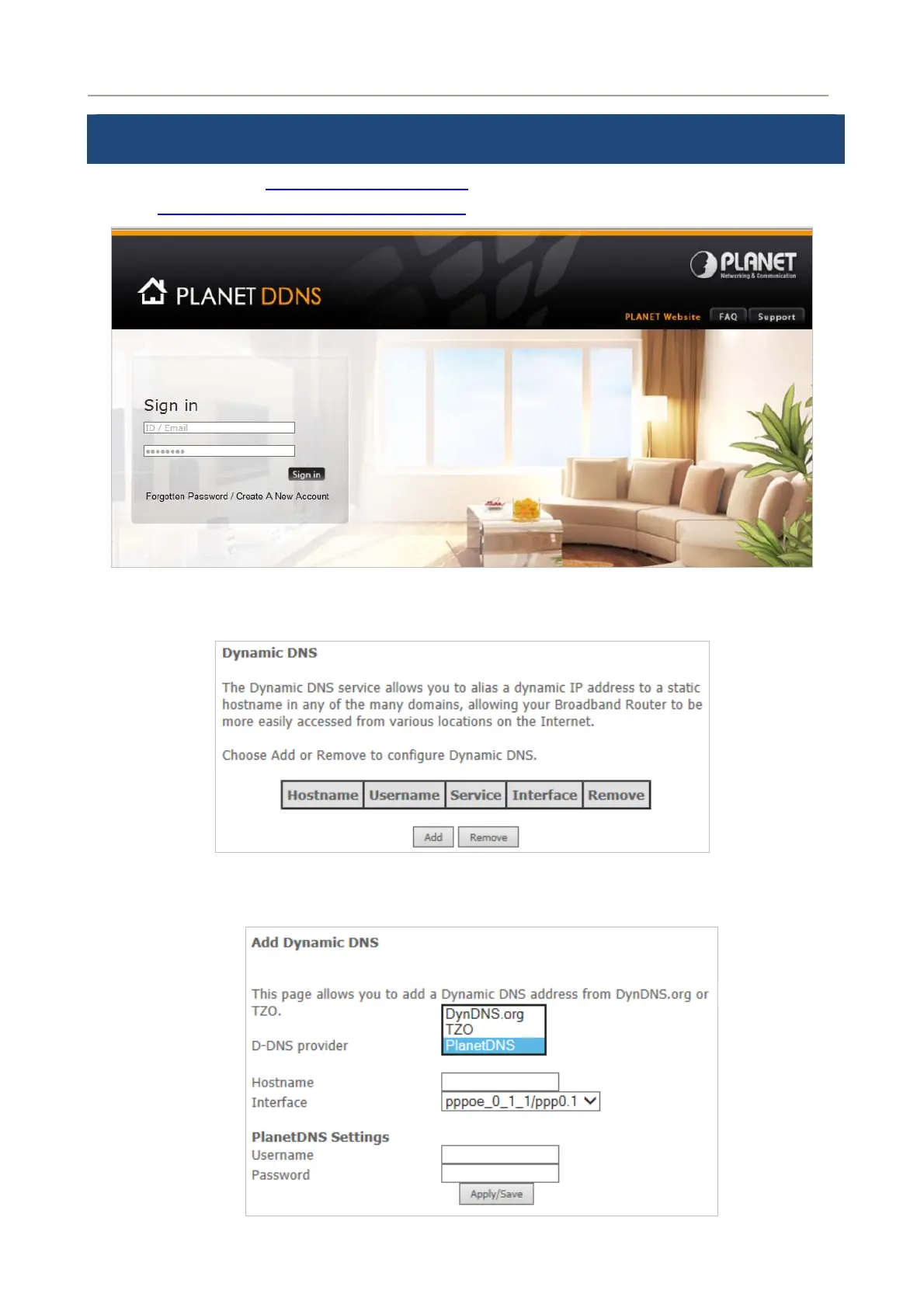
First of all, please go to http://www.planetddns.com to register a Planet DDNS account, and refer to
the FAQ (http://www.planetddns.com/index.php/faq
) for how to register a free account.
To select DNS > Dynamic DDNS
Step 1. Press Add button
Step 2. Select Planet DDNS
124



 To Next Page