User Manual of VDR-300NU
5.3 Wireless
Choose Wireless and the submenus of Wireless are shown below:
Figure 5-3-1
5.3.1 Basic Settings
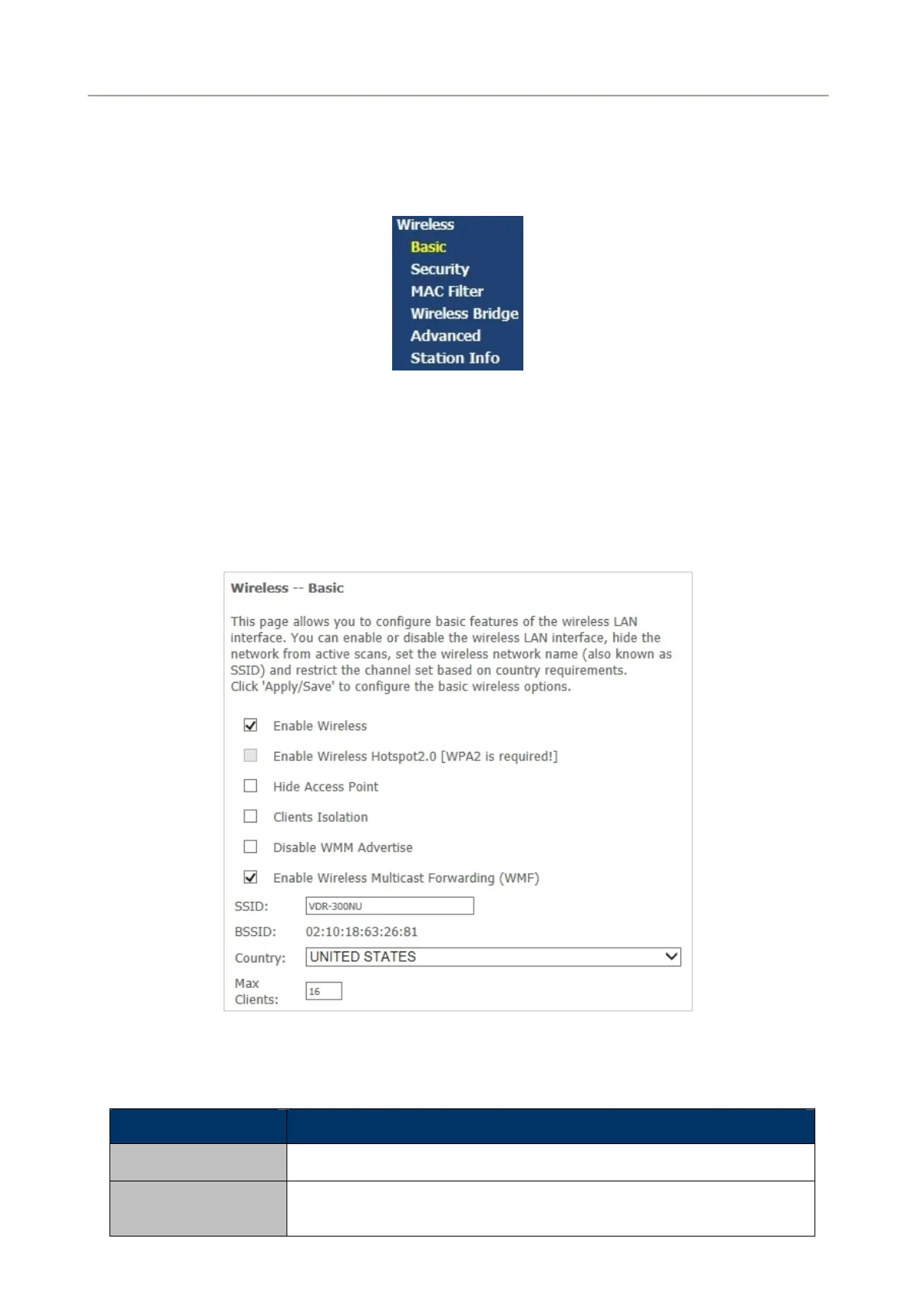
Choose Wireless > Basic to display the following page. On this page, the figure in the right area is
2-dimensional code. It includes the wireless SSID and password. You can obtain the wireless SSID and
password through scanning this figure.
Figure 5-3-2
This page allows you to configure the basic features of the wireless LAN interface.
Object Description
Enable Wireless
Enable or disable the wireless function.
Hide Access Point
If you want to hide any access point for your router, select this option,
and then a station cannot obtain the SSID through the passive
97



 To Next Page