User Manual of VDR-300NU
2.1.3 Rear Panel and Side Panel
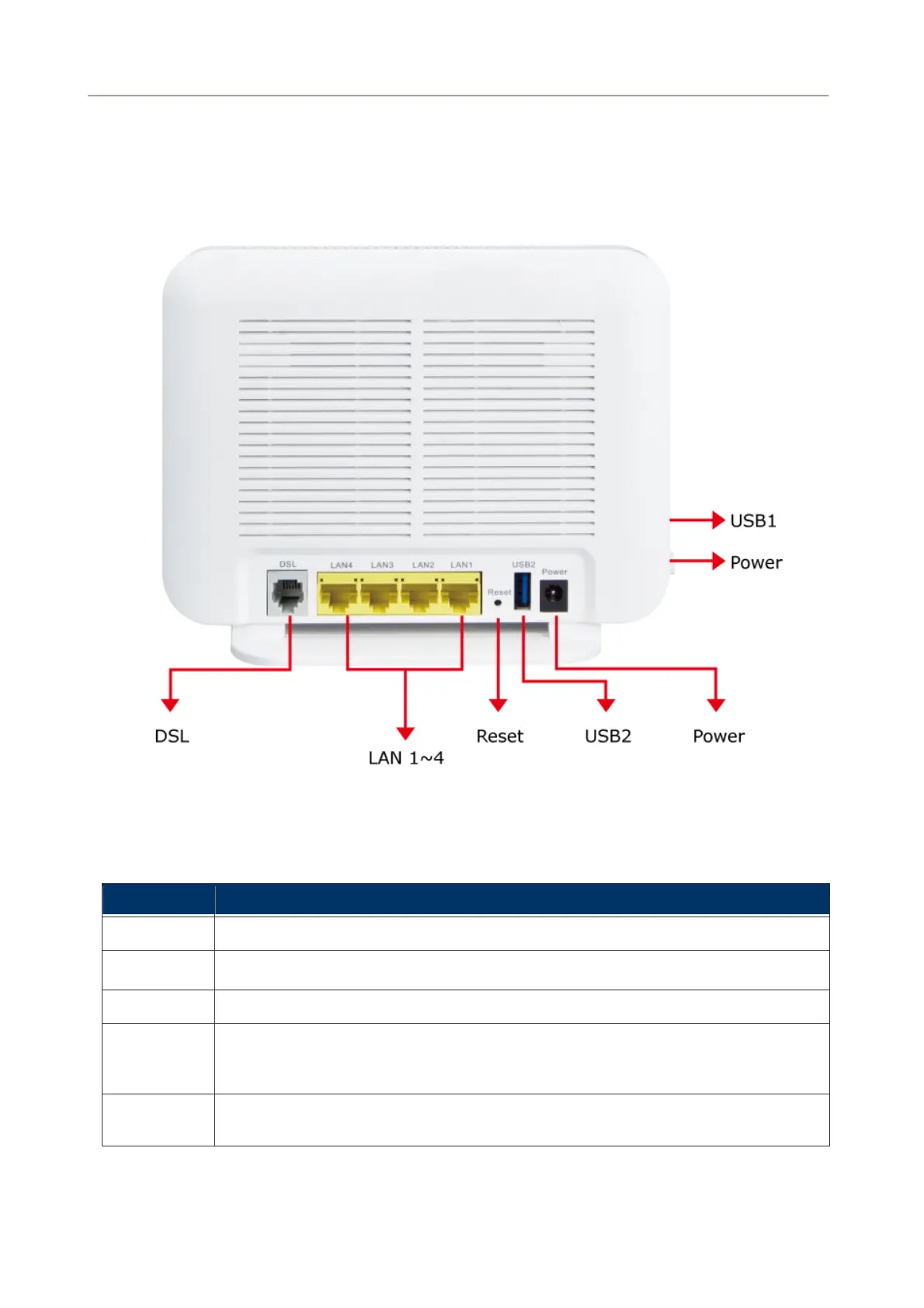
The rear panel provides the physical connectors connected to the power adapter and any other network
device. Figure 2-2 and Figure 2-3 shows the rear and side panel of the VDR-300NU.
Figure 2-3 VDR-300NU Rear Panel
Rear Panel Port and Button Definition
Connector Description
POWER Power connector with 12V DC, 2 A
USB2
For connecting the 3G network adapter or other USB storage devices.
RESET Press more than 2 seconds for resetting to factory default setting.
LAN (1-4)
Router is successfully connected to a device through the corresponding port (1, 2, 3,
or 4). If the LED light of LNK/ACT is flashing, the Router is actively sending or
receiving data over that port.
DSL
The RJ-11 connector allows data communication between the router and the DSL
network through a twisted-pair phone wire
20



 To Next Page