User Manual of VDR-300NU
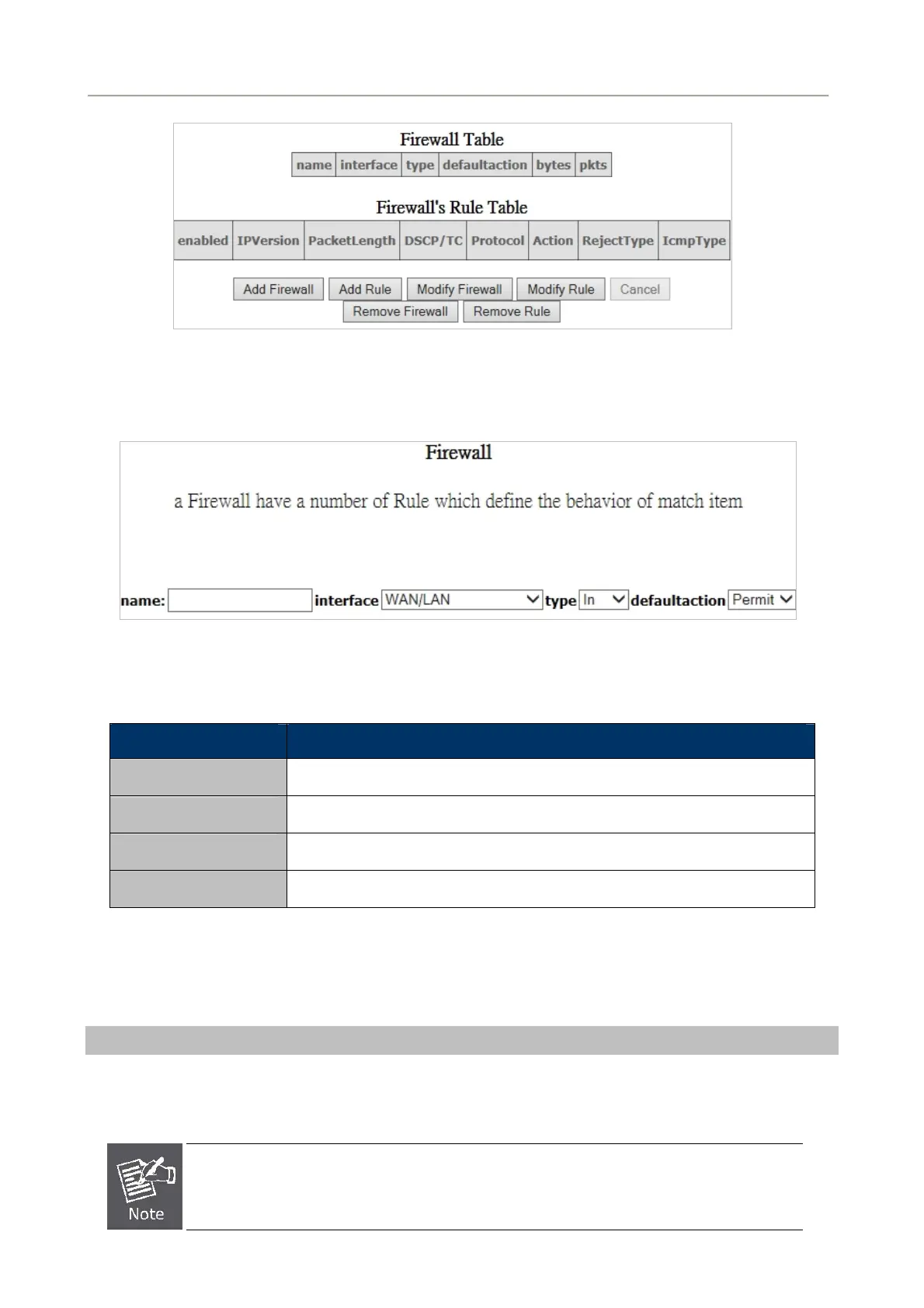
Figure 5-2-48
Click Add Firewall and the following page appears.
Figure 5-2-49
Object Description
name
The name of firewall.
interface
You can select LAN or WAN from the drop-down list.
type
You can select IN or OUT from the drop-down list.
defaultaction
You can select Permit or Drop from the drop-down list.
Click Modify Firewall or Remove Firewall to modify or remove the firewall. And click Modify Rule or
Remove Rule to modify or remove the rule.
MAC Filtering Setup
In some cases, you may want to manage Layer2 MAC address to block or permit a computer within the
home network. When you enable MAC filter rules, the DSL router serves as a firewall that works at layer 2.
MAC filtering is only effective on ATM PVCs configured in bridge mode.
67



 To Next Page