User Manual of VDR-300NU
5.2.5 NAT
Virtual Servers
Firewall can prevent unexpected traffic on the Internet from your host on the LAN. The virtual server can
create a channel that can pass through the firewall. In that case, the host on the Internet can communicate
with a host on your LAN within certain port range.
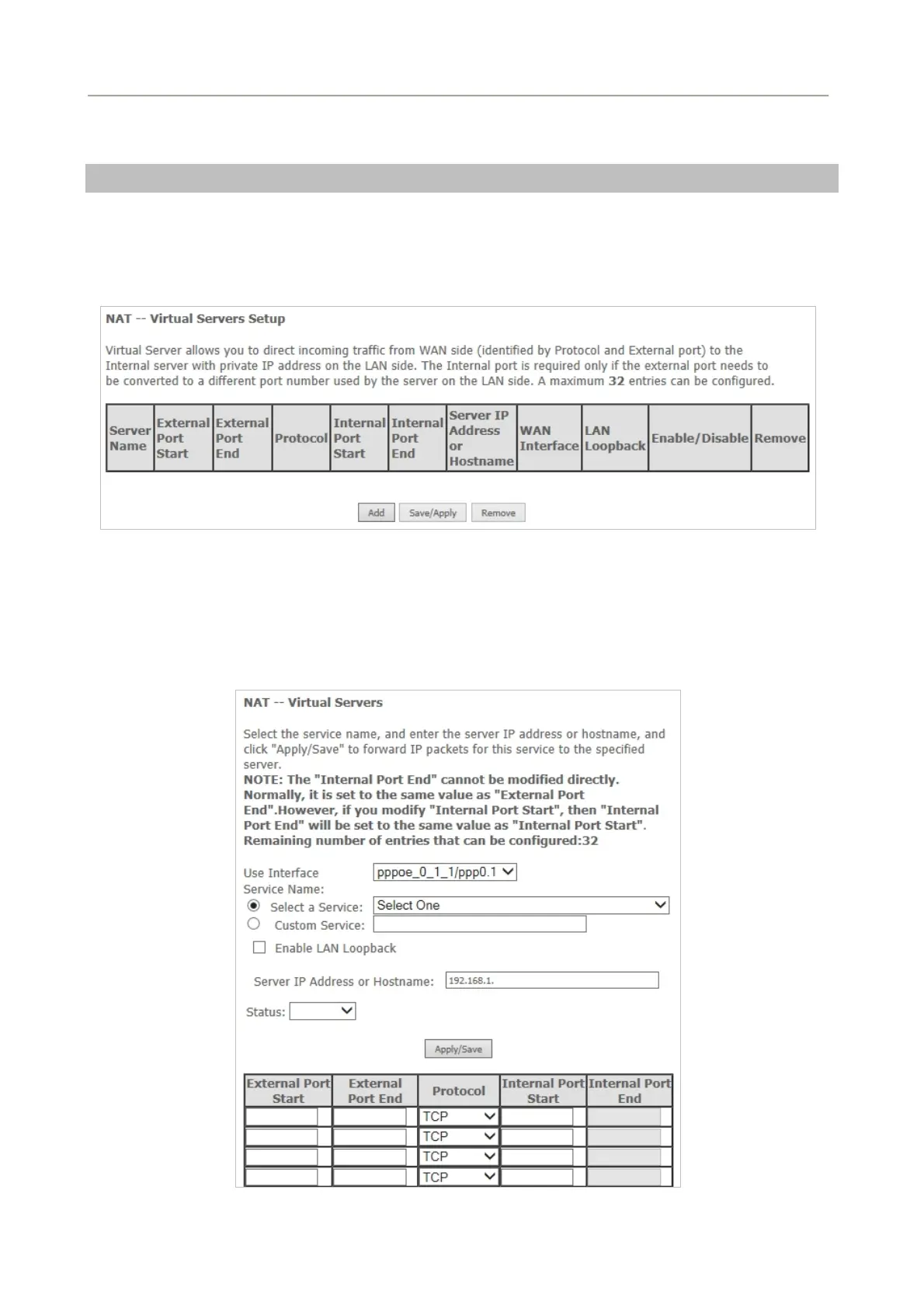
Choose Advanced Setup > NAT > Virtual Servers and the following page appears.
Figure 5-2-43
On this page, you are allowed to add or remove a virtual server entry. To add a virtual server, do as
follows:
Click the Add button to display the following page.
Figure 5-2-44
63



 To Next Page