User Manual of VDR-300NU
5.1.5 ARP
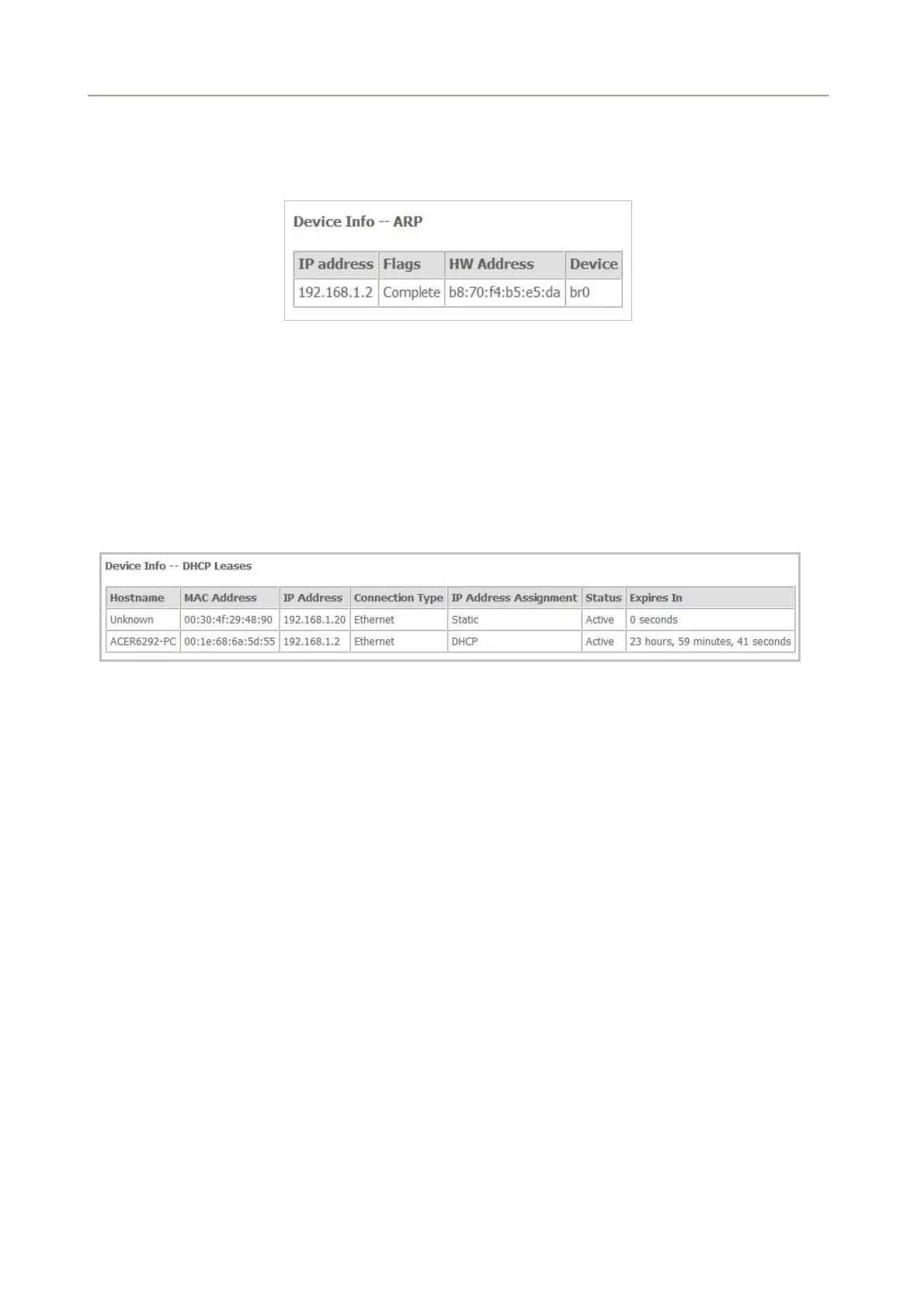
Choose Device Info > ARP and the following page appears.
Figure 5-1-12
On this page, you can view the MAC address and IP address information of the device connected to the
router.
5.1.6 DHCP
Choose Device Info > DHCP and the following page appears.
Figure 5-1-13
On this page, you can view the host name, the IP address assigned by the DHCP server, the MAC
address corresponding to the IP address, and the DHCP lease time.
35



 To Next Page