User Manual of VDR-300NU
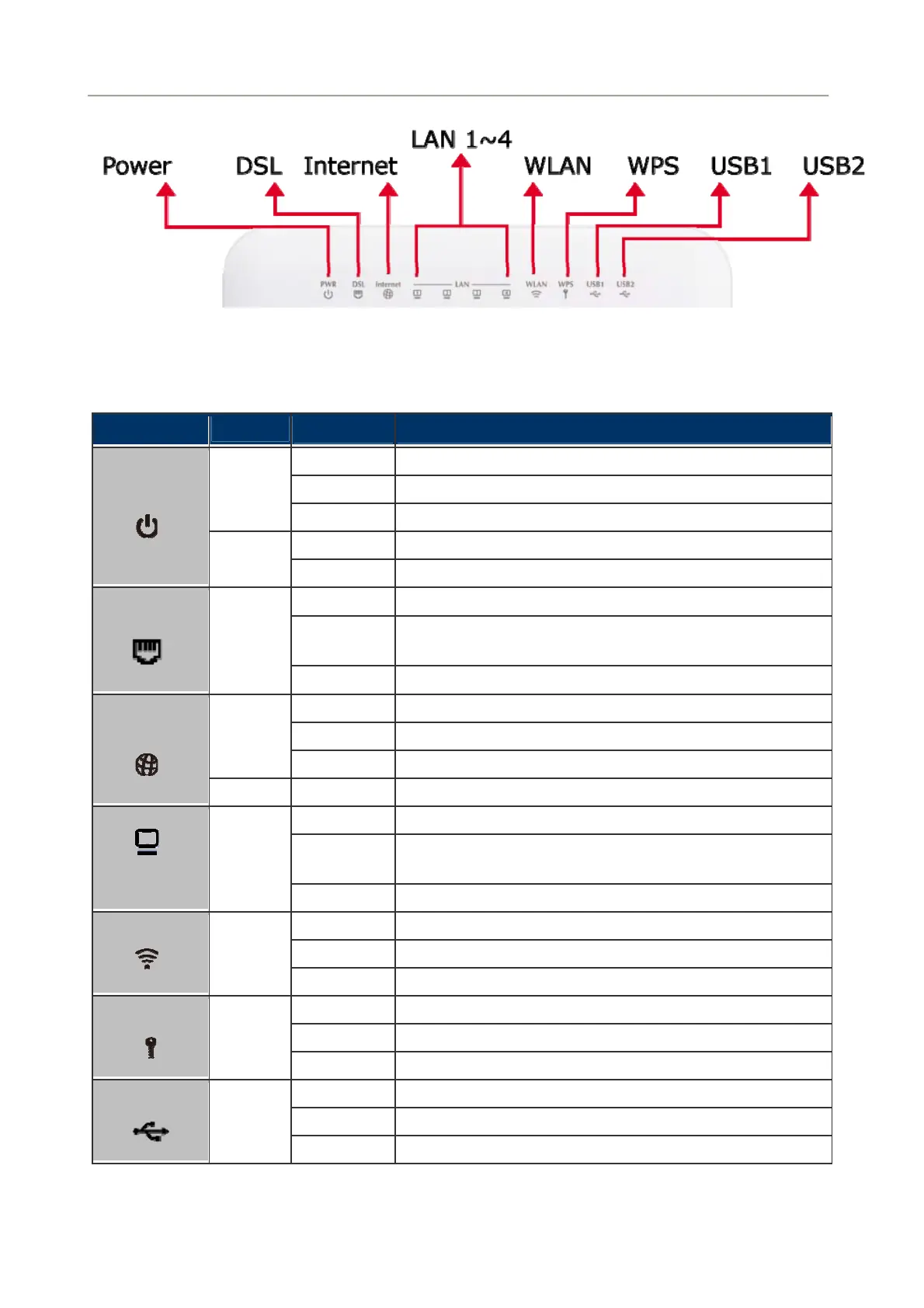
Figure 2-2 VDR-300NU LED
Front Panel LED Definition
LED
Color
State Description
ON When the router is powered on, and in ready state.
Flashing The software is upgrading.
Green
OFF The device is powered off.
ON The device is initiating.
PWR
Red
Flashing The software is upgrading.
ON The VDSL2 is connected successfully.
Flashing
Router is trying to establish a VDSL2 connection to VDSL2
device or telecom’s network.
DSL
Green
OFF The device is powered off.
ON Internet is synchronized successfully in the route mode.
Flashing Internet data is being transmitted.
Green
OFF Ethernet interface is disconnected.
Internet
Red ON Authentication has failed.
ON The Ethernet interface is connected.
Flashing
Data is being transmitted or received via the corresponding
LAN port.
LAN1-4
Green
OFF The Ethernet interface is disconnected.
ON WLAN is enabled.
Flashing Data is being transmitted through the wireless interface.
WLAN
Green
OFF WLAN is disabled.
ON Connection succeeds under Wi-Fi Protected Setup.
Flashing Negotiation is in progress under Wi-Fi Protected Setup.
WPS
Green
OFF Wi-Fi Protected Setup is disabled.
ON The connection of 3G or USB device has established.
Flashing Data is being transmitted.
USB
Green
OFF No signal is detected.
Table 2-1 The LED indication of VDR-300NU
19



 To Next Page