User Manual of VDR-300NU
On this page, you are allowed to config
ure the settings of the 3G USB modem.
Object Description
Enable USB
Modem
If you want to access the Internet through the 3G network card, you
must enable the USB modem.
User Name
Username provided by your 3G ISP.
Password
Password provided by your 3G ISP.
Authentication
Method
Select a proper authentication method in the drop- down list. You can
select Auto, PAP, CHAP, or MSCHAP.
APN
APN (Access Point Name) is used to identify the service type. Enter the
APN provided by your 3G ISP.
Dial Number
Enter the dial number provided by your 3G ISP.
Idle time (in sec.)
If no traffic for the present time, the 3G will disconnect automatically.
Dial on demand
Within the preset minutes, if the modem does not detect the flow of the
user continuously, the modem automatically stops the 3G connection.
Once it detects the flow (like access to a webpage), the modem
restarts the 3G dialup.
Dial Delay (in
sec.)
The 3G delays dial after the DSL is disconnected.
Default WAN
Connection Select
You can select DSL OR ETHERNET or 3G from the drop-down list.
DSL: If the DSL is disconnected, the 3G
starts to dial.
WAN back
mechanism
The 3G connection
is backup for the
DSL connection.
IP connectivity: If the system fails to ping
the specified IP address, the 3G starts to dial.
After finishing setting, click the Apply/Save button to save the settings.
You may also click the Auto Setting button to automatically configure the 3G connection.
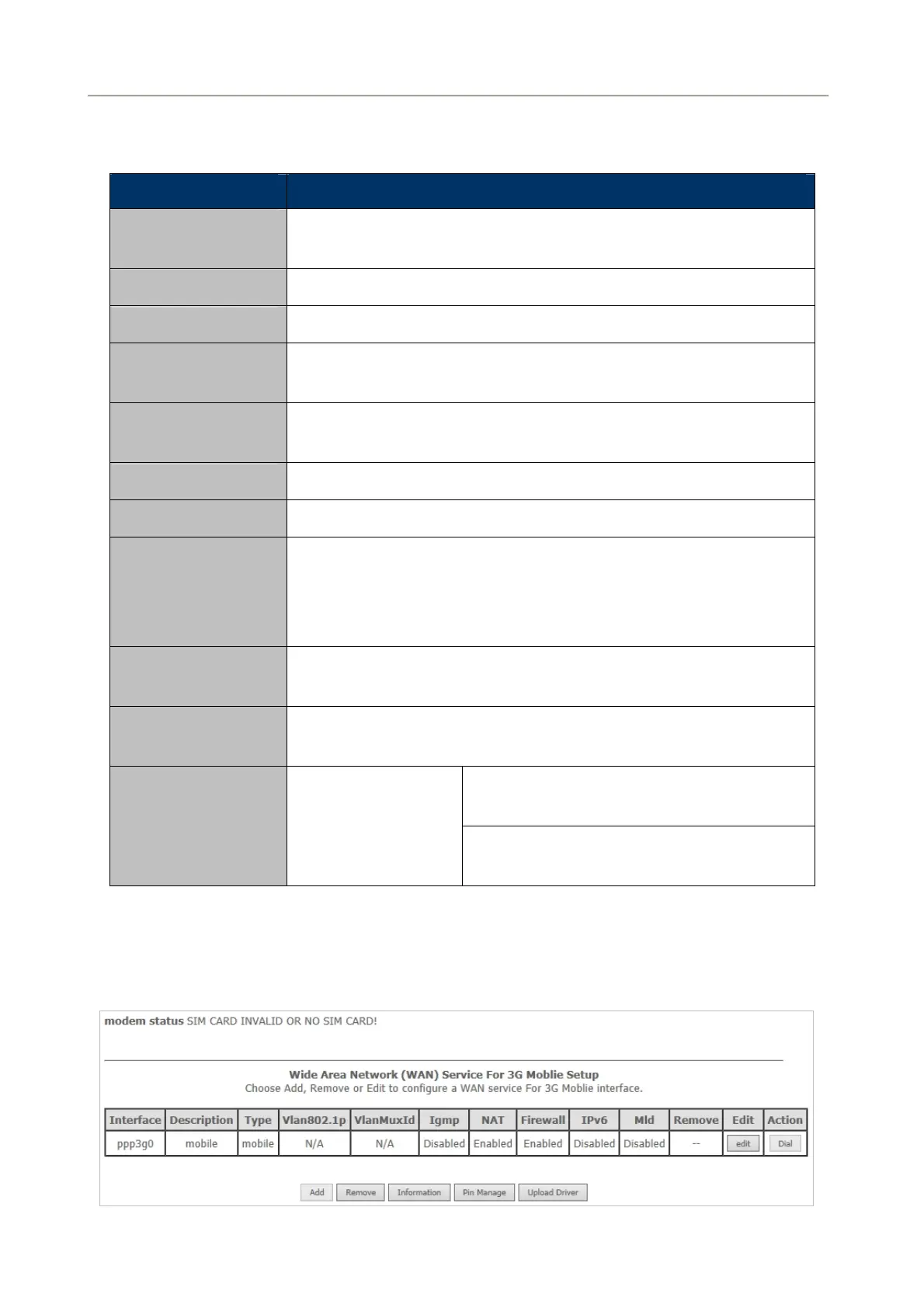
After clicking the Apply/Save button, the following page appears.
Figure 5-2-40
58



 To Next Page