User Manual of VDR-300NU
Queue Configuration
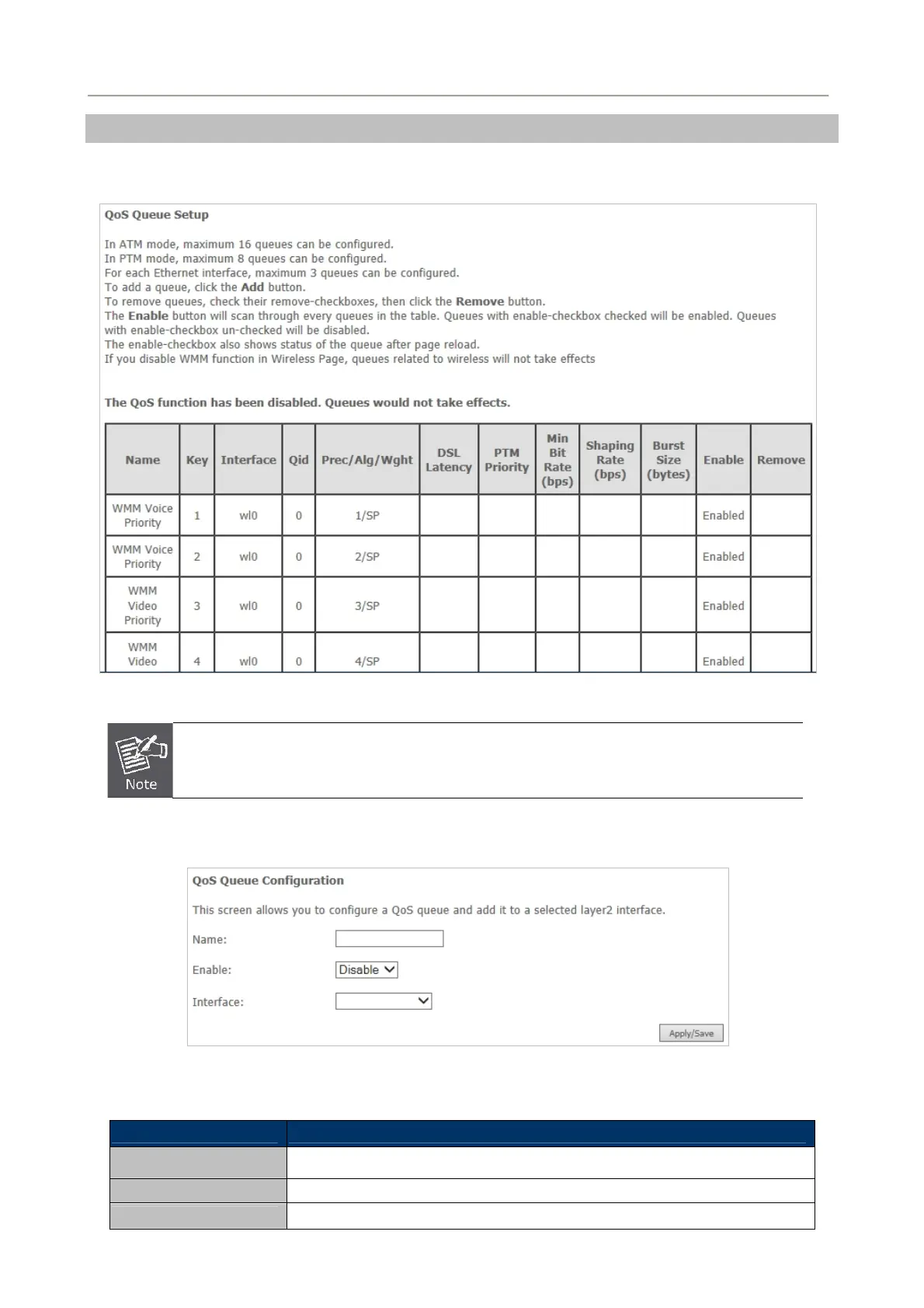
Choose Advanced Setup > Quality of Service > QoS Queue and the following page appears. On this
page, you can enable, add or remove a QoS rule.
Figure 5-2-57
The lower integer value for precedence indicates the higher priority.
Click the Add button to display the following page.
Figure 5-2-58
Object Description
Name Enter the name of QoS queue.
Enable Enable or disable the QoS queue.
Interface Select the proper interface for the QoS queue.
72



 To Next Page