User Manual of VDR-301N
5.3.2.2 DHCP
Dynamic Host Configuration Protocol (DHCP) allows the individual PC to obtain the TCP/IP configuration from
the centralized DHCP server. You can configure this router as a DHCP server or disable it. The DHCP server
can assign IP address, IP default gateway, and DNS server to DHCP clients. This router can also act as a
surrogate DHCP server (DHCP Relay) where it relays IP address assignment from an actual real DHCP
server to clients. You can enable or disable DHCP server.
DHCP Server
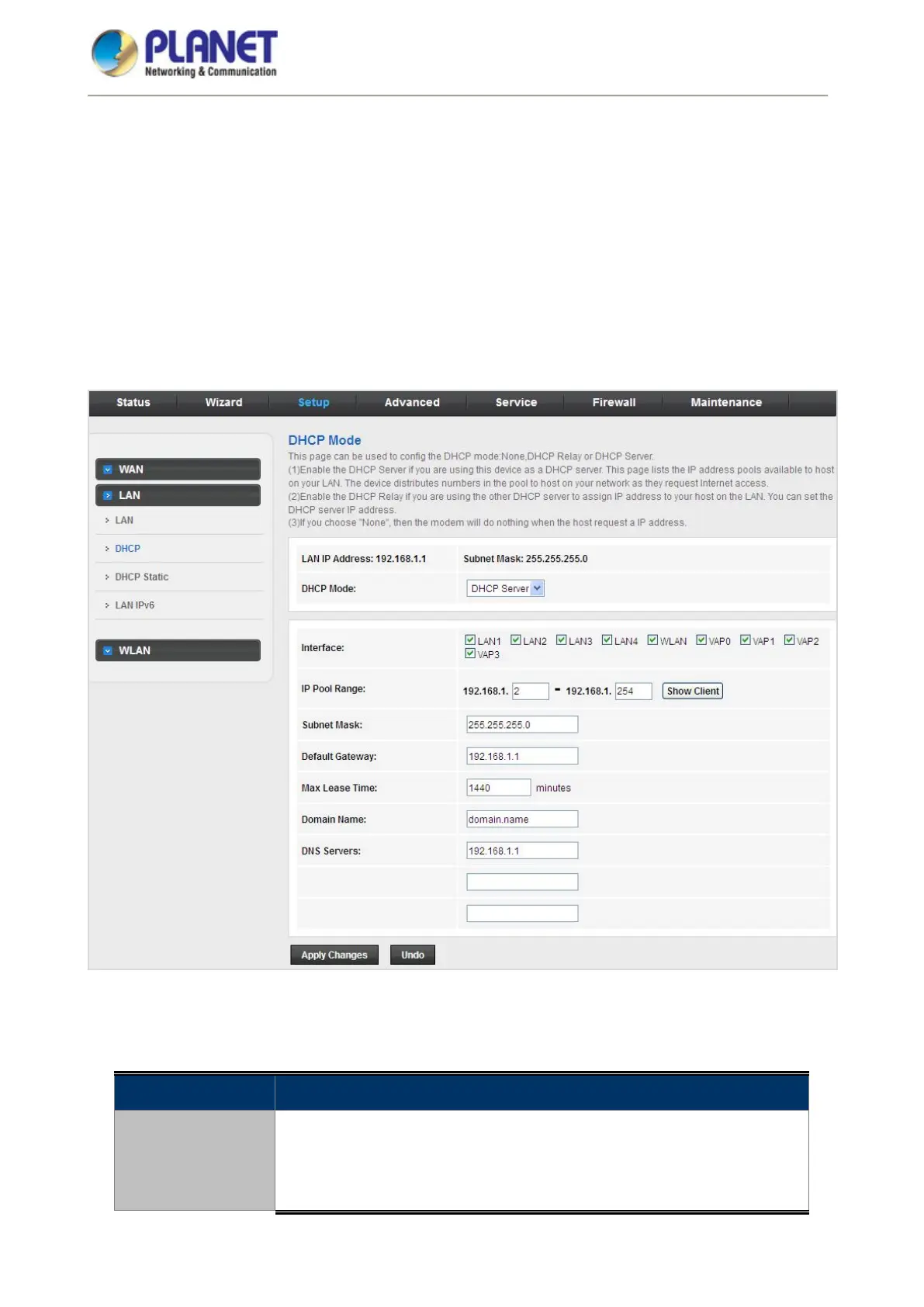
Click DHCP in the left pane and the page shown in the following figure appears.
Figure 5-26 DHCP
The following table describes the parameters:
Field Description
DHCP Mode
You can choose None, DHCP Relay or DHCP Server. If set to DHCP
Server, the router can assign IP addresses, IP default gateway and DNS
Servers to the host in Windows XP, Windows 7 and other operating
systems that support the DHCP client.














 To Next Page