User Manual of VDR-301N
5.3.6.2 Security
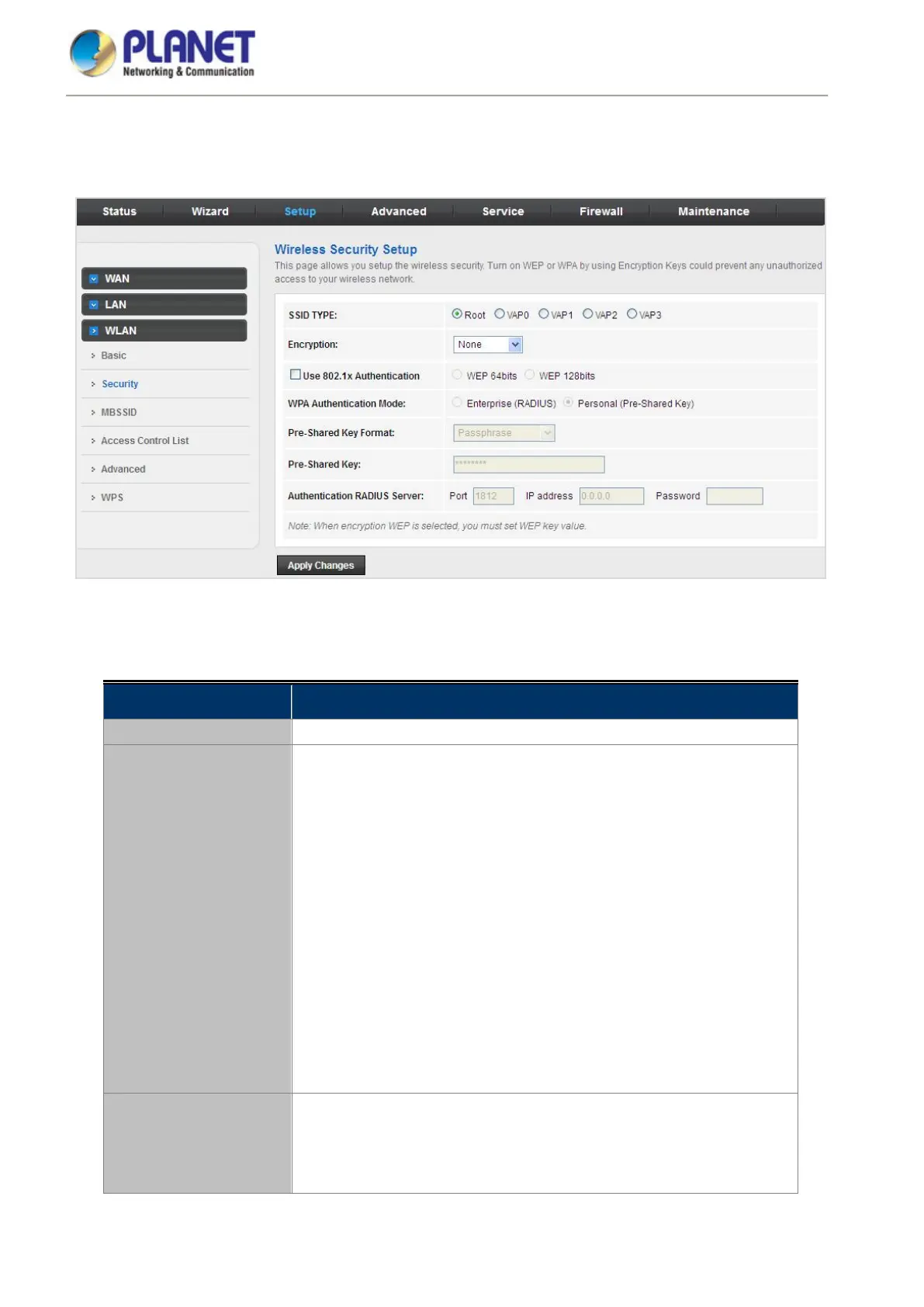
This screen allows you to set up the wireless security. Turn on WEP or WPA by using encryption keys that could
prevent any unauthorized access to your WLAN.
Figure 5-35 Wireless Security
The following table describes the parameters:
Field Description
SSID Type Select the SSID Type.
Encryption
There are 4 types of security to be selected. To secure your WLAN, it’s
strongly recommended to enable this feature.
WEP: Make sure that all wireless devices on your network are using the
same encryption level and key.
WPA/WPA2 (TKIP): WPA/WPA2 uses Temporal Key Integrity Protocol
(TKIP) for data encryption. TKIP utilizes a stronger encryption method
and incorporates Message Integrity Code (MIC) to provide protection
against hackers.
WPA/WPA2 (AES): WPA/WPA2, also known as 802.11i, uses
Advanced Encryption Standard (AES) for data encryption. AES utilizes
a symmetric 128-bit block data encryption.
WPA2 Mixed: The AP supports WPA (TKIP) and WPA2 (AES) for data
encryption. The actual selection of the encryption methods will depend
on the clients.
Use 802.1x
Authentication
Check it to enable 802.1x authentications. This option is selected only
when the “Encryption” is chosen to either None or WEP. If the
“Encryption” is WEP, you need to further select the WEP key length to
be either WEP 64 character or WEP 128 character.














 To Next Page