User Manual of VDR-301N
5.4.1.1 Static Route
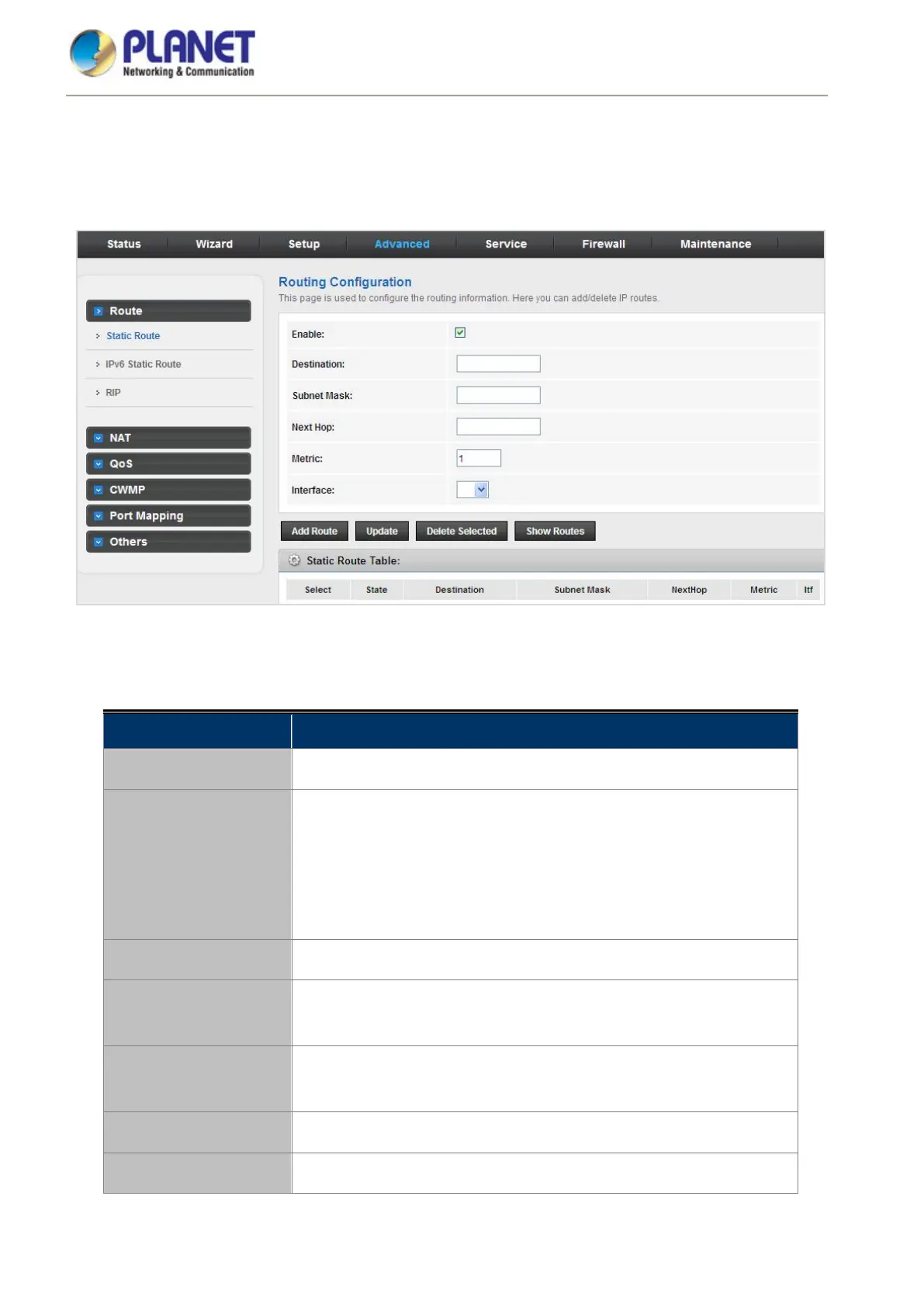
Click Static Route in the left pane and the page shown in the following figure appears. This page is used to
configure the routing information. You can add or delete IP routes.
Figure 5-41 Static Route
The following table describes the parameters:
Field Description
Enable
Click it to enable/disable the selected route or route to be added.
Destination
The network IP address of the subnet. The destination can be specified
as the IP address of a subnet or a specific host in the subnet. It can also
be specified as all zeros to indicate that this route should be used for all
destinations for which no other route is defined (this is the route that
creates the default gateway).
Subnet Mask
The network mask of the destination subnet.
Next Hop
The IP address of the next hop through which traffic will flow towards the
destination subnet.
Metric
Defines the number of hops between network nodes that data packets
travel.
Interface
The WAN interface to which a static routing subnet is to be applied.
Add Route
Add a user-defined destination route.














 To Next Page