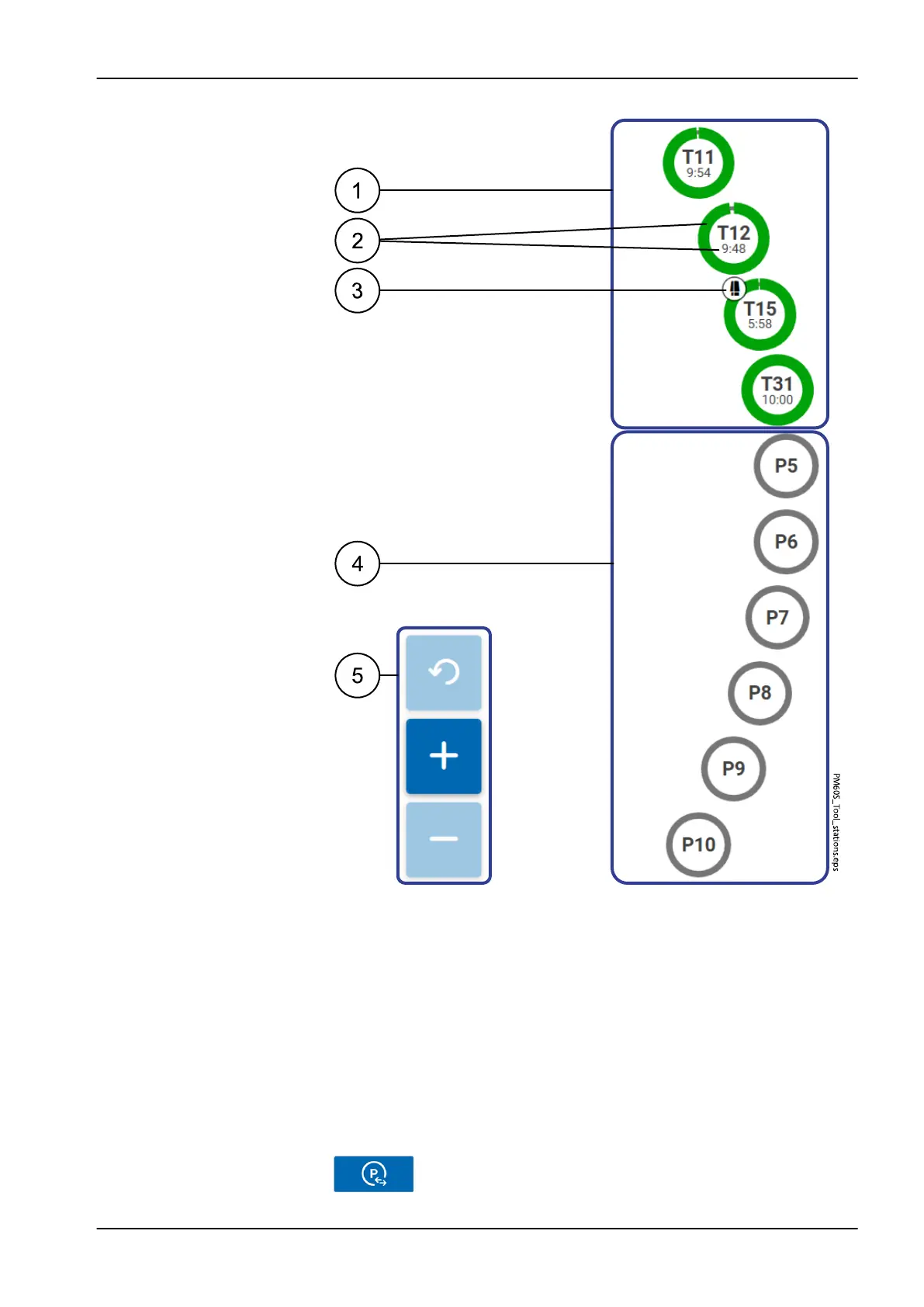
1 Current tool assignment
2 Remaining tool run time
3 Tool currently clamped in the machining spindle
4 Free tool stations
5 Buttons for zooming
Press + to zoom in on the tool station overview, press - to zoom
out, and press Reset to reset to the default zoom level.
13.4.2 Edit tool stations
In the
Tools
>
Edit tool stations
menu you can edit the tool stations used in
the milling process.
Change the tool assigment for this tool station.
13 Control software
User's manual Planmeca PlanMill 60 S 43














 To Next Page