Chapter D - ADJUSTMENT & CALIBRATION
Planmeca Proline CC panoramic x-ray D-41
Technical Manual
Move the soft tissue filter positioning light until it strikes the “Positioning light 25mm” line on the
beam alignment tool (
Fig. 46, 3).
Press the Ready key. The soft tissue filter and the soft tissue filter positioning light are now cali-
brated and the text “CEPH” appears on the main display.
Make sure that the soft tissue filter positioning light movement range is 0-48mm (Fig. 46, 4).
Adjust the light assembly position with the light assembly lever, if necessary.
Soft tissue filter light adjustment
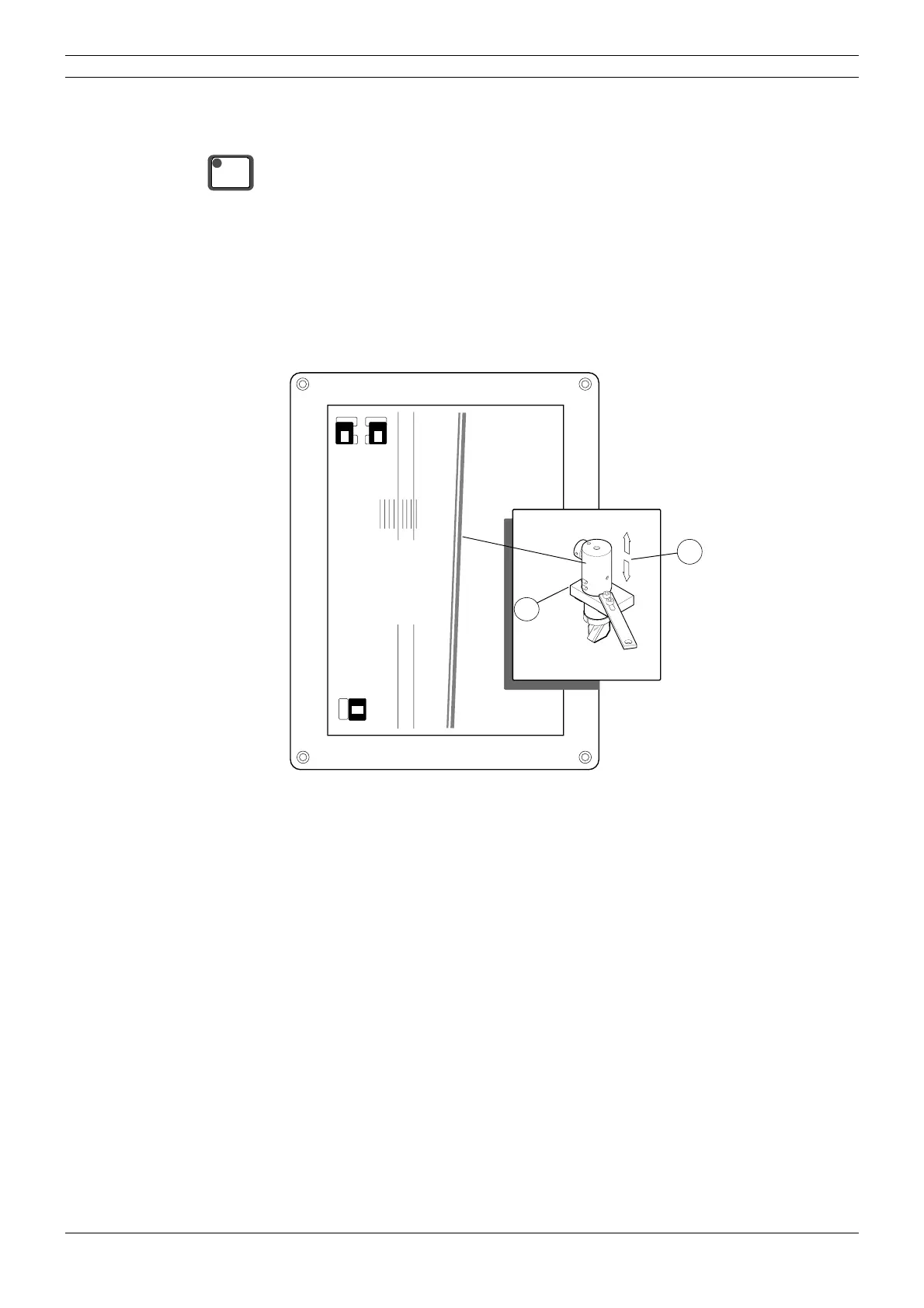
Loosen the screws of the bulb fixing plate (Fig. 47, 1) slightly. Do not remove the screws! When
you are only focusing the light, loosen only the lower screw.
Slide the bulb housing (Fig. 47, 2) up and down to focus the light beam.
Figure 47
READY
PRET
45
6
PLANMECA PM 2002 Proline CC Cephalostat 18x24
No.652232
Posiotioning light 0mm
2
1



 To Next Page