Chapter E - DIMAX3 DIGITAL SYSTEM ADJUSTMENT
E-14 Planmeca Proline EC X-ray unit
PANORAMIC X-RAY BEAM ADJUSTMENT
Technical Manual
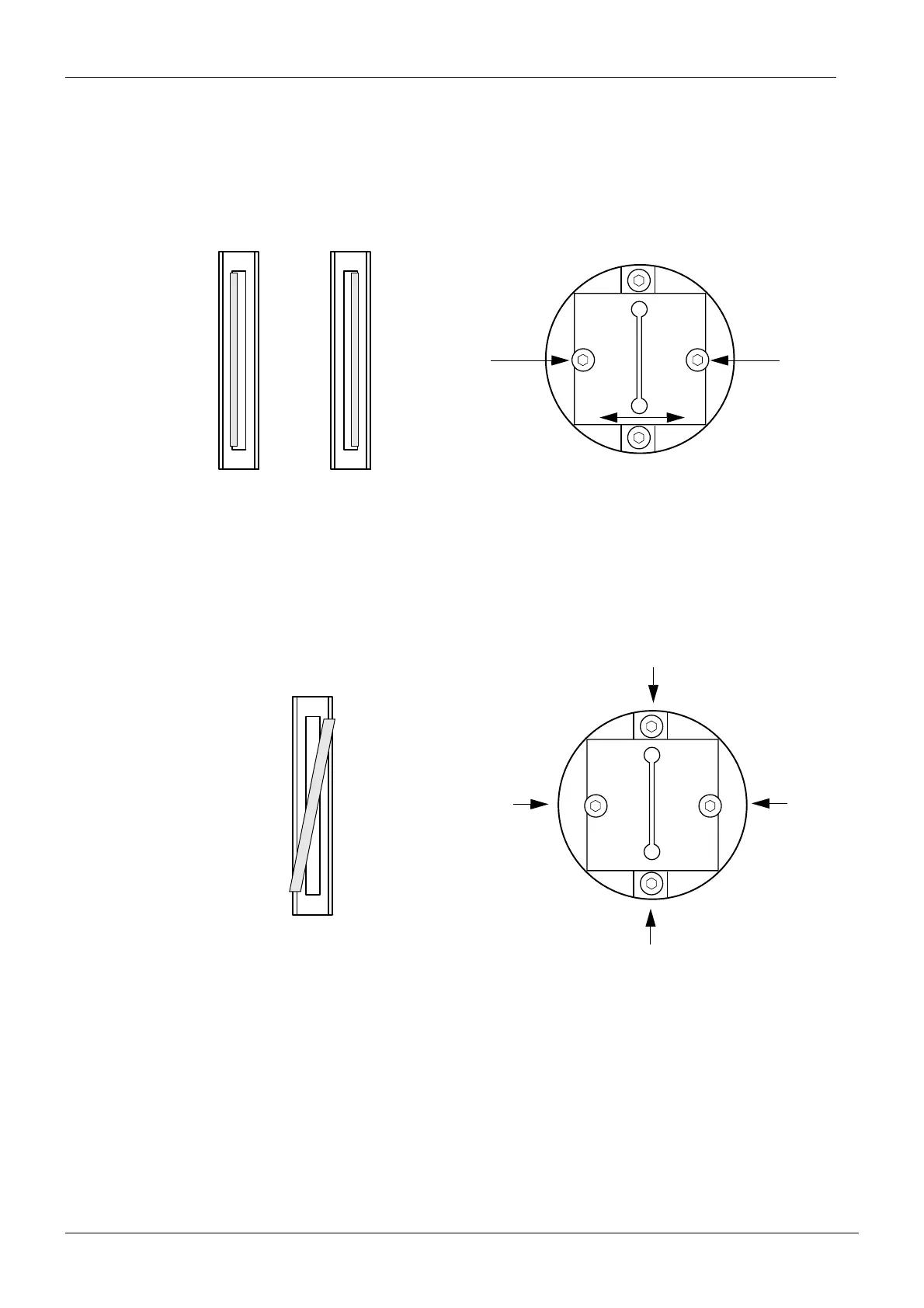
Primary slot adjustment - radiation beam too far to the right or left
If the beam is not vertical loosen the two screws that hold the primary slot plate in position
and move the plate until the beam is correctly positioned. Tighten the screws and recheck the
beam. Repeat the above procedure until the beam is correctly positioned.
Figure 18
Radiation beam not vertical
If the beam is not vertical loosen the four screws that hold the slot frame in position and rotate
the frame until the beam is correctly positioned. Tighten the screws and recheck the beam.
Repeat the above procedure until the beam is correctly positioned.
Figure 19
Beam too far to the right
Beam too far to the left
Securing screws
Beam not vertical
Securing screws














 To Next Page