Chapter D - ADJUSTMENT & CALIBRATION
D-6 Planmeca Proline EC X-ray unit
PANORAMIC X-RAY BEAM ADJUSTMENT
Technical Manual
2.2 Primary slot adjustment, Planmeca Proline EC Panoramic X-
ray
WARNING
DO NOT ADJUST THE POSITION OF THE PRIMARY SLOT MECHANISM WHILE X-RAYS
ARE BEING GENERATED. CHECK THE BEAM POSITION, ADJUST THE POSITION WITH
THE X-RAYS SWITCHED OFF AND THEN RECHECK THE POSITION. IF THE BEAM IS
STILL MISALIGNED REPEAT THE OPERATION.
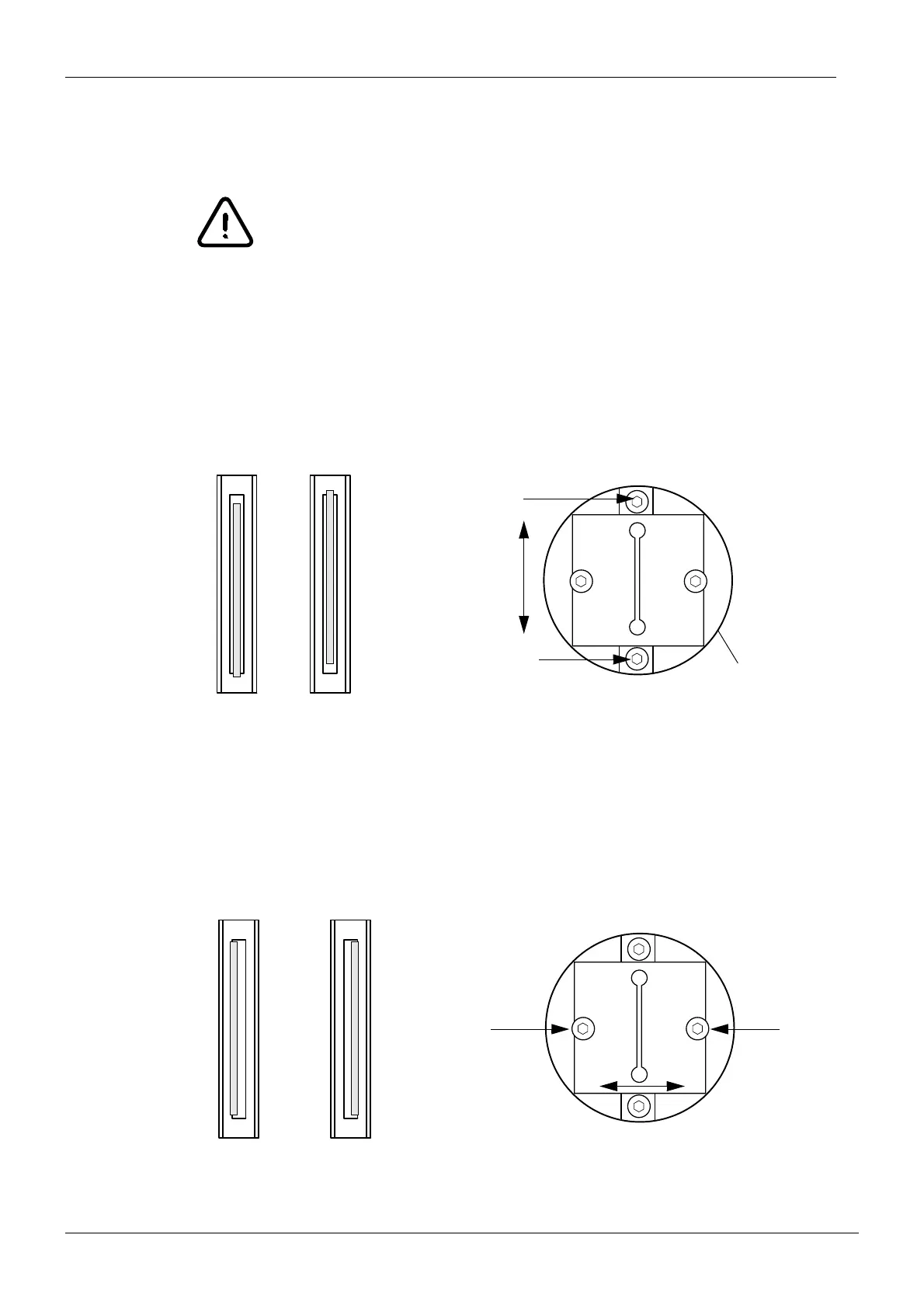
Radiation beam too low or high
If the beam is too high or low loosen the two screws that hold the outer slot in position and
adjust as necessary. Tighten the screws and recheck the beam. Repeat the above procedure
until the beam is correctly positioned.
Figure 4
Radiation beam too far to the right or left
If the beam is too far to the left or right of the alignment rectangle loosen the two screws that
hold the primary slot plate in position and move the plate until the beam is correctly posi
-
tioned. Tighten the screws and recheck the beam. Repeat the above procedure until the
beam is correctly positioned.
Figure 5
Beam too low
Securing screws
Beam too high
Outer slo
Beam too far to the right
Beam too far to the left
Securing screws














 To Next Page