Chapter E - DIMAX3 DIGITAL SYSTEM ADJUSTMENT
E-62 Planmeca Proline EC X-ray unit
CEPHALOSTAT ADJUSTMENT
Technical Manual
7.8 Checking the second primary slot position
NOTE You must now check the beam alignment with the second primary slot in its position.
Attach the second primary slot to its position.
Remove the sensor head and attach the sensor alignment tool to the cephalostat head sup-
port.
Enter the service mode (see section “How to enter/exit the service mode” on page B-6). The
radiation beam can now be checked without the sensor head moving.
Press the CTL-key.
Press and hold down the clock key until the number of the slot that you are checking appears
on the main display (SLO and the slot number) and starts to flash. You are now in the primary
slot calibration mode.
Repeatedly press the clock key until the letter “d” appears on the main display.
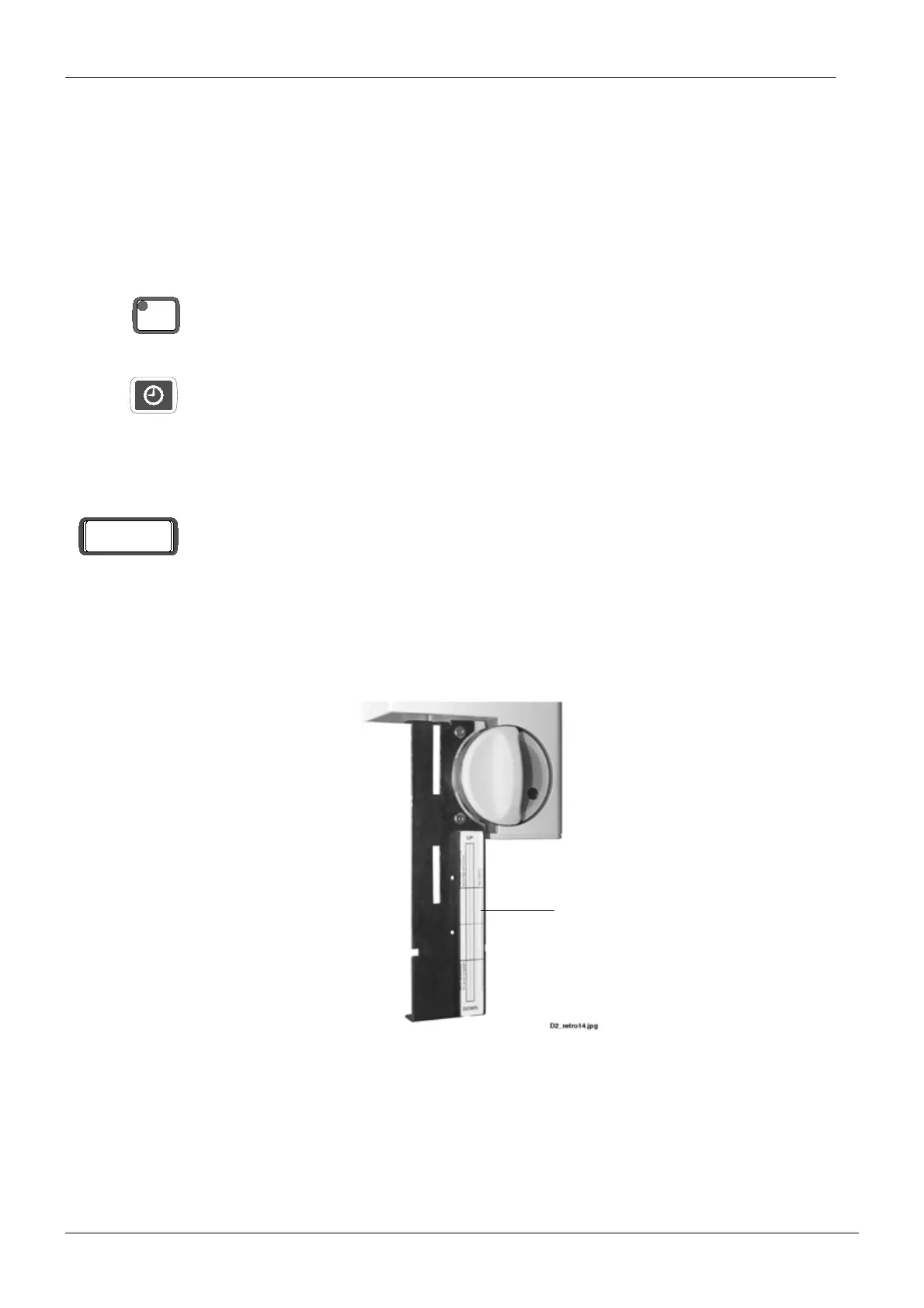
Place the beam alignment tool to the sensor alignment tool to vertical position as shown on
the figure below.
Figure 113
Stand behind the tubehead and protect yourself from radiation. Press and hold down the
exposure button. The image of the radiation beam will appear on the beam alignment tool.
CTL
SLO d
Beam alignment tool














 To Next Page