Chapter B - KEYBOARD FUNCTIONS & MODES
B-2 Planmeca Proline EC X-ray unit
NORMAL MODE KEYBOARD FUNCTIONS
Technical Manual
2 NORMAL MODE KEYBOARD FUNCTIONS
2.1 Normal user functions
The keyboard is always in the normal operating mode when the unit is turned on. Please refer
to the Planmeca Proline EC Panoramic X-ray User’s manual for descriptions for the normal
keyboard operation and instructions for normal everyday use of the unit.
2.2 Special user settings
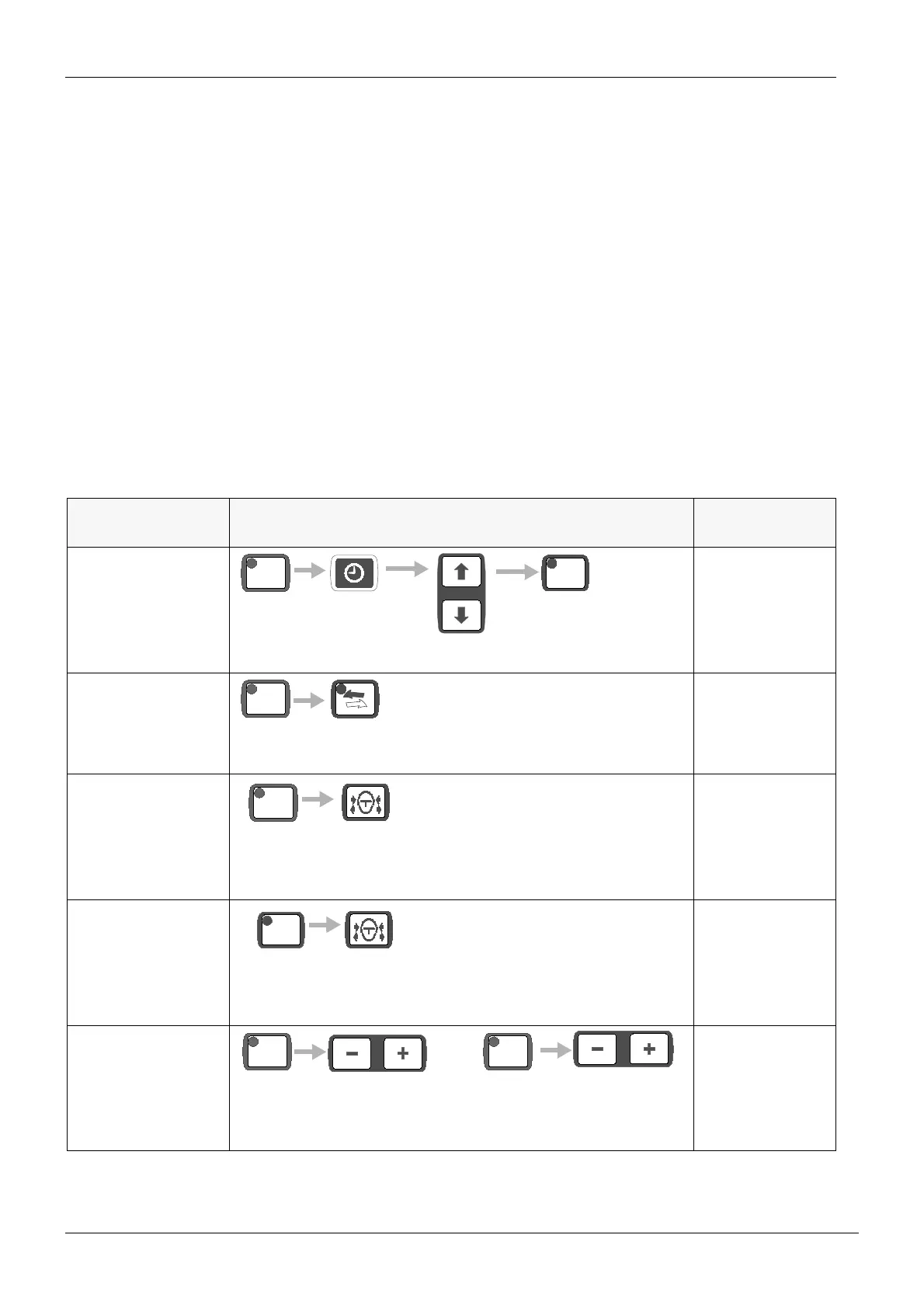
Press the control (CTL) key to enter the special function mode. The CTL-key’s indicator light
comes on. In the special function mode some of the keys have special functions, others do
not operate in this mode. When the CTL-key or a special function key is pressed, the indicator
light goes off and the keyboard is in the normal mode. In this section the special functions are
explained.
USER SETTING KEY SEQUENCE
FOR DETAILS,
REFER TO
TIME & DATE
ADJUSTMENT
“SETTING THE
CLOCK” on
page D-25
AUTOMATIC
RETURN
“Automatic return”
on page B-3
TEMPLE REST
MOTOR INACTIVA
-
TION
“Temple rest
motor inactiva-
tion” on page B-3
AUTOMATIC TEM-
PLE REST CLOS-
ING INACTIVATION
“Automatic temple
rest closing inacti-
vation” on page B-
4
TEST MODE “Test mode” on
page B-4
CTL
READY
PRET
hold for 3 seconds
CTL
hold for
4 seconds
CTL
hold for
4 seconds
AUTO
CTL CTL
OR














 To Next Page