Chapter E - DIMAX3 DIGITAL SYSTEM ADJUSTMENT
E-30 Planmeca Proline EC X-ray unit
PATIENT POSITIONING MECHANISM
Technical Manual
4.2 Patient positioning mechanism adjustment
Adjustment in ball phantom’s y-direction
If the patient positioning mechanism is too near or too far from the column it will have to be
centered.
Remove the cover from the lower shelf. Replace the ball phantom tool.
Remove the sensor head from the quick connector mechanism (see instructions given in
Planmeca Proline EC panoramic X-rays user’s manual). Attach the sensor alignment tool to
the quick connector.
Enter the test mode.
Press the ready key to drive the X-ray unit to the exposure position. When the X-ray is ready
the indicator light will come on.
Start to take a test exposure by pressing and holding down exposure button on the remote
control. Stop pressing the exposure button about halfway through the exposure cycle so that
the rotating unit stops moving.
An error code will appear on the display. Clear the error code from the display by pressing the
CTL-key.
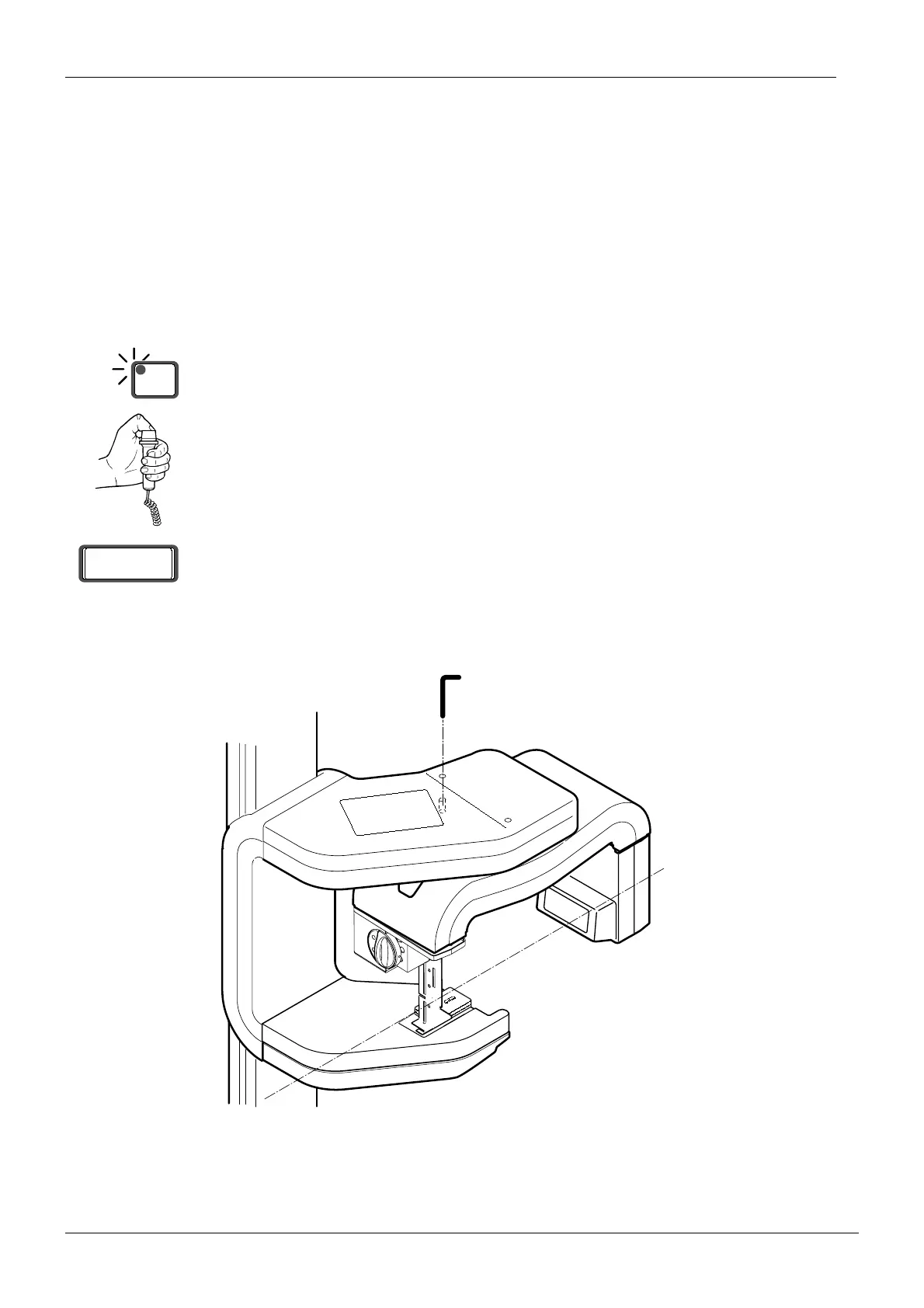
Manually position the rotating unit so that the center line that runs through the tubehead and
sensor head is parallel to the wall to which the X-ray is secured. Slide the alignment pin
through the hole, nearest the column, in the top of the vertical carriage so that it goes into the
positioning hole in the rotating unit. (
Fig. 55)
Figure 55
NOTE Adjust the position of the rotating unit by holding the sensor head. Never use the tube-
head to adjust the position.
READY
PRET
Er 00
D2paralwall.eps
Alignment pin
Center line parallel to wall














 To Next Page