Chapter E - DIMAX3 DIGITAL SYSTEM ADJUSTMENT
E-24 Planmeca Proline EC X-ray unit
CALIBRATING PANORAMIC SENSOR HEAD
Technical Manual
Taking a ball phantom exposure
You can now check the adjustments by taking a ball phantom exposure either as described in
section
“Checking the mechanism” on page E-26 or using the Dimax2Tool program’s Tests /
Ball Phantom command.
Slide the ball phantom into the patient positioning mechanism. Position the layer light beam
so that it is on the black reference line on the side of the ball phantom. Select the standard
panoramic exposure mode and Select a kilovolt value of 66 and a milliampere value of 2.
NOTE If the temple supports are in position, remove them before taking the ball phantom
exposure.
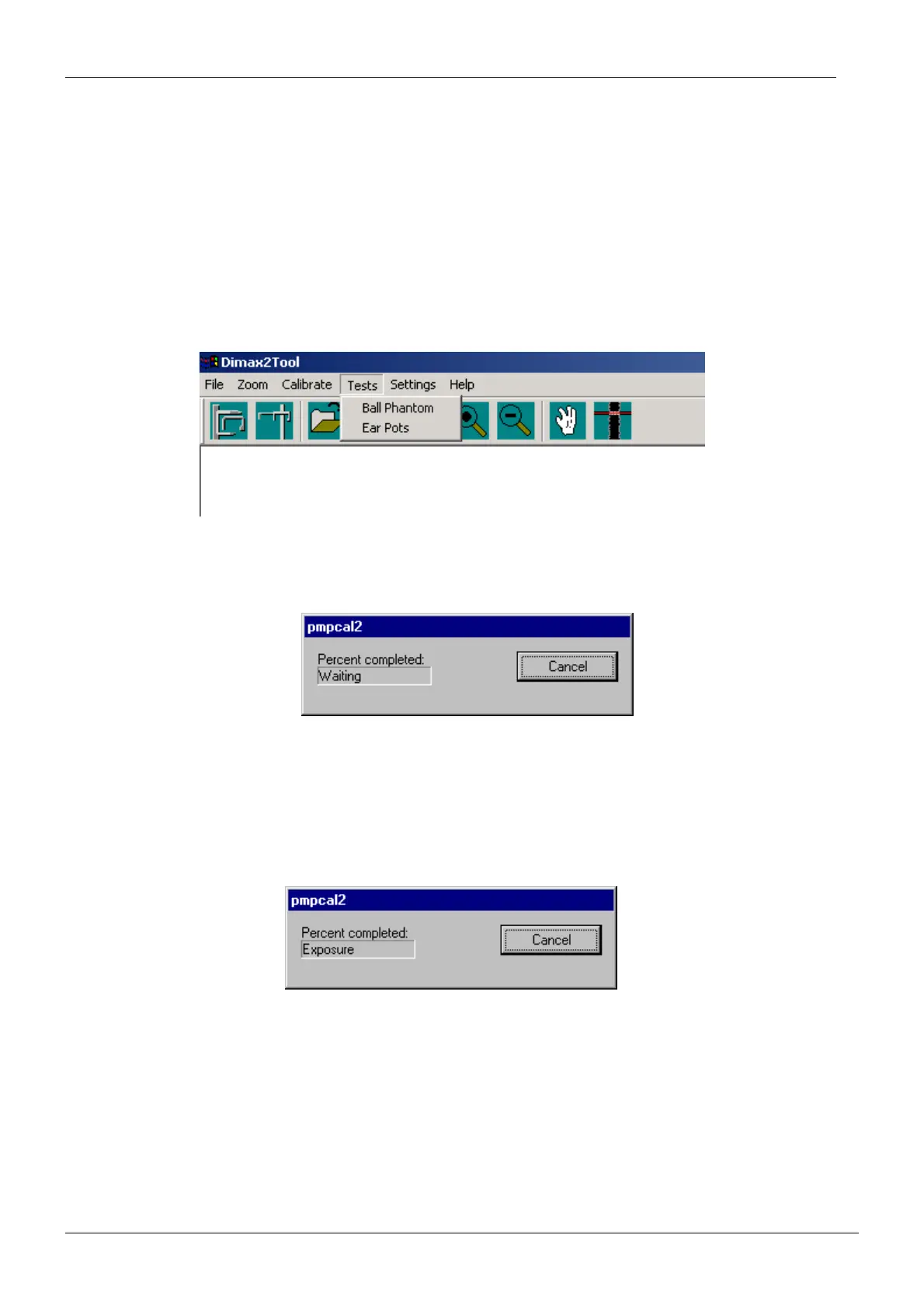
Select Ball Phantom from Tests menu.
Figure 45
The pmpcal2 window with text Waiting appears.
Figure 46
Press the ready key to drive the X-ray to the exposure position.
The text Exposure appears.
Figure 47














 To Next Page