Chapter D - ADJUSTMENT & CALIBRATION
D-42 Planmeca Proline EC X-ray unit
CEPHALOSTAT ADJUSTMENT
Technical Manual
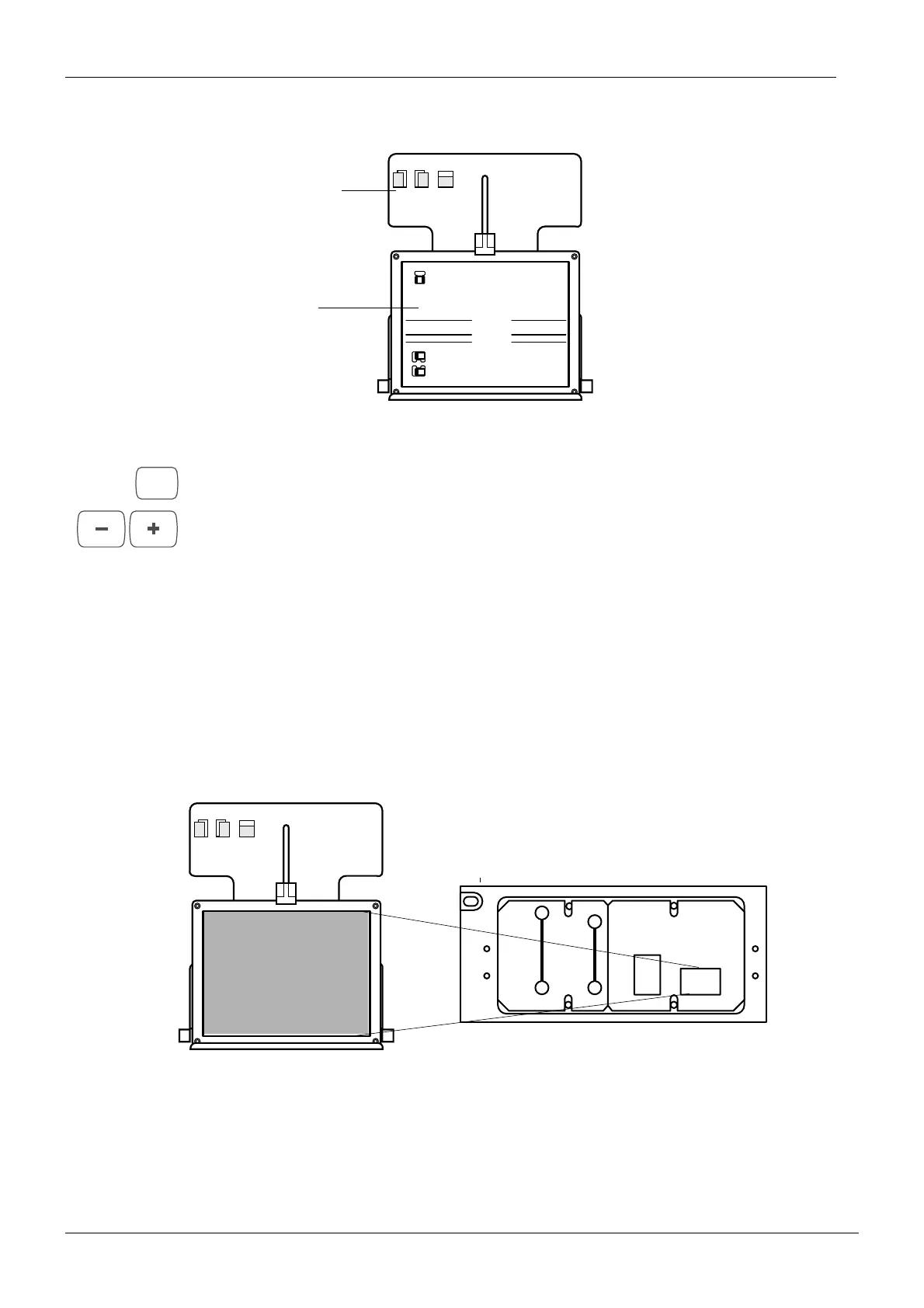
Turn the beam alignment tool so that it is horizontal.
Figure 48
Press and hold the P key until you have heard two audible signals. Select the cephalometric
exposure mode number 6 with the program selection keys (fourth collimator slot). The text
CPH6 will appear on the main display.
Stand behind the tubehead and protect yourself from radiation. Press and hold down the
exposure button. The image of the radiation beam from slot number 6 will appear on the
alignment tool.
NOTE The soft tissue filter will filter a narrow area of the left side of the radiation beam.
The radiation beam must appear within the borders of the rectangle marked on the alignment
tool. If it does not refer to
“Primary slot adjustment, Planmeca Proline EC Pan/Ceph X-ray” on
page D-8. The adjustment is performed in the same way as when adjusting the standard pan-
oramic slot.
Figure 49
When all the slots have been checked, and if necessary adjusted, exit the service mode by
pressing the hidden key.
4 5
6
PLANMECA PM 2002 Proline Cephalostat 18x24 No. 652232
Soft tissue filter 0mm
Positioning light 0mm
Positioning light 25mm
Cassette
holder
Beam
alignment
tool
P
4 5
6
PLANMECA PM 2002 Proline Cephalostat 18x24 No. 652232
Soft tissue filter 0mm
Positioning light 0mm
Positioning light 25mm
Beam
Sixth primary slot














 To Next Page