12
The set is then transported further into the Booklet Maker to the folding area where the set
is folded into a booklet and delivered out to the belt stacker or a downstream module.
After the Booklet Maker, an optional BookFold Module can be attached. The stapled and
folded books will be fed into the BookFold Module where the spine of the booklets are
attened square. The booklets will now have the look of a perfect bound book. Finally, the
booklets are fed out to the optional Trimmer or directly to a Belt Stacker.
When a larger number of sheets are folded, an effect called creeping occurs. In order to
eliminate creep, an optional Trimmer Module can be attached after the Booklet Maker
or BookFold Module. The booklets are transported from the Booklet Maker or BookFold
Module into the Trimmer where the front edge will be cut off. The Trimmer combined with
an RCT Module in front of the Booklet Maker creates the possibility to create full bleed
booklets.
To allow longer, unattended runs there is an optional high capacity belt stacker available.
The BST4000-1 Belt Stacker Module will stack up to 1000 A4 or 8,5 × 11” booklets of 4
pages.
In addition to producing booklets inline, it is possible to use the Booklet Maker System for
hand-feeding.
continued from previous page
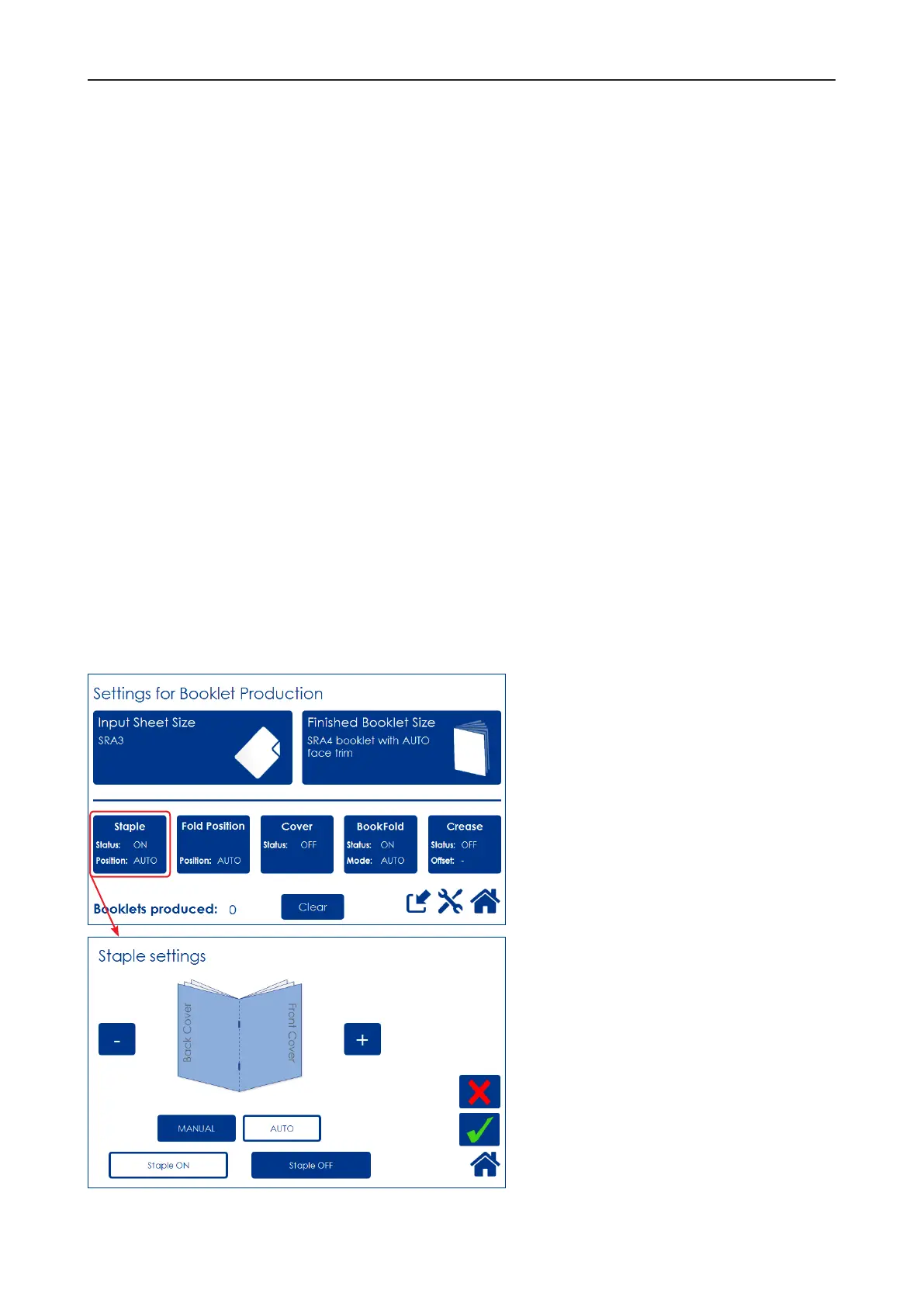
The user interface/control panel is of
touch screen type. Point at the screen
and press the button or function you
wish to make changes to.
In this sample screen shot, the Staple
button is pressed.
A sub screen is shown.
Make your changes and conrm by
pressing the green check mark or
exit without making any changes
by pressing the red X. Pressing the
home symbol takes you back to the
main or home screen.



 To Next Page