42
2
Input Sheet Size
Selecting standard paper sizes
Changing settings
Basic settings
Settings can changed in one of two ways. “Temporary”, which means that the changes will remain
until a new job is loaded or “Permanent”, which means that the changes will be stored as a job.
This job can later be recalled.
Procedure for temporary changes:
From the Settings for Booklet Production screen, select the option you wish to alter and make your
selection. Conrm by pressing the green [check] button. You will be returned to the Settings for
Booklet Production screen
Procedure for permanent changes:
To keep your new settings, press the [Save current settings] button. Follow on screen instructions
to save your current settings as a new job or to an existing job.
NOTE:
Choose either of the above mentioned procedures when changing size, stapling, trimming, covers
or square forming as follows.
Depending on how the system is congured, the number of settings that can be selected varies.
The information on the screen and the size of the buttons will adapt to t the screen. Examples
below shows a fully congured system.
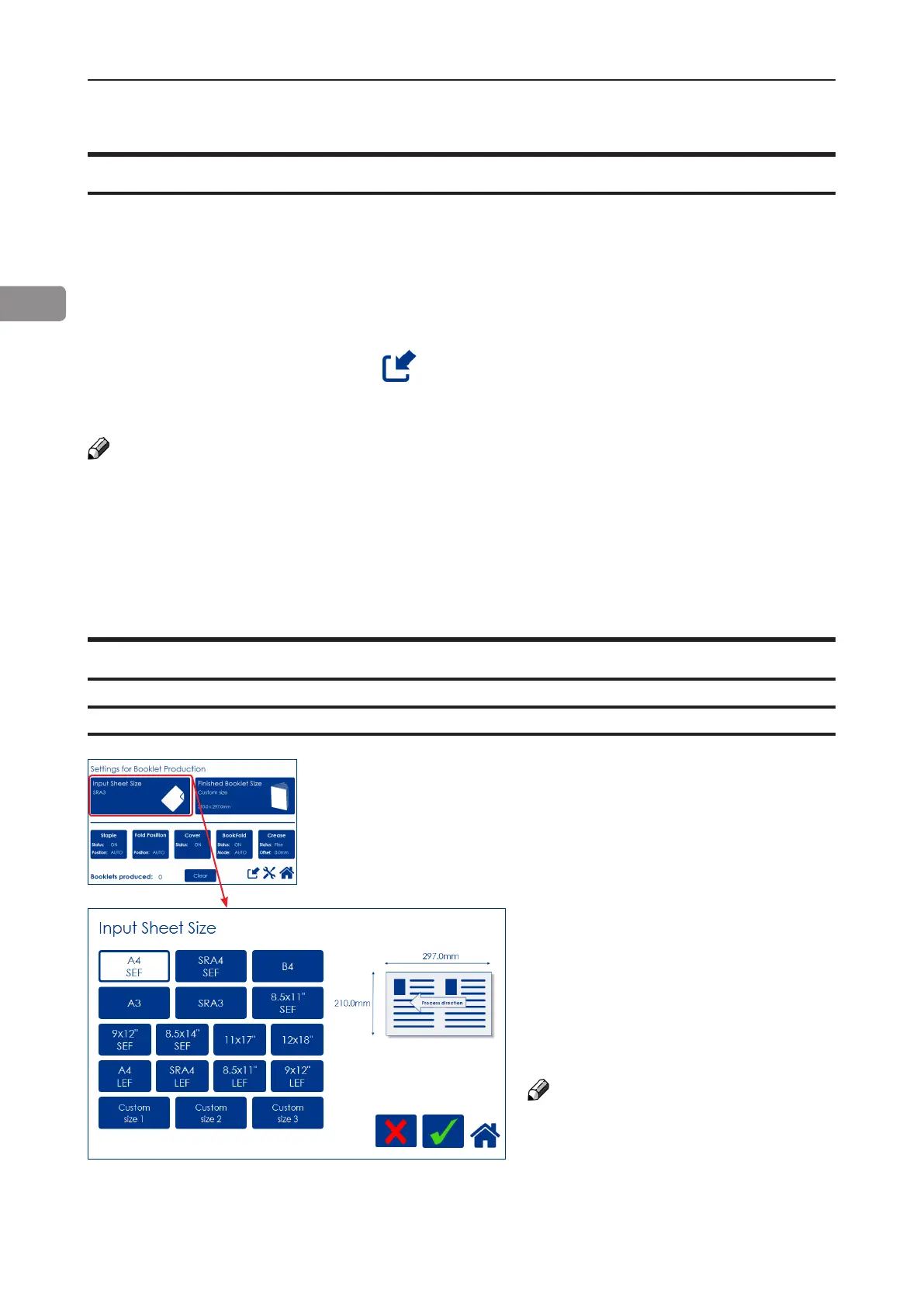
From the Settings for Booklet Produc-
tion screen, press the [Input Sheet Size]
button.
Select any standard paper size by
pressing the corresponding button and
save choice by pressing the green
[check] button.
Depending on conguration, available
standard paper sizes may differ. The
LEF paper sizes are only available if
there is a RCT installed.
For other paper sizes, follow “Custom
input sheet size” as described on the
next page.
NOTE:
Change of paper size will set Staple
position, Fold position, BookFold and
Crease to Auto and Cover to Off.
Any Fine-tuning (see section below) and
the “Booklets produced” counter will
also be reset.
General procedure



 To Next Page