60
4
Opening and handling stored Jobs
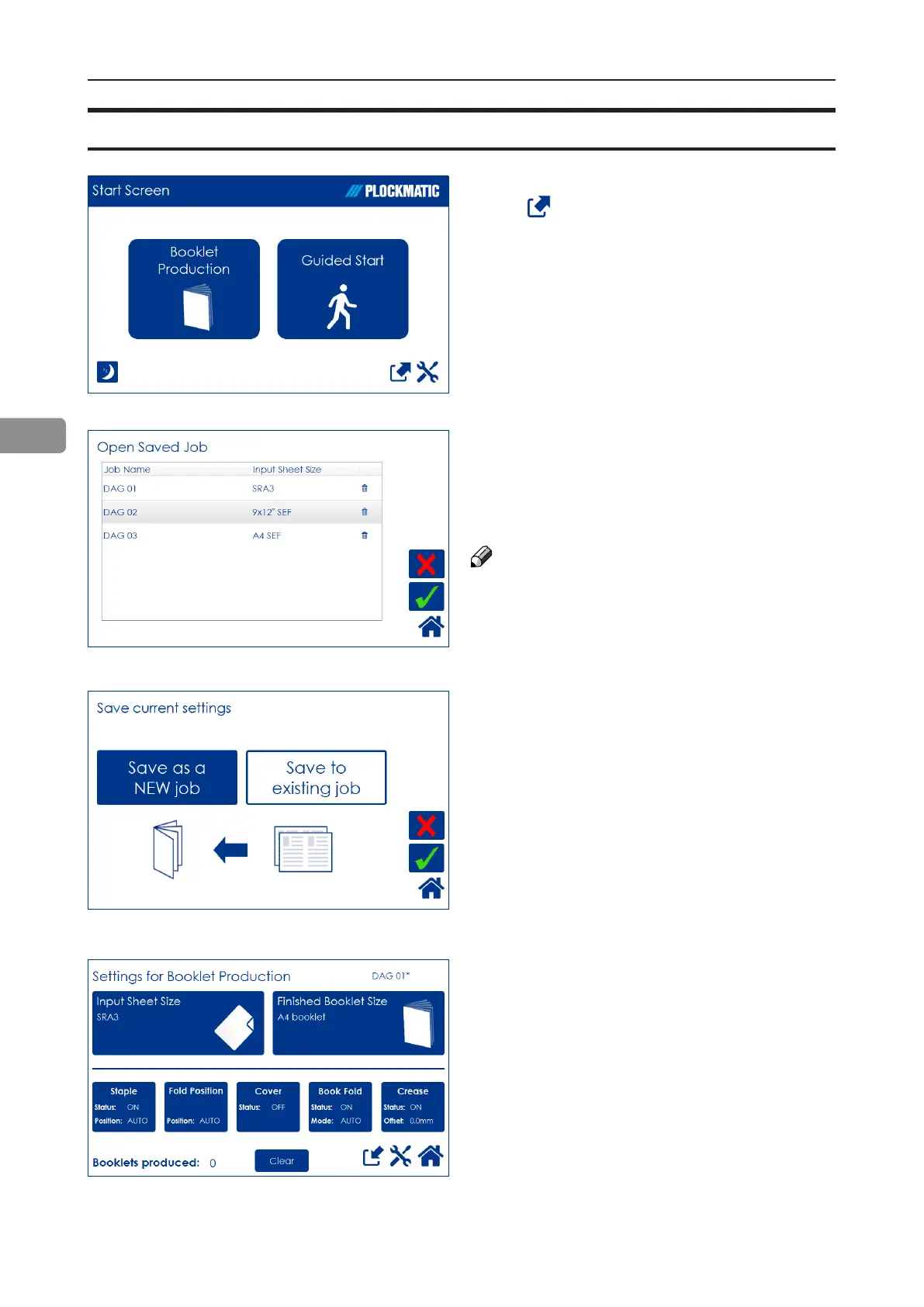
The name of the currently loaded job is shown
in the upper right corner. An asterisk next to the
name shows that changes to the job have been
made and that the changes have not yet been
saved.
Open (load) any stored job by pressing the job
and conrm by pressing the green [check] mark.
Delete any stored job by pressing the job but-
ton, the waste bin symbol and then conrm by
pressing the [Yes] button.
NOTE:
The currently loaded job cannot be deleted.
To access already stored jobs,
press from the Start Screen.
The button [Save to existing job] is only avail-
able if a saved job is currently loaded. Press
the [Save to existing job] button to overwrite the
currently loaded job.
Press the green [check] button to conrm.



 To Next Page