45
2
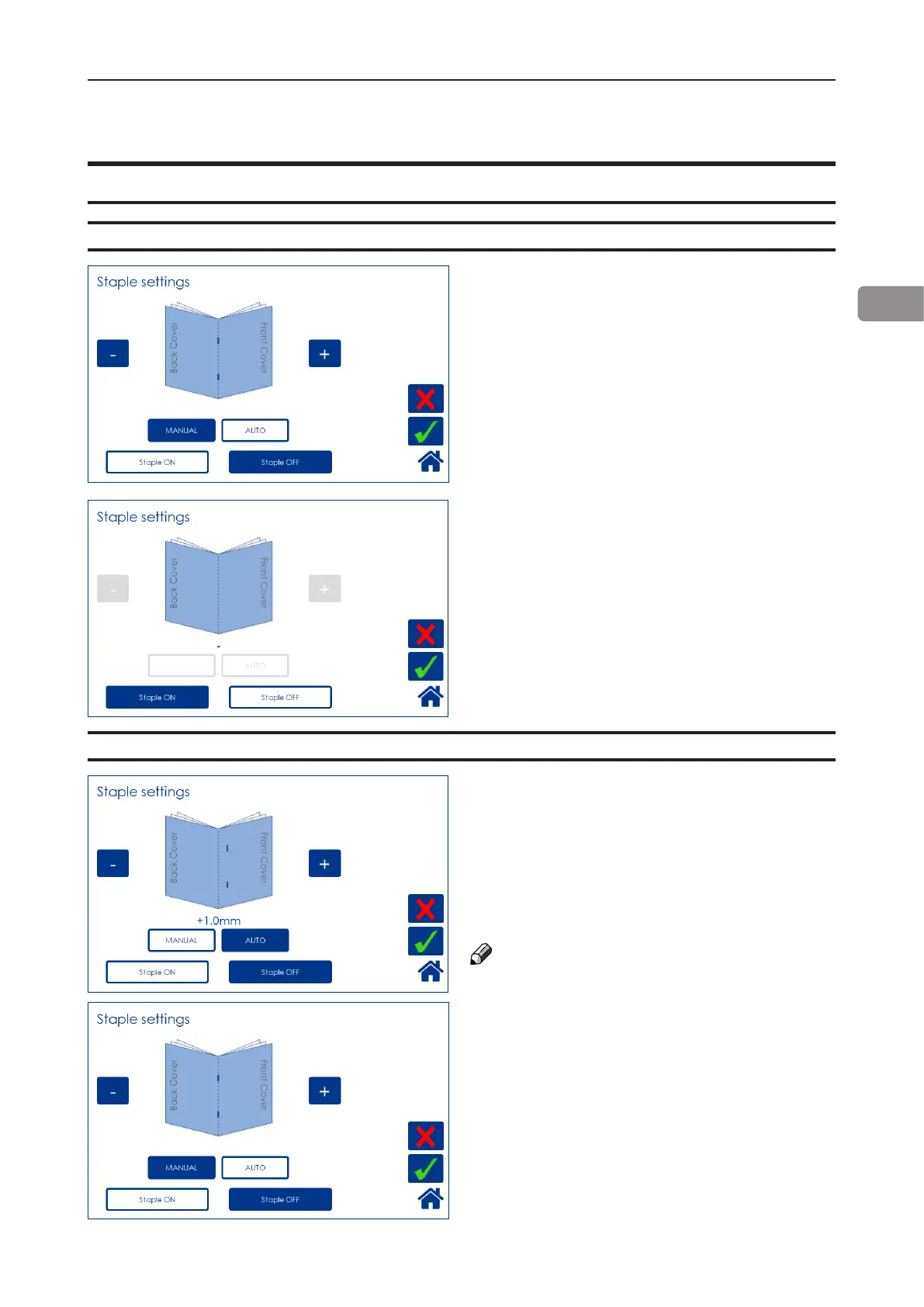
Selecting stapling On or Off
Staple
From the Settings for Booklet Production
screen, press the [Staple] button.
Select On or Off by pressing the corresponding
button and save setting by pressing the green
[check] button.
Set to Auto, the Booklet Maker uses the set
thickness sensor to adjust the staple position.
Press the [Auto] button and save setting by
pressing the green [check] button.
From the Settings for Booklet Production
screen, press the [Staple] button.
Set to Manual, the staple position can be altered
up to 3 mm (0.12”) on either side of the fold.
Press the [+] button move position closer to the
lead edge and press the [-] button move position
closer to the trail edge. Save setting by pressing
the green [check] button.
NOTE:
This change can be performed during run.
Adjusting staple position
Customizing settings



 To Next Page