59
4. Jobs
Handling jobs
The Booklet Maker has a maximum storage capacity of 20 different jobs. To make
temporary changes in the actual job settings or temporary changes of a stored job, see
section 2, “Making Booklets.”
From the Start screen, press the [Jobs] button to be able to store, change or delete jobs.
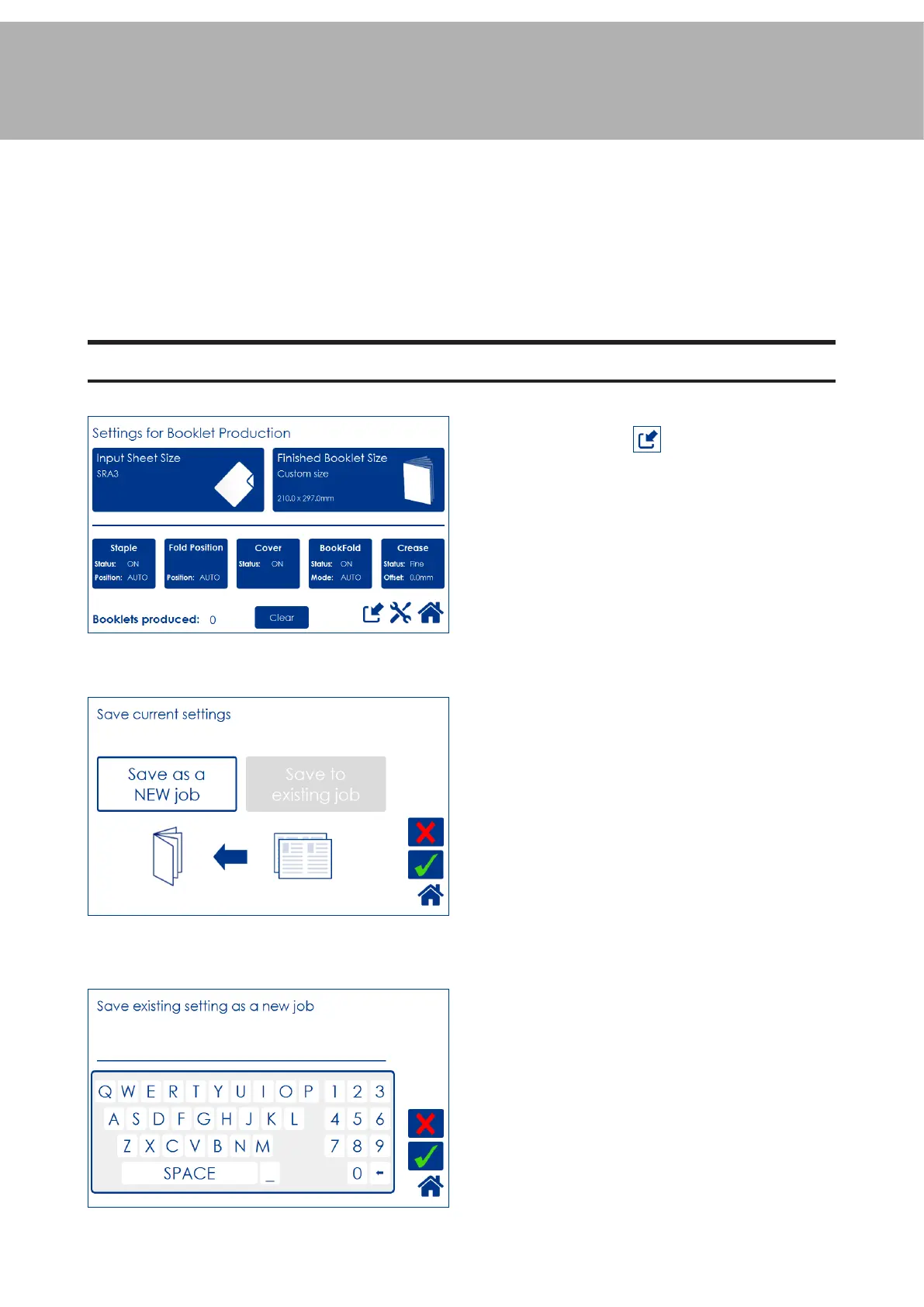
Saving a Job
Enter a job name and save by pressing the
green [check] button.
To delete last character, press the [←] button
To store a job, press from the Settings for
Booklet Production screen.
Press the [Save as a NEW job] button and then
press the green [check] button to continue.
The [Save to existing job] button is only avail-
able if a job is currently loaded.



 To Next Page