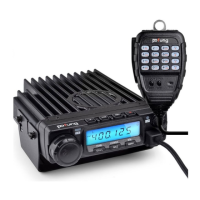
BF9500 车载台使用说明书
High/medium/low power switch
frequency、channel、CTCSS/DCS Scan
Battery voltage detection
Storage of channel parameters
Optional signaling switch
key lock(Except the PTT Key)
3)FM Radio mode:
①Press Microphones [UP] button UP the search;
②Press Microphones [DOWN] button Down the search;
FM Radio mode, when there is a signal or press [PTT] launch, withdrew from the state of
the radio automatically, over 5 seconds automatically return into the radio mode.
4)Microphones keys function:
·DTMF launch: press and hold 【PTT】 + Mic key(The microphone on DTMF function effectively)
·press and hold 【PTT】, then press 【DOWN】 key: launch 1750 HZ, loose【DOWN】key to cancel the launch1750
·press and hold 【PTT】, Short press 【UP】 key :launch the set of optional signaling(DTMF/2TONE/5TONE)
5) Keypad Lockout
Pull down the slide switch to lock position, the lamp is turned off and all of keypads is not work except PTT switch.
6) Transmitting DTMF by microphone keypad
Slide DTMF key to DTMF position, press and hold the [PTT] key, transmitting the desired DTMF signaling by the numeric key
directly. ( Note: Slide DTMF key to DTMF position, the keyboard is invalid in standby)
■Professional Transceiver Mode 专业机模式
According to practical application, you can set the radio works as Professional Transceiver mode.
1. Sets the display mode 显示模式设定
1) By manual setup::Prees the and keys boot, amateur or professional machine display mode switch
2) By programming software: In PC software's "General Setting"menu ,choose "Display Mode" to select Amateur
Transceiver mode or Professional Transceiver mode.
2. Amateur Transceiver Mode 业余机模式
Except setting as "CH" mode, others considered as Amateur transceiver mode. Under this mode,press key to switch
between Channel mode and VFO mode .


 To Next Page