BF9500 车载台使用说明书
corresponding name for 2TONE,this operation will display 2TONE corresponding name.
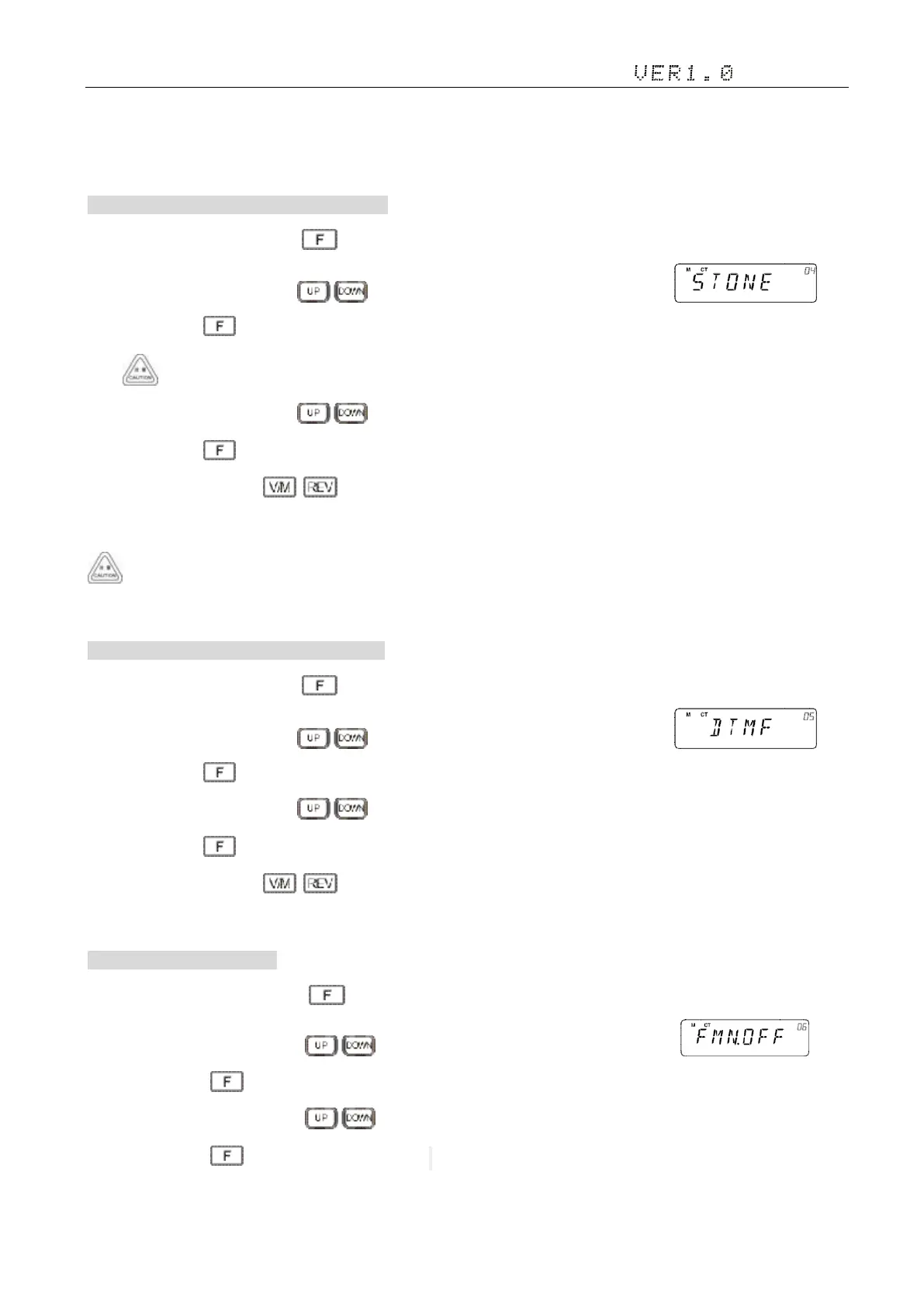
4. 5TONE Signaling Group 5TONE 信令编码组别
1)In standby mode, press and hold key to enter general setting menu;
2)Adjust the knob switch or Mic's key, and select 04 menu option, the screen display
3)Short press the key, enter the function menu, the screen flashing " 00 "( Total:50 groups,00-49,Default:00);
If the group has a name will display name, No name display "XX (group)"
4)Adjust the knob switch or Mic's key choose to group;
5)Short press the key, save and exit the Settings;
6)Setup process short press , then cancel save , and switch to the on a menu or next a menu;
7)Press to other keys , cancel the save and return to main interface.
Content and name of 5TONE will be edited by programming software.This radio only query edited group or name.If there is
corresponding name for 5TONE,this operation will display 5TONE corresponding name.
5. DTMF Signaling Group DTMF 信令编码组别
1)In standby mode, press and hold key to enter general setting menu;
2)Adjust the knob switch or Mic's key, and select 05 menu option, the screen display 。
3)Short press the key, enter the function menu, the screen flashing " 00 "( Total:10 groups,00-09,Default:00);
4)Adjust the knob switch or Mic's key choose to group;
5)Short press the key, save and exit the Settings;
6)Setup process short press , then cancel save , and switch to the on a menu or next a menu;
7) Press to other keys , cancel the save and return to main interface.
6.Narrow-band switch 窄带开关
1) In standby mode, press and hold key to enter general setting menu;
2) Adjust the knob switch or Mic's key, and select 06 menu option, the screen display ;
3) Short press the key, enter the function menu, the screen flashing "OFF", Options are "OFF/ON";
4) Adjust the knob switch or Mic's key choose to ON;
5) Short press the key, save and exit the Settings. LCD display the Nar icon,


 To Next Page