BF9500 车载台使用说明书
1)Display the DTMF: sending DTMF code, sending categories for menu "5" category, specific content can be found in the menu
"21";
2)Display the"2TON" : sending 2TON code, sending categories for menu "3" category;
3)Display the "5TON" :sending 5TONE code,sending categories for menu"4" category;
4)No optional signaling is sending DTMF, with (1).
8. Reverse TX/RX 倒频功能设置
TX frequency turns to RX frequency & RX frequency changes to TX frequency. The signaling will also be reversed if CTCSS/DCS
signaling exited in this channel.
In standby mode, the repetition of short key, set the current channel switch the function. the function opens, the
screen R icon.
■ Menu Operation 菜单操作
■Menu access and operation(standby mode) 菜单访问与操作(待机模式下操作)
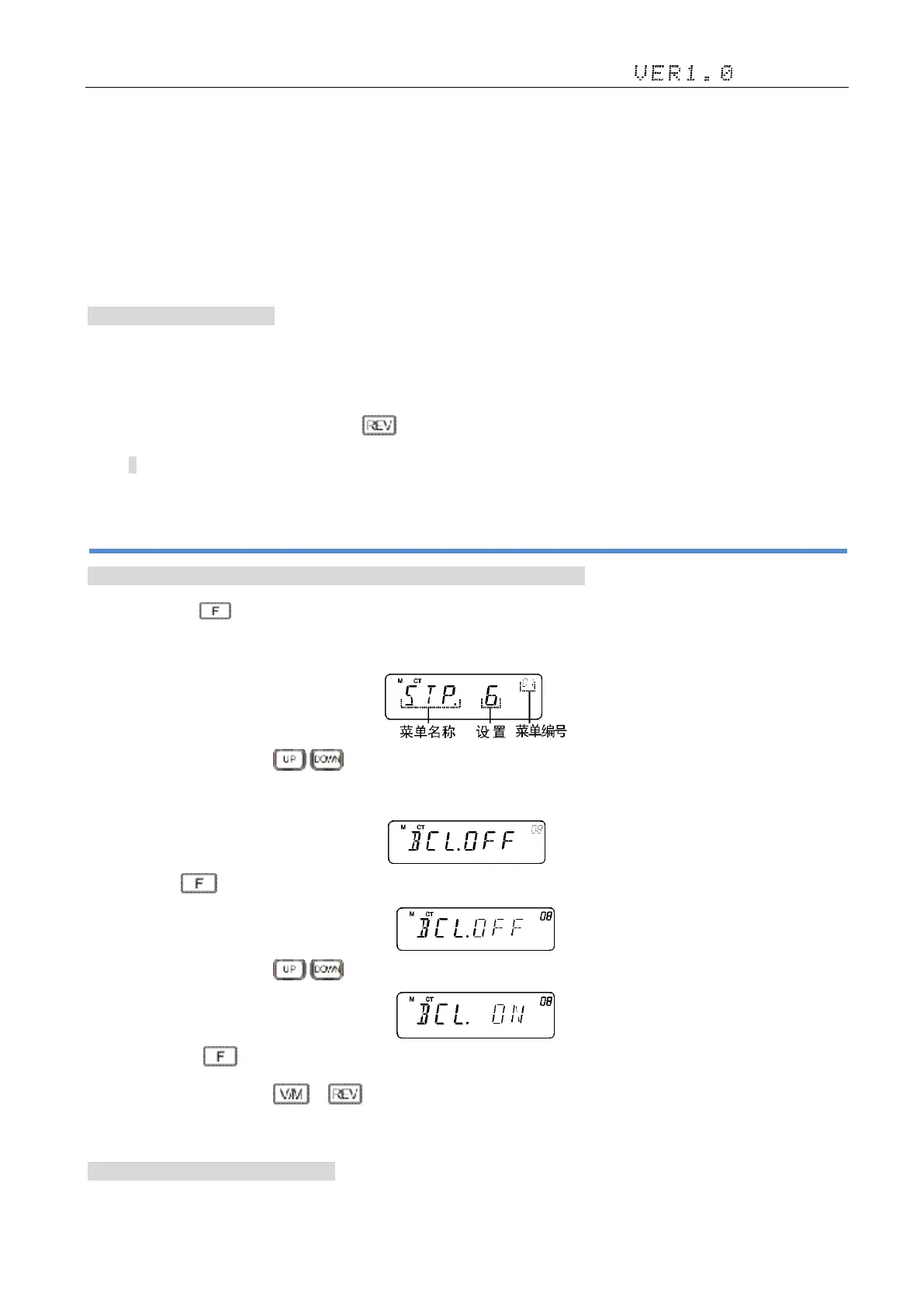
1)Long press the key for 2 seconds, enter the function menu Settings.
2)Turn selector knob or Mic's key, select the desired menu number.
·When change the menu number, display screen will be displayed on the brief explanation of each menu and the parameters.
3)Short press to confirm to the contents of the menu, the menu content flicker.
4)Turn selector knob or Mic's key, select the desired menu content;
5) Short press the key to confirm, after a prompt tone to save and return to the higher level menu;
6) Set up process short press or , cancel the save.
7) Press to other keys, cancel the save, send 3 the sound and return to the main interface.
■The edit menu content 菜单内容编辑:


 To Next Page