BF9500 车载台使用说明书
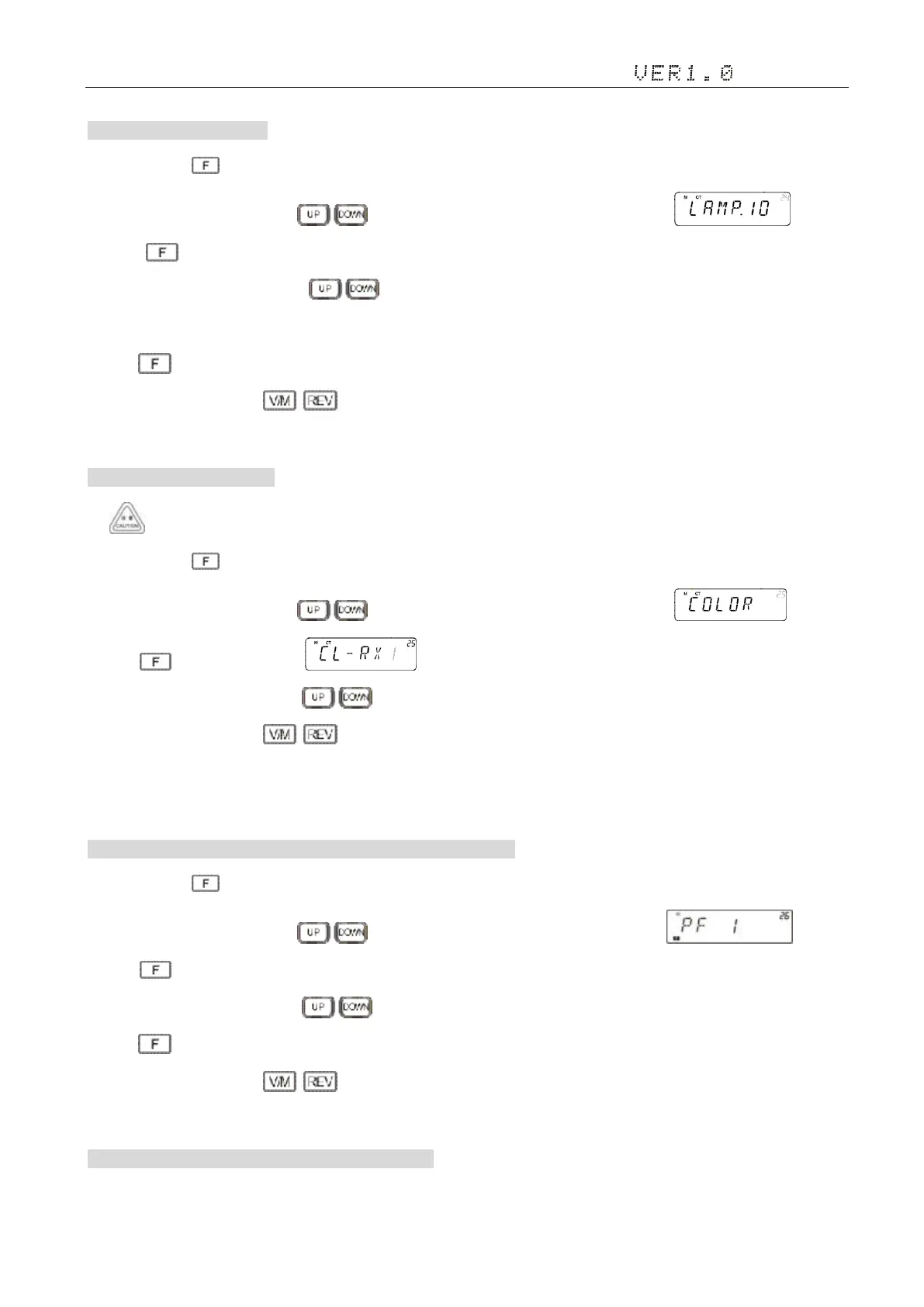
24. LCD Backlight 背光灯亮度
1)Press and hold key to enter general setting menu;
2)Adjust the knob switch or Mic's key, and select 24 menu option, the screen display ;
3)Press ,the screen flashing “32”
4) Adjust the knob switch or Mic's key to select a desired LCD backlight brightness 1-32. Total 32 level backlight
brightness.
5)Press to confirm the selection and exit;
6)Setup process short press , then cancel save , and switch to the on a menu or next a menu;
7)Press to other keys(includes PTT) , cancel the save and return to main interface. Default: 25
25. Backlight color 背光灯颜色
1:Blue 2:Red 3:Purple
1)Press and hold key to enter general setting menu;
2)Adjust the knob switch or Mic's key, and select 25 menu option, the screen display ;
3) Press ,the screen shows , “1”flashing,there are “1/2/3” selectable;
4) Adjust the knob switch or Mic's key to select the colors
5)Setup process short press , then cancel save , and switch to the on a menu or next a menu;
6)Press to other keys(includes PTT) , cancel the save and return to main interface.
26. Microphone PF1 手咪可编程键 PF1 设置(初始化默认为 CALL)
1)Press and hold key to enter general setting menu;
2)Adjust the knob switch or Mic's key, and select 26 menu option, the screen display ;
3) Press ,the screen flashing “CALL”, Options see "PF1, PF2, PF3, PF4 function selection list", Default: “CALL”
4) Adjust the knob switch or Mic's key to select
5)Press to confirm the selection and exit;
6)Setup process short press , then cancel save , and switch to the on a menu or next a menu;
7)Press to other keys(includes PTT) , cancel the save and return to main interface
27.Microphone PF-V/M 手咪可编程键 PF-V/M 设置


 To Next Page