BF9500 车载台使用说明书
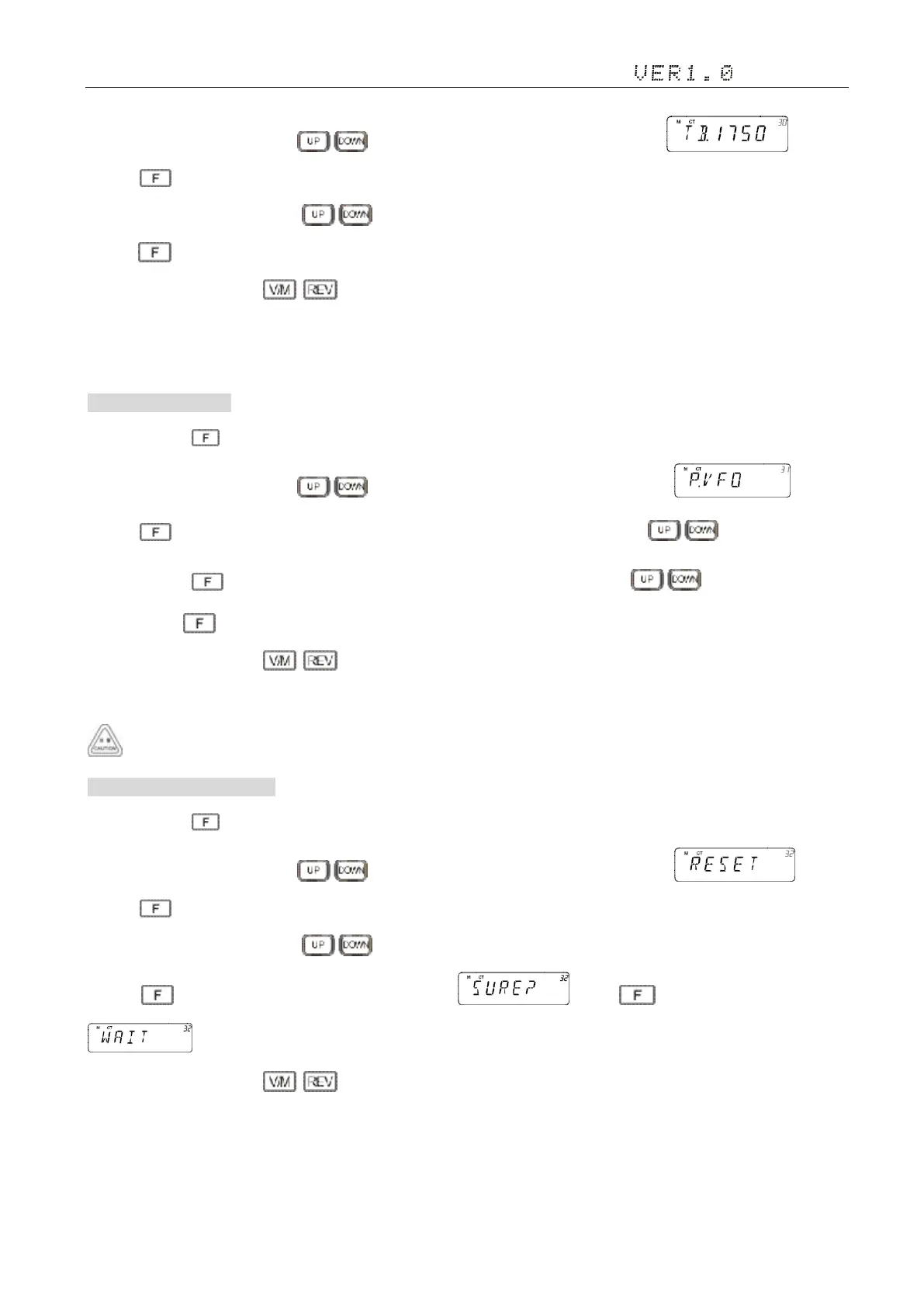
2)Adjust the knob switch or Mic's key, and select 30 menu option, the screen display ;
3) Press ,the screen flashing“1750”, Options see "1000,1450, 1750,2100Hz”, Default:”1750Hz”;
4) Adjust the knob switch or Mic's key to select
5)Press to confirm the selection and exit;
6)Setup process short press , then cancel save , and switch to the on a menu or next a menu;
7)Press to other keys(includes PTT) , cancel the save and return to main interface
31. VFO Range 范围设置
1)Press and hold key to enter general setting menu;
2)Adjust the knob switch or Mic's key, and select 31 menu option, the screen display ;
3) Press ,the screen shows “LLL.HHH”, “LLL” flashing, adjust the knob switch or Mic's key to set the lowest
frequency; Press ,the screen flashing “HHH”, adjust the knob switch or Mic's key to set the highest
frequency; Press to confirm the selection and exit;
4)Setup process short press , then cancel save , and switch to the on a menu or next a menu;
5)Press to other keys(includes PTT) , cancel the save and return to main interface
the frequency should be more than 1OOkHz;the highest frequency can not lower than the lowest frequency.
32. All Reset 恢复出厂设置
1)Press and hold key to enter general setting menu;
2)Adjust the knob switch or Mic's key, and select 32 menu option, the screen display ;
3) Press ,the screen flashing “VFO”, Options see “VFO/FULL”
4) Adjust the knob switch or Mic's key to select FULL;
5) Press to confirm the selection, the screen shows , press to confirm, the screen shows
. Restar the radio then press any key to exit;
6)Setup process short press , then cancel save , and switch to the on a menu or next a menu;
7)Press to other keys(includes PTT) , cancel the save and return to main interface


 To Next Page