BF9500 车载台使用说明书
Data will be cleared after reset, restore factory Settings, prudent use this feature.
Assistant Function 辅助功能
1. Cable Clone 有线克隆功能
This feature will copy the programmed data and parameters in the master unit to slave units. It copies the
parameters and memory program settings.
1) Use the selectable accessory CL95 clone cable to connect A and B two way radio
2) Turn on the radio B
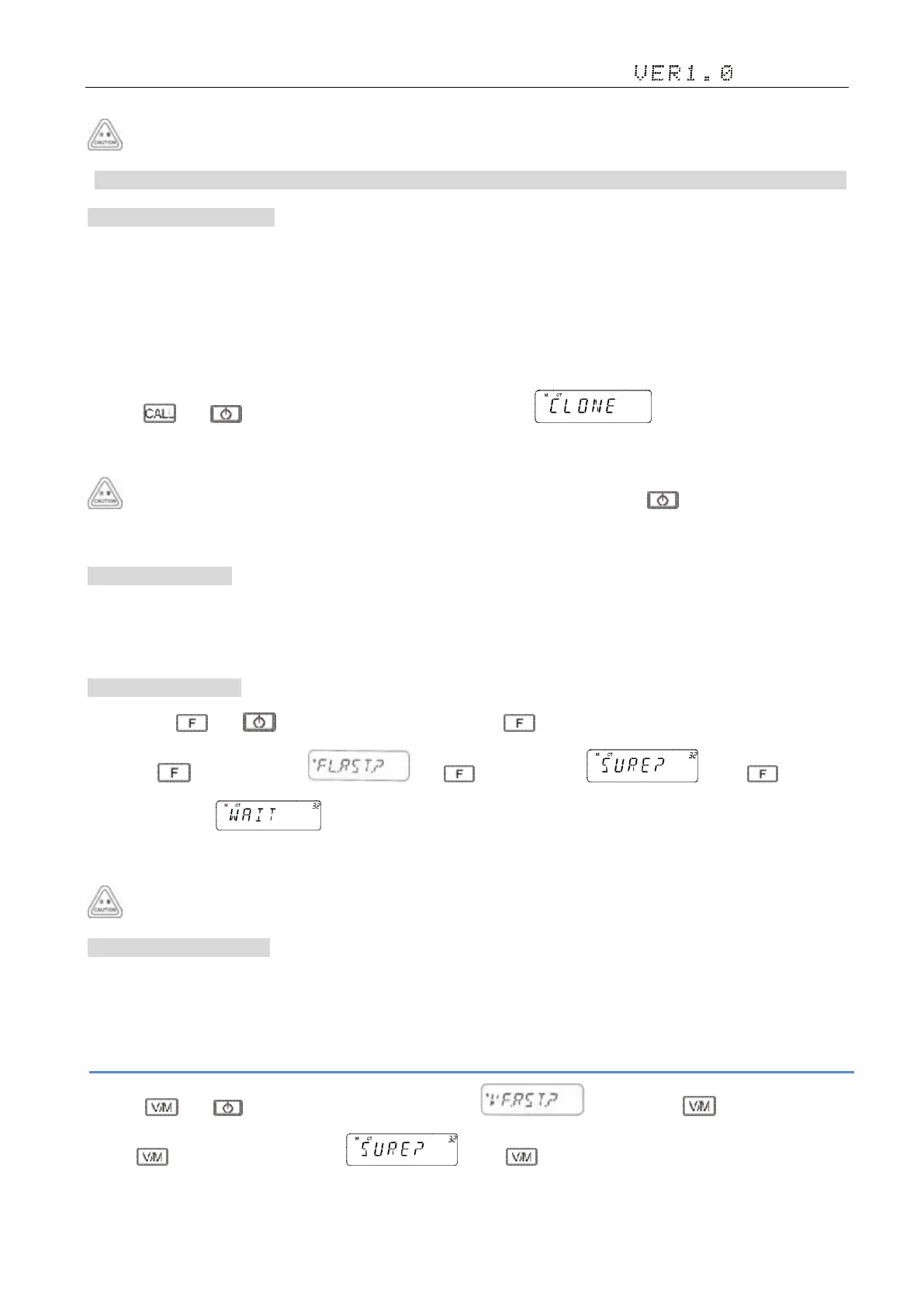
3)Press and to trun on the radio A. The screen shows , press 【F】(on radio A) to
clone the radio from A to B. Re star both A and B radio after finished
Repeat step 2 and step 3 to clone more radios. Radio A can only be trun off by long press in this situation. If the radio
can not clone, please check the power and the cable connection.
2. RESET 复位对讲机
Users can reset the radio when the radio can not work correctly. After reset the radio may not save any info which you need.
Save the radio’s important info before reset if necessary.
3.1 ALL Reset 完全复位
1) Long press and to turn on the radio, keep on pressing key until the LCD shows all the Icon
2)Release ,the screen shows ,Press , the screen shows ,press again,then
the screen shows . The radio begin to reset all the message, after finished it will restar auto. Press any key to
exit.
Initialize the contents of the factory.
3.2 VFO Reset VFO 复位
Reset the Mobile Radio except DTMF, channel and call channel parameters. There are two kinds of reset Mobile Radio
method.
■Reset 1 VFO 复位方法 1
1)Press and to turn on the radio,the screen shows , then release ;
2)Press to confirm, the screen shows ,Press again to confirm and reset VFO. Press any key to exit.


 To Next Page