Point Grey Flea3 GigE Technical Reference 8 Flea3 GigE Attributes
The term Continuous is the same as Auto and the term Once is the same as One Push.
To adjust white balance:
n GenICam—Analog Control
n FlyCapture API—Setting White Balance Using the FlyCapture API
8.18 Bayer Color Processing
Bayer color processing is applicable to color models only.
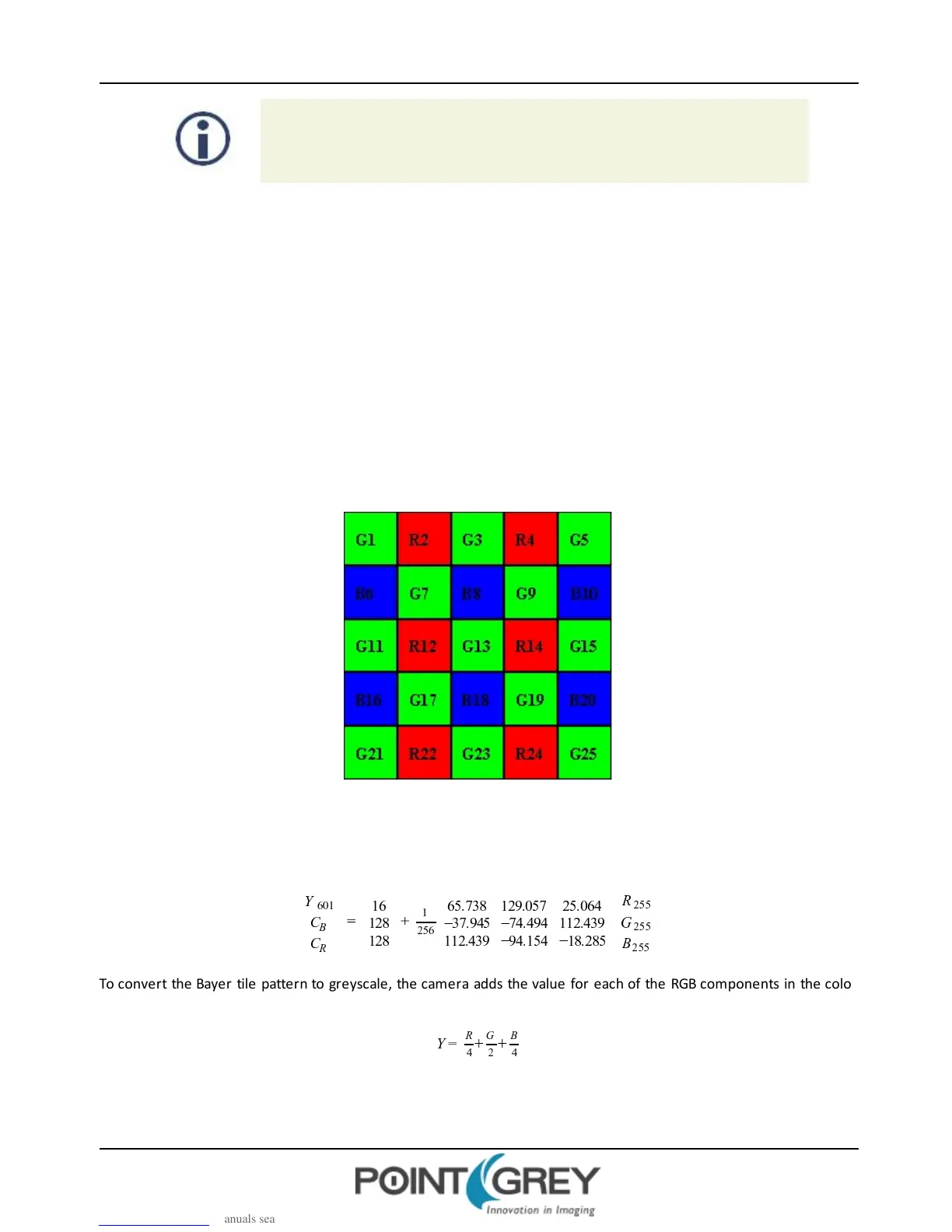
A Bayer tile pattern color filter array captures the intensity red, green or blue in each pixel on the sensor. The image
below is an example of a Bayer tile pattern.
To determine the actual pattern on your camera, query the Pixel Color Filter GenICam feature.
Figure 8.2: Example Bayer Tile Pattern
In order to produce color (e.g. RGB, YUV) and greyscale (e.g. Y8, Y16) images, color models perform on- board
processing of the Bayer tile pattern output produced by the sensor.
Conversion from RGB to YUV uses the following formula:
To convert the Bayer tile pattern to greyscale, the camera adds the value for each of the RGB components in the color
processed pixel to produce a single greyscale (Y) value for that pixel, as follows:
Revised 10/29/2013
Copyright ©2010-2013 Point Grey Research Inc.
80



 To Next Page