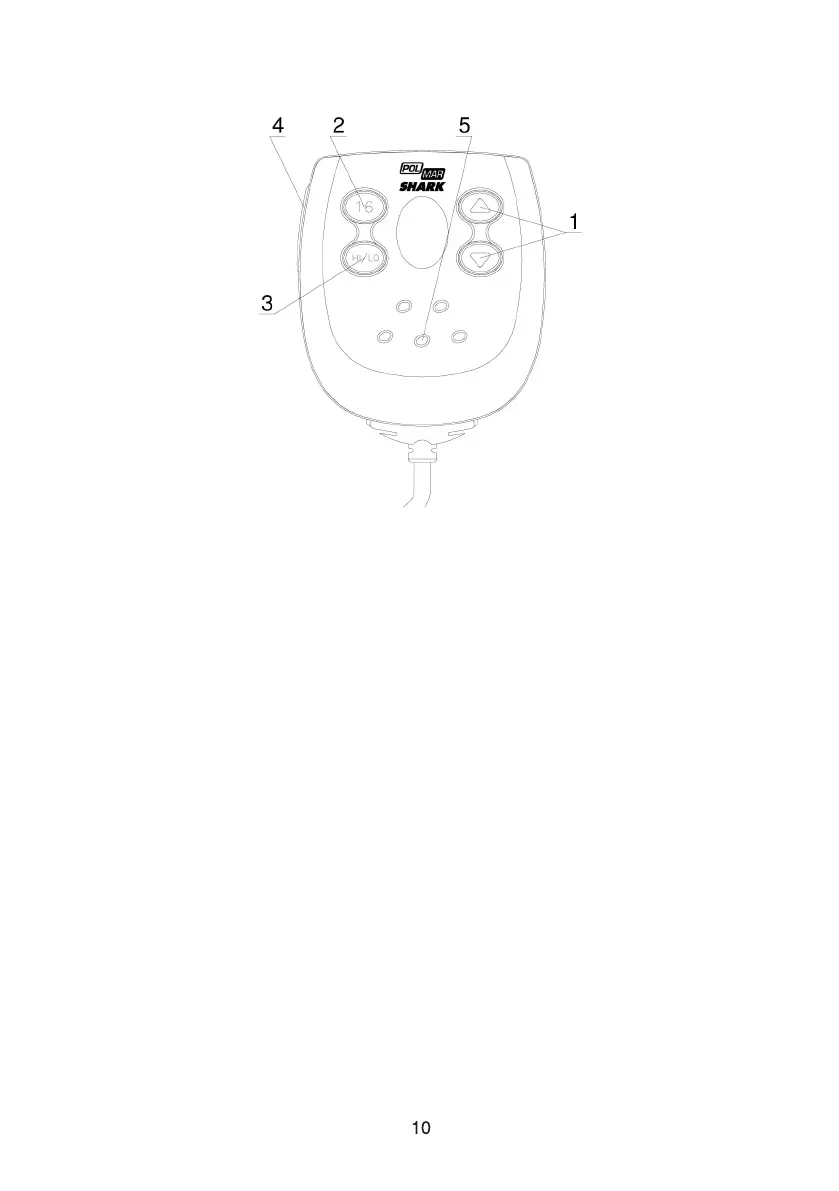
Channel Up/ Down: Press and release to change channel.
16: Press 16 key to quit all other modes and to into the priority channel.
Hi/Low: Press and release HI/LO button to toggle between 25 watt power
output and 1 watt output. The “HI” or “LO” icon appears on LCD display to
indicate the setting.
PTT: Push to enable VHF communication through the 25/1-Watt transmitter.
Internal Microphone: Well receive your voice information and ensure a reliable
communication.
1
2
3
4
5
2.3 Handset



 To Next Page